The Influencer Program / Guides
Make UGC videos that look real, sell the product and get you hired again
The video styles brands ask for, the phone settings and light to use, how to edit fast, and how to learn from ads that are already working.
- 7 min read
- Updated Nov 26, 2026
- 100% free community
(Put your real links. No follower minimum, but you need to be an active content creator, otherwise you get rejected)
To make a UGC video, film a product the way a real customer would use it, keep it under 60 seconds, and open with a hook that shows why it matters. Your phone, a window and a free editing app are enough.
UGC means user generated content: videos of normal people using a product, made for a brand to post or run as ads. Brands do not care how many followers you have. They care that the video looks real, natural and trustworthy.
What kinds of UGC videos do brands want?
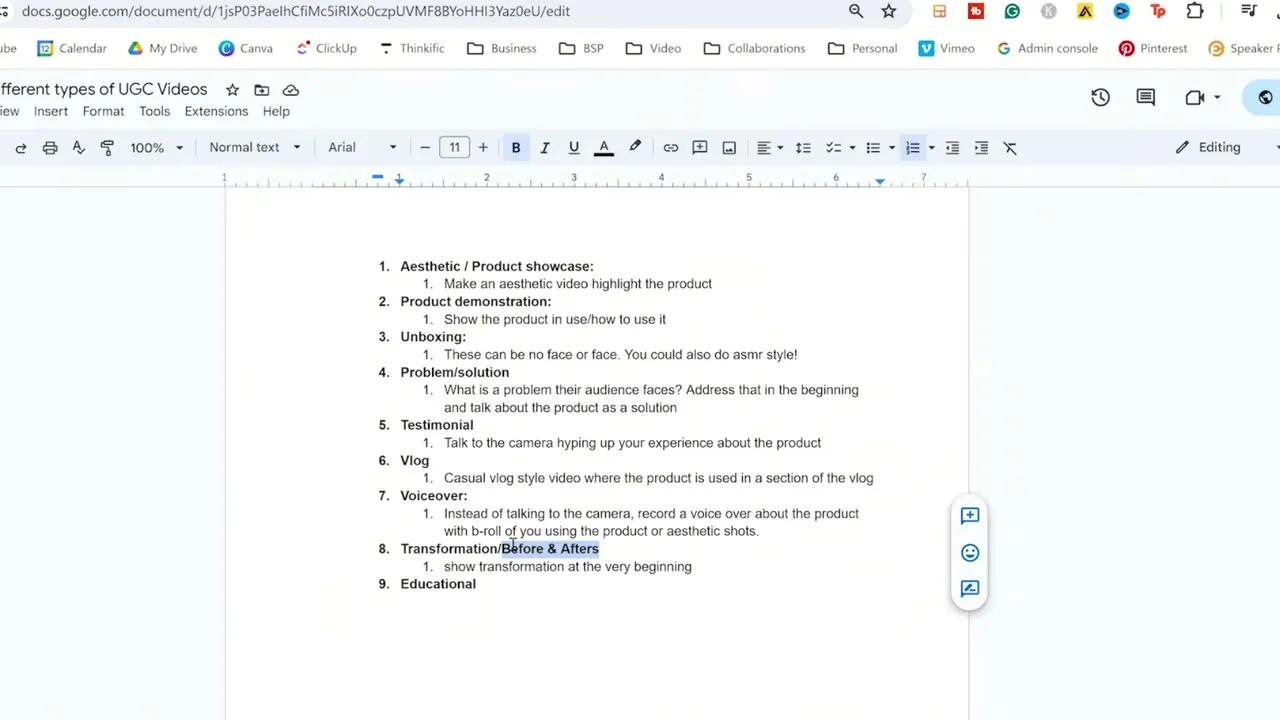
There are nine common styles. A good portfolio shows several of them.
| Style | What it shows | A tip |
|---|---|---|
| Aesthetic product showcase | The product looking its best, often without your face | Film by a window at golden hour |
| Product demonstration | The product in use and what it does | Keep the background plain and clean |
| Unboxing | Opening the package and the first look | Try a silent ASMR version with only the unboxing sounds |
| Problem and solution | A pain the buyer has, then the product fixing it | Name the problem in the first line |
| Testimonial | Your honest reaction or your experience with it | Cut between your face and close-ups of the package |
| Vlog | A slice of your day where the product shows up | A morning routine works well |
| Voiceover | Shots of the product with your voice on top | Talk straight through with no long pauses |
| Transformation | A before and after, shown first as the hook | Never fake or stretch the result |
| Educational | Tips or a recipe that uses the product | Teach something useful about the brand's world |
Aesthetic product showcase
This one is all about the product. Make it as pleasing to look at as you can. Natural light from a window, ideally when the sun is low, is the best time to film it. If your hands are in the shot, keep your nails clean.
Product demonstration
Show the product doing its job. It can be polished, or it can feel on the go and casual. A casual video does not need perfect nails or a styled set.
Unboxing
Open the box, then show the product set up and ready. One strong example ran 13 seconds. A slow, silent unboxing can run long, but keep yours short unless the brand asks for more.
Problem and solution
Ask yourself what problem the brand's buyers have, and how this product fixes it. A sunscreen video might start with the white cast many sunscreens leave, then show one that does not.
Testimonial
Film your real first reaction, or talk about why you love something you already use. The best ones are fast, cut between shots, show close-ups of the package, and end with a clear call to action, like where to buy it.
Vlog
Start a normal routine, like getting ready in the morning, and bring the product in partway through. It feels organic because it is part of a real day.
Voiceover
Film the product in use or in nice shots, then record your voice over it. Do not open with a weak line like saying you have never done this before. Your first words are the hook.
Transformation
Put the after at the very start, so people keep watching to see how you got there. Keep it honest. A fake looking result brings the brand bad comments.
Educational
Teach something tied to the product's world. For a supplement, give three tips on a vitamin. For a protein powder, film a recipe.
How long should a UGC video be?
Aim for under 60 seconds. That is what most brands look for. Short and to the point beats long and slow.
How do you film UGC on your phone?
You do not need a fancy setup. Some UGC creators shoot everything on a phone.
- Settings. One creator shoots all content in 4K at 60 frames a second.
- Lenses. Use the 1x lens for normal shots and close-ups, and the 0.5 lens for wide shots and in and out effects with the product.
- Light. Natural light is the favorite. Stand in front of a window or go outside. If you use lamps, test them and copy the lighting in videos that are doing well.
- Background. Keep it clean and simple, like a plain wall or a clear counter.
Film B-roll first
B-roll is footage of the product or of you not talking. Many UGC creators prefer to film a batch of nice product shots first, then add a voiceover in the edit. You can reuse good B-roll again and again.
How do you edit a UGC video?
Use a free editor such as CapCut or InShot.
- Put your clips in order and add your voiceover.
- Add a hook as text on screen in the first seconds.
- Use basic, classic fonts that are easy to read.
- Keep the pace quick, with cuts between different shots.
For more on picking an editor, see video editing software for beginners.
How do you learn what works?
Study ads that are already running. Ad libraries show top ads with their click through rate, so you can see which ones people click.
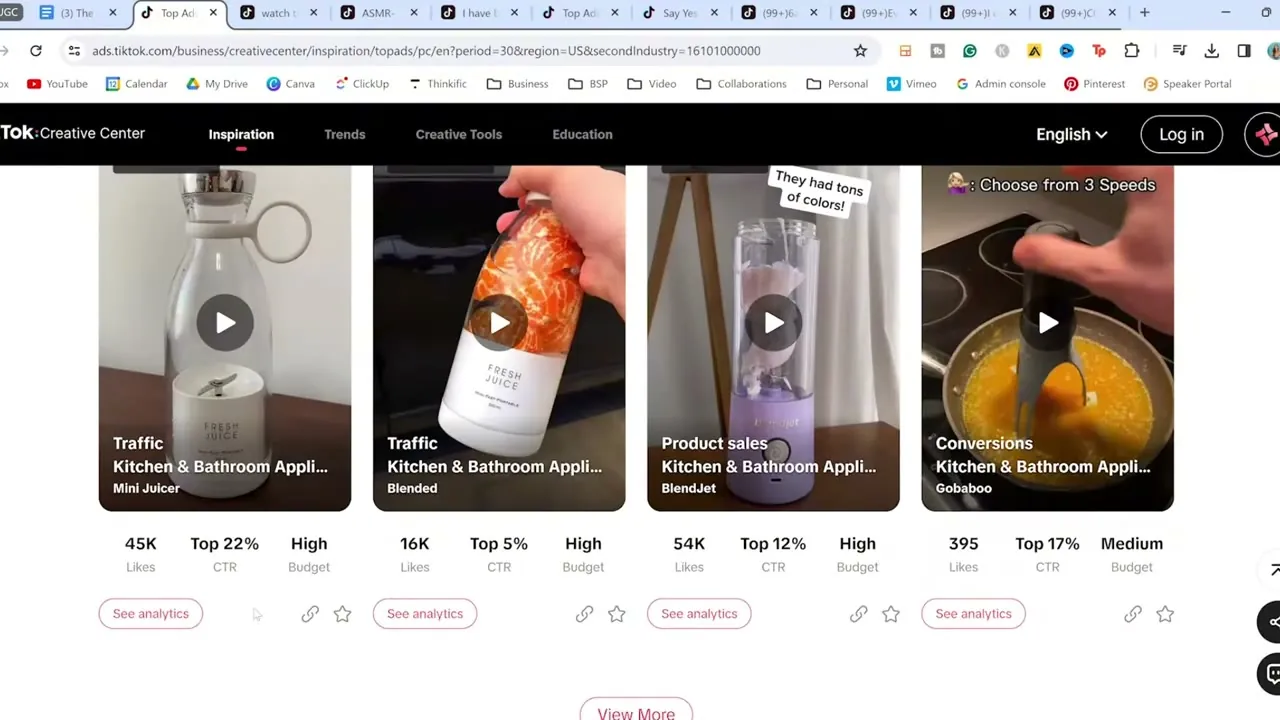
Open an ad you like and look at:
- The hook. What happens in the first second or two?
- The structure. Where does it grab attention, and where is the call to action?
- The chart. Some tools show when viewers click during the video, so you can see which moment sold it.
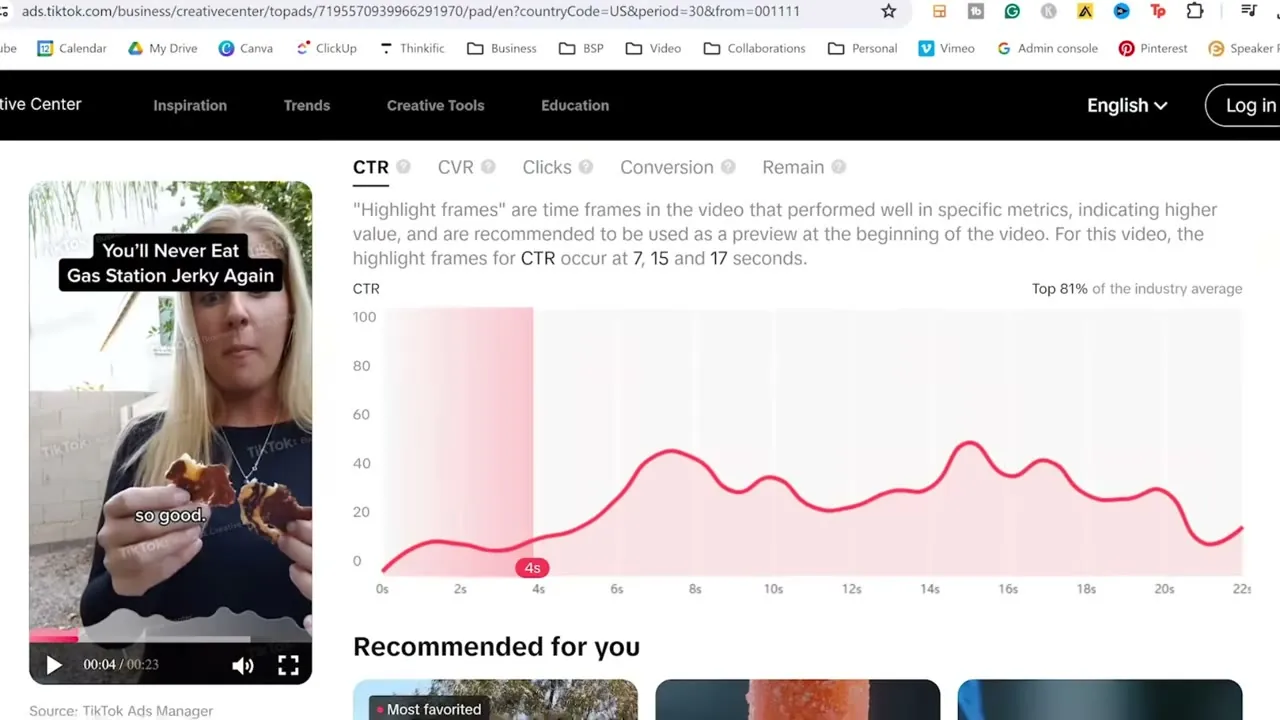
Study ads that did badly too, and ask why. You can also search Instagram and TikTok for other UGC creators and see what they post.
UGC is one way to earn as a creator without a big following. The Influencer Program is a free creator community that teaches you and helps you grow, with free guides and content. We are not talent managers or an agency that signs you, and there is no contract.
Join the free creator program
Free training to grow, a community of creators, and weekly feedback on your videos. No contract.
(Put your real links. No follower minimum, but you need to be an active content creator, otherwise you get rejected)
How do you build a UGC portfolio from home?
You do not need a brand deal to start. Pick 5 to 10 products you already own and love, like skincare, snacks or a gadget, and film them.
- Include 3 to 5 short clips in different formats: hands only demos, voiceover testimonials, product and hand montages, and flat lays with captions.
- Stick to products that fit your personality and style.
- Once you have three sample videos, you are ready to pitch.
See how to build a UGC portfolio for the full setup.
What can you charge for UGC videos?
| Stage | Rate per video |
|---|---|
| Beginner | About $50 to $150 |
| Experienced | About $300 to $500 |
| Bundles with voiceovers, testimonials and usage rights | Can add up to a bigger package |
Early on, many creators take a free product as payment to build experience. Once you have worked with 5 to 10 brands, start asking to be paid. Charge an extra fee if a brand wants to run your video as ads. Read more in UGC creator rates and usage rights for creators.
Protect yourself
- Read every contract. An AI tool can summarize it so you catch anything hidden.
- If you write your own contract, you can add a late fee, such as 10% more for each week a payment is late.
- Put a watermark on the videos you send, and remove it once you are paid.
- Send invoices through a payment service so you look professional.
How do you find brands to make UGC for?
- Search Instagram and TikTok for posts tagged UGC creator or UGC needed.
- Offer UGC on freelance sites like Upwork and Fiverr.
- Join UGC platforms that connect creators with brands.
- Email or DM brands you like with a short pitch and your portfolio link.
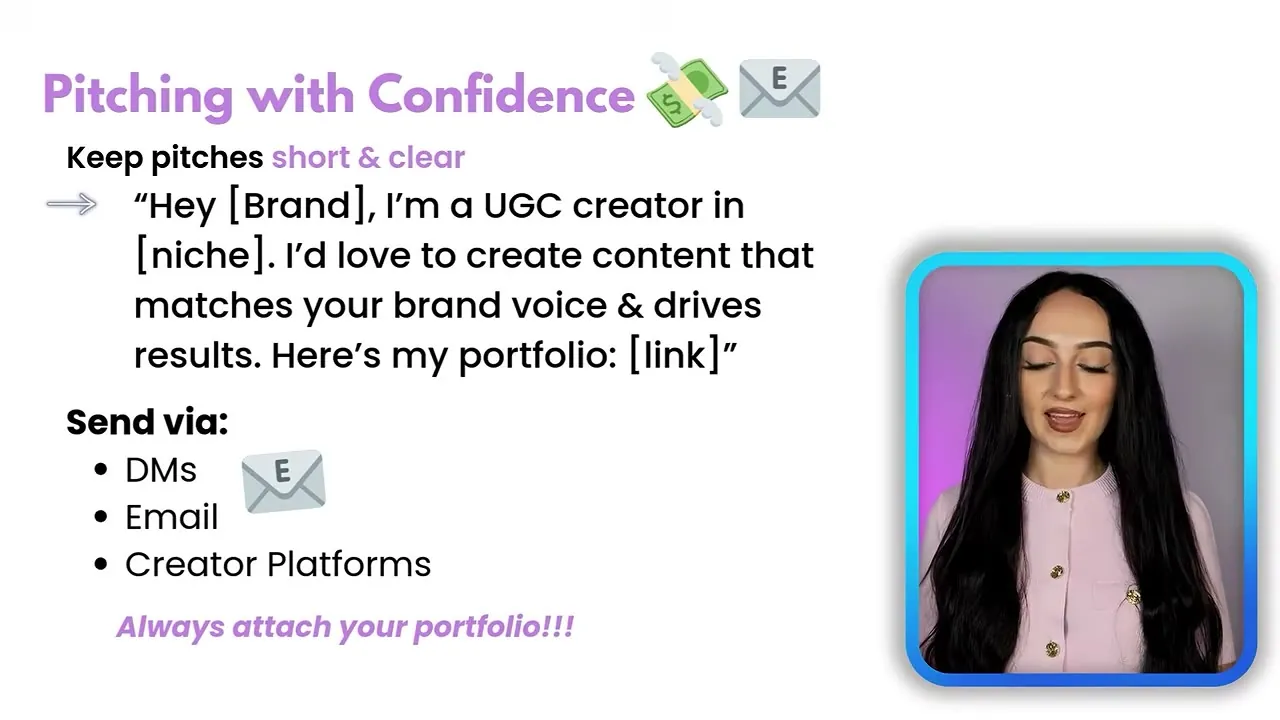
Post your UGC on your own account too. Put UGC creator in the name field of your profile so it shows in search, and add your email. Brands that find you on their own tend to value you more than when you chase them.
Give it 6 months to a year before you judge it. When money comes in, put some back into a better phone, a clip on mic, a backdrop or a music library.
What can you do this week?
- Pick 5 products you own and film each one in two different styles from the table.
- Film one aesthetic showcase by a window when the sun is low.
- Edit one video under 60 seconds with a text hook and a voiceover.
- Watch the top ads in your product category and write down how each one starts.
- Write a three line pitch and send it to three brands you already use.
More guides
- Make YouTube videos that look and sound good with the phone you already have
- Sell your first online course to people who already want it
- Start a faceless YouTube channel that YouTube will still pay you for
- Start a gaming channel people come back to, even in a crowded space
- Start a newsletter people open, and grow it into something that pays
- Start a YouTube vlog with the phone you already have, and keep going long enough to grow
- Use hashtags the way the platforms read them now, and put keywords to work instead
- Get paid every time a follower uses your discount code