The Influencer Program / Guides
Use hashtags the way the platforms read them now, and put keywords to work instead
Hashtags no longer bring reach by themselves. Here is how many to use on each platform, which ones to pick, and where your keywords should go, shown on real screens.
- 6 min read
- Updated Nov 24, 2026
- 100% free community
(Put your real links. No follower minimum, but you need to be an active content creator, otherwise you get rejected)
Use hashtags as labels, not as a way to get more views. Add a few that describe exactly what your post is about, put the same keywords in your caption, your on screen text and what you say, and skip the long copied lists.
Hashtags used to be the main way new people found your posts. People followed hashtags, and a post with five likes could still show up for everyone following a tag. That time is over. Platforms now read your whole post to decide who should see it.
Do hashtags still work?
Yes, but not for reach. The head of Instagram has said hashtags are not a way to get more reach. They help with context: they tell the platform what your post is about and connect it to similar posts. Skipping them will not hurt your reach.
The reason is that platforms now use AI to understand posts. They listen to what you say, read the text on screen and in your caption, and look at what is in the picture. If you sit with a guitar in the first frame, the platform guesses your video is for guitar fans. All of that tells it more than 30 hashtags ever could.
Instagram also moved from showing people posts from accounts they follow to showing posts that match their interests. So a stranger can see your post if it fits what they like, with or without a hashtag.
How many hashtags should you use?
It depends on the platform.
| Platform | How many | What to keep in mind |
|---|---|---|
| Under 5 | Some accounts now get a warning when adding more than 5, or even 3. Keywords matter more | |
| TikTok | 2 to 3 niche tags, or a mix of 3 to 5 niche and 1 or 2 trending | Put them at the end of your description |
| 3 to 5 | Treat them like keywords for your industry. People follow hashtags here | |
| X | 1 or 2 | Only when tied to an event, a trend or a live conversation. More can lower engagement |
| Do not plan around them | Few people follow or search them | |
| YouTube tags | Up to the 500 character limit | Tags are not hashtags, and they matter less than your title and thumbnail |
On Instagram you used to be able to add 30 hashtags. Now the best practice is to keep it under five.
Which hashtags should you pick?
There are three kinds:
- Niche hashtags. Specific to your topic, product or audience. They reach fewer people, but the right people. Make these most of your tags.
- Trending hashtags. Tied to a moment or event. Useful now and then, but never the base of your plan.
- Community or branded hashtags. Connect you to a group, or gather posts under one name, like a campaign or your customers' posts.
Pick tags for the post in front of you, not your whole business. Change them from post to post as the topic changes. A copied list of 30 tags on every post tells the platform you do not know who you are trying to reach.
Mistakes that hurt your reach on TikTok
- Tags that are too small. If few videos sit under a tag, TikTok may decide your topic has a small audience.
- Tags that do not fit. TikTok shows your video to people who liked that tag before. The wrong tag means the wrong viewers, who will not engage.
- Tags in the wrong place. Keep them at the end of your description, not at the start or spread through it.
- Tags whose videos look nothing like yours. Open the tag and look at the recent videos. If they do not match your format or topic, choose another.
Before you make a video, search your topic on TikTok. Look for many videos with over 100,000 views in the last 24 hours. If you find almost nothing, pick a different topic, because there is no audience waiting for that one.
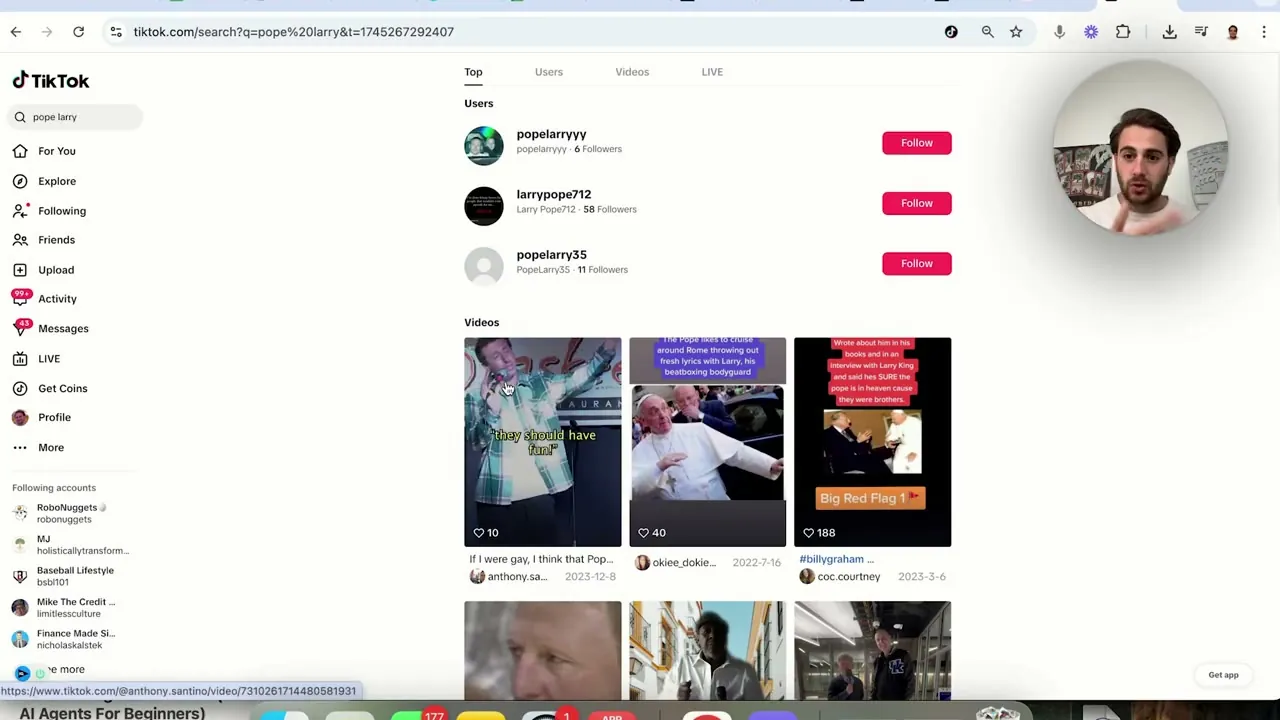
What works better than hashtags?
Keywords. A keyword is any important word or phrase that says what your post is about and who it is for. Put the same keywords in four places so they all line up:
- What you say in the video.
- The text on screen.
- Your caption or description.
- Your hashtags, if you use any.
When these four match, the platform can tell there is an audience for your post and who it is.
Use keywords naturally
Do not stuff them. Some people wrote a long list of keywords separated by commas at the end of a caption. Instagram has said it can spot this and will show those posts to fewer people. Work your keywords into real sentences instead.
Be specific. Generic words make it hard for the platform to find your audience. Here is a simple test: if a stranger heard only your keywords, could they tell what your post is about and who it is for?
Follow up on what works
When one video does better than your usual, make a follow up on the same topic with the same main keywords. The people who liked the first one are likely to be shown the next. One off posts on random topics give the platform nothing to learn from.
For more on how each platform picks who sees your posts, read how the Instagram algorithm works and how the TikTok algorithm works.
The Influencer Program is a free creator community that teaches you and helps you grow, with free guides and content. We are not talent managers or an agency that signs you, and there is no contract.
Join the free creator program
Free training to grow, a community of creators, and weekly feedback on your videos. No contract.
(Put your real links. No follower minimum, but you need to be an active content creator, otherwise you get rejected)
How do you add tags on YouTube?
YouTube has two different things: hashtags in your description, and tags in a separate box.
To add tags, open your video, click Details and scroll down to the tags box. On the YouTube Studio phone app, they are under attributes. You do not need the hashtag symbol. Type a word or phrase, then add a comma to turn it into a tag. You can paste a whole list at once as long as each tag ends with a comma.
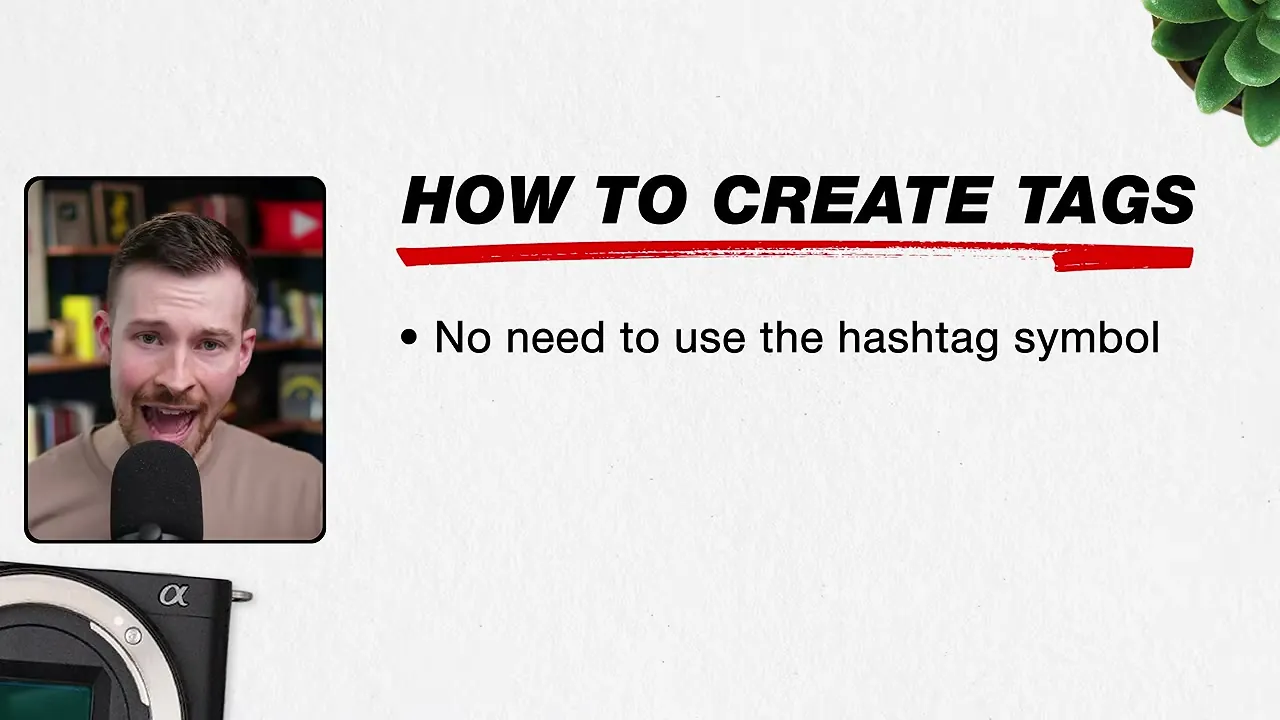
What to put in the tag box
Use three kinds of tags:
- Bull's eye. Exact phrases for the topic of this one video, like how to add tags to your YouTube video. About 80% of your tags.
- Bucket. Broader terms the video fits under, like YouTube tags or YouTube SEO. About 10%.
- Badge. Your channel name, your handle or your brand, so people searching for you find you.
The tag box is also the one place where spelling mistakes help. Add common misspellings and short forms of your topic to catch people who type fast.
The box holds 500 characters, and every letter and space counts, so do not waste it.
Save your badge tags once
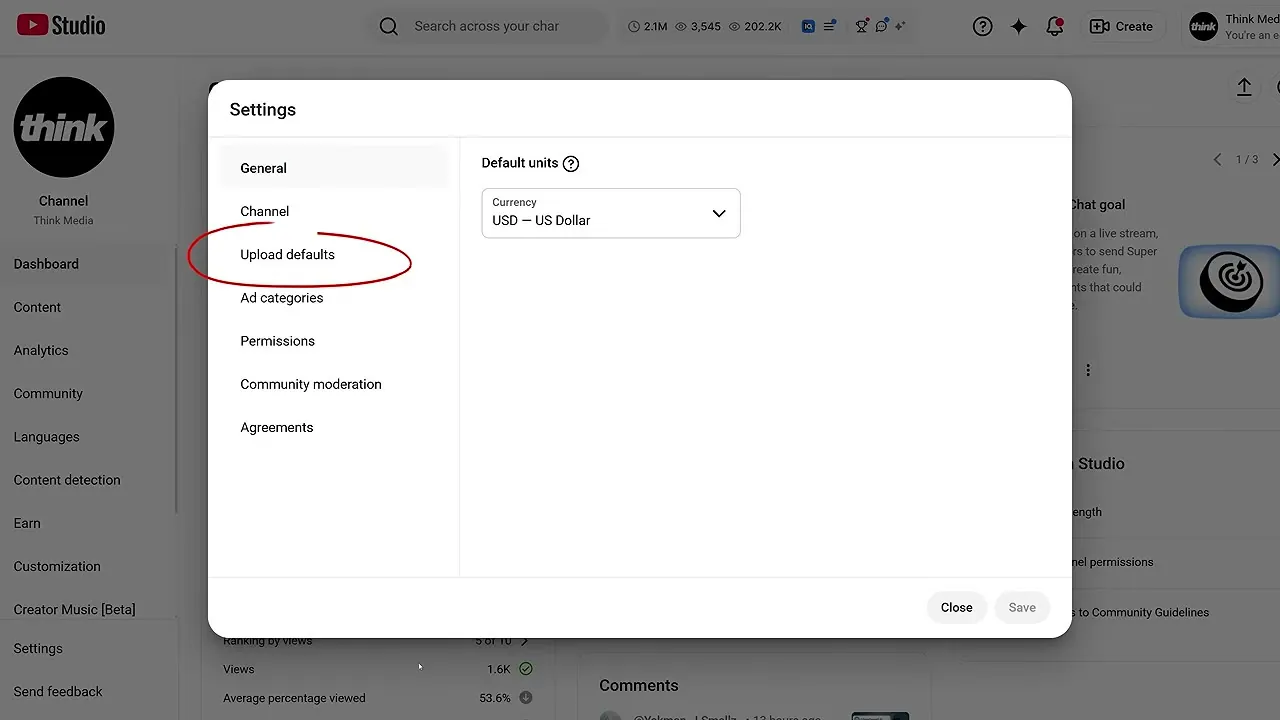
Your badge tags rarely change. In YouTube Studio settings, open Upload defaults and add them there, so every new video gets them without typing.
Keep tags in perspective. YouTube has made clear that tags play a small role next to your title, your thumbnail and even your description. Spend most of your time there.
What can you do this week?
- Look at your last five posts and cut any hashtag that does not describe that exact post.
- Keep Instagram posts under five hashtags, and put TikTok tags at the end of the description.
- For your next video, choose two or three keywords and say them, show them on screen and write them in the caption.
- Search your next topic on TikTok and check for recent videos with big views before you film.
- On YouTube, save your badge tags in Upload defaults and write bull's eye tags for each new video.
More guides
- Get paid every time a follower uses your discount code
- Find an influencer niche that grows your account and still feels like you
- Get into an influencer program that fits your channel
- Build a rate card that tells you what to charge before a brand asks
- Earn a cut of every sale your Instagram posts bring in
- Understand the Instagram algorithm and get your posts in front of more people
- Get found by brands inside Instagram's creator marketplace
- Understand the LinkedIn algorithm and give it every reason to show your posts