The Influencer Program / Guides
Understand the LinkedIn algorithm and give it every reason to show your posts
LinkedIn now shows posts by interest, not only to your followers. Here is what it reads, what to post, and how to set up your profile, shown on real LinkedIn screens.
- 6 min read
- Updated Nov 24, 2026
- 100% free community
(Put your real links. No follower minimum, but you need to be an active content creator, otherwise you get rejected)
The LinkedIn algorithm now works like YouTube or Netflix. It shows each post to people interested in its topic, not only to people who follow you. So a small account can reach thousands of the right people if LinkedIn can tell what the post is about and early readers stop, read and respond.
That is a big change. LinkedIn used to show your posts mostly to your existing network, which made it hard to grow without a big following.
How does the LinkedIn algorithm decide who sees a post?
It looks at two things: what your post is about, and how people respond to it.
To know what it is about, LinkedIn reads your words and now your images too. To judge how people respond, it watches a few early signals. If readers click see more, comment, reply and repost, it shows the post to more people interested in that topic.
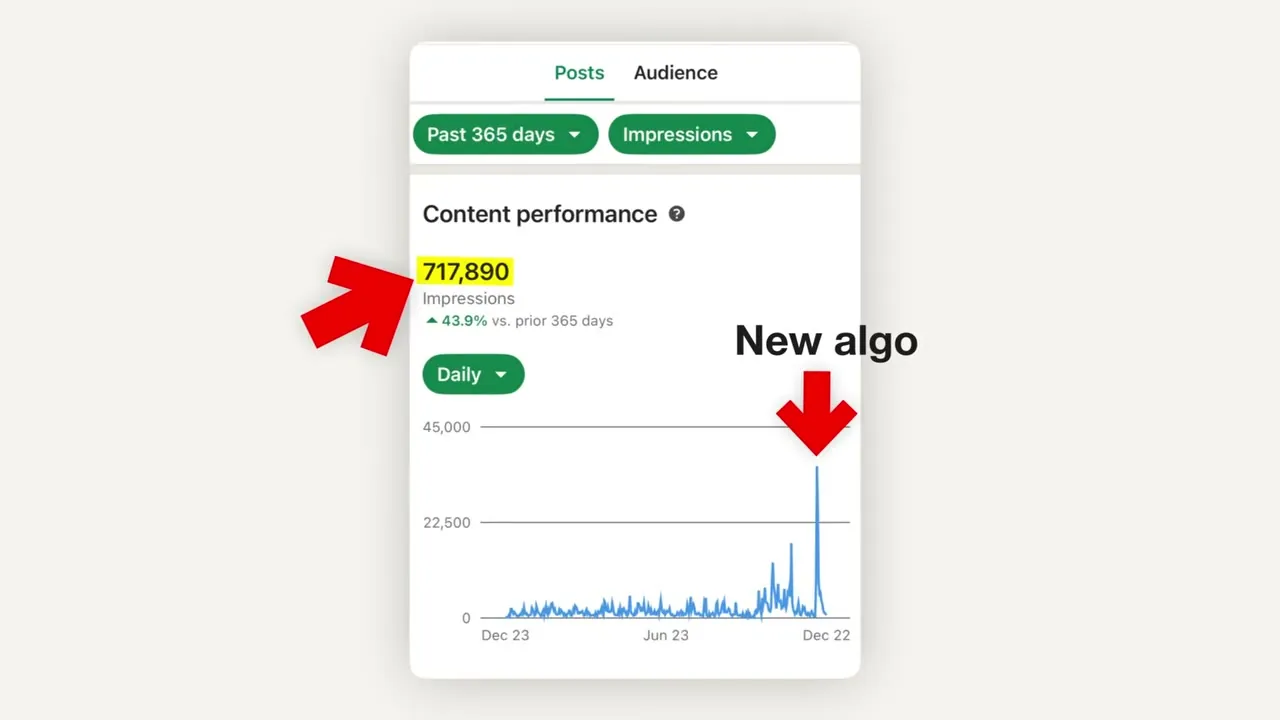
There is room to grow. LinkedIn gets over 9 billion impressions a week, but only about 1% of users post every week. Compared with Instagram or TikTok, the feed is far less crowded.
What signals does LinkedIn read?
| Signal | What to do |
|---|---|
| See more clicks | Open with one or two short lines so LinkedIn adds a see more link, and make people curious enough to tap it |
| Comments | End with a real question tied to the post, not one that only gets yes or no |
| Your replies | Reply to every comment. Each reply brings people back to the post |
| Reposts | Ask people to share it with their network. A repost is one of the strongest signs to show a post to more people |
| Images | Add a picture packed with the post's main idea. It works like a thumbnail |
| Topic match | Post about the same few topics for the same kind of reader, so LinkedIn knows who to show you to |
Write a first line people want to finish
Your first three lines decide whether anyone reads on. Three moves help:
- Spark curiosity. Something like: I read a study I cannot stop thinking about.
- Call out who it is for. Use data or an identity, like a line aimed at introverts who lead teams.
- Promise value. Make it clear they will learn something worth their time.
Words like I, when, what and how pull you into real stories and real steps, which stand out from generic posts.
Ask a question that fits the post
Generic endings like what do you think are everywhere, and LinkedIn now tries to push down content that reads like low effort AI posts. Tie your question to the post instead. After a list of tools, ask which one the reader would add.
Use strong images
LinkedIn favors posts with one sharp idea and a strong picture. One creator drew the main points of a post by hand into one image, and that post passed 24 million views. A clear graphic in a color that is not LinkedIn blue stands out in the feed. A real photo of you works too, because LinkedIn is pushing for human content.
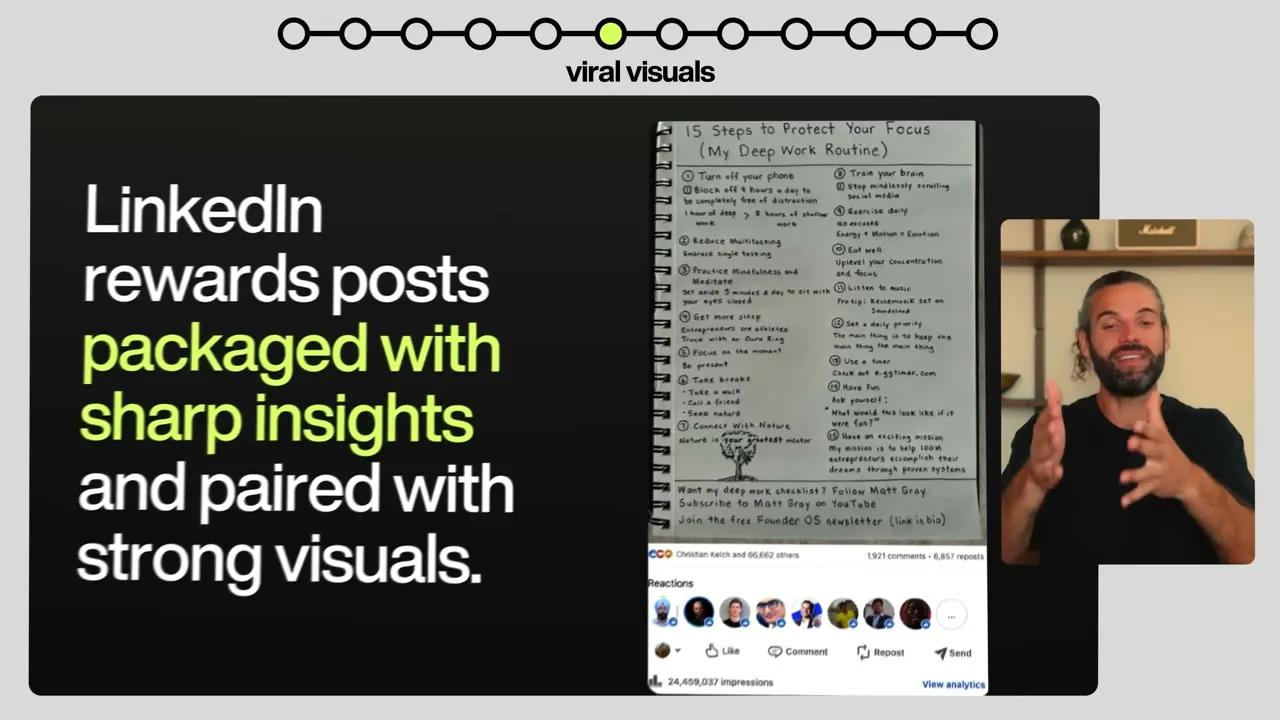
You can also turn a text post that did well into a short video where you explain it on camera, or into a carousel.
What should you post on LinkedIn?
Pick one kind of reader and keep writing about what matters to them. Mix these types:
- Behind the scenes. Real moments from your work: the wins, the problems, what went wrong.
- Deep how to. Show exactly how you do something, step by step. People follow for the details.
- Personal stories. What you learned, what you went through. Your story is what no one else can copy.
- Value images. One picture or carousel that sums up a useful idea.
- A different view. Ask what everyone in your field believes that you think is wrong, and write about it.
Avoid two mistakes. Too much broad, feel good content gives you followers and no business. Too much selling makes you look pushy. Keep a mix.
How often and when should you post?
LinkedIn cares more about how people respond than how often you post. A steady pace still helps. One creator whose LinkedIn content brought in over $1.2 million for their business recommends three posts a week at minimum.
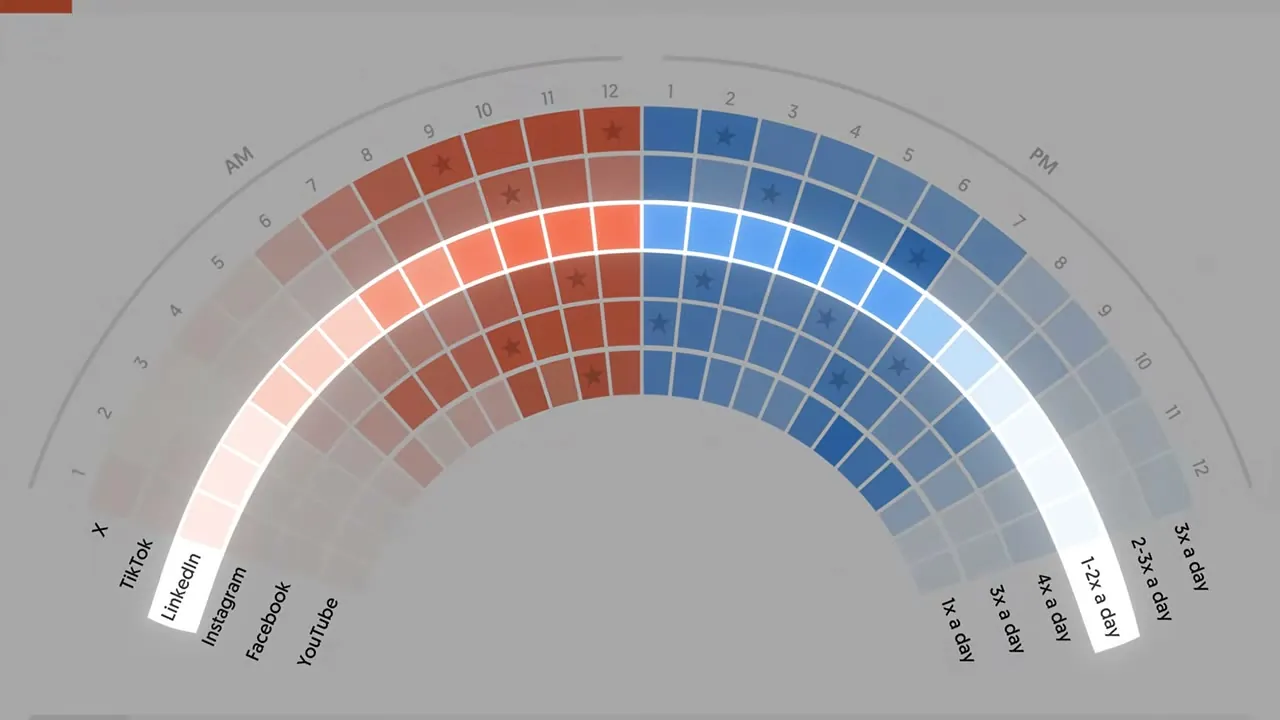
Post when your readers are online, in their time zone, not yours.
The Influencer Program is a free creator community that teaches you and helps you grow, with free guides and content. We are not talent managers or an agency that signs you, and there is no contract.
Join the free creator program
Free training to grow, a community of creators, and weekly feedback on your videos. No contract.
(Put your real links. No follower minimum, but you need to be an active content creator, otherwise you get rejected)
How do you help LinkedIn learn your topic?
Comment before you post
Leave thoughtful comments on posts in your field, and on LinkedIn news stories your ideal readers care about. It shows LinkedIn what you know, and it puts your name in front of people already reading about your topic. Do this before you start posting much yourself.
Connect with the right people
Connect with people who care about your topic. If your network is full of people interested in something else, your posts get weak engagement from them, and that hurts your reach. One way in: find the top accounts in your space and connect with people in their networks. Over time, the top accounts see you too.
LinkedIn's My Network page tends to show people who are active right now. Connecting there means your requests reach people who actually log in.
How should you set up your LinkedIn profile?
People who like a post click your name next. Your profile has to turn that visit into a follow.
- Photo. Your headshot and headline show up in around 10 places on LinkedIn. Use a clear, high quality photo.
- Headline. Say who you help and how, or name their problem and your fix. Keep it plain.
- Banner. Add a clear next step, like your newsletter or your offer.
- Featured section. Pin your best post, a free guide or your newsletter. It works like a salesperson that never sleeps.
- About section. Write it for the reader, using words they would search for.
Start with your personal profile. A company page can come later as an extension of it. For more on this, read our guides to LinkedIn influencers and how to build a personal brand.
How do you know what is working?
Check your analytics every month. Look at your top posts: the topic, the words and the hook. Then do more of what worked. Look at what is working for other creators too, both the formats and the writing.
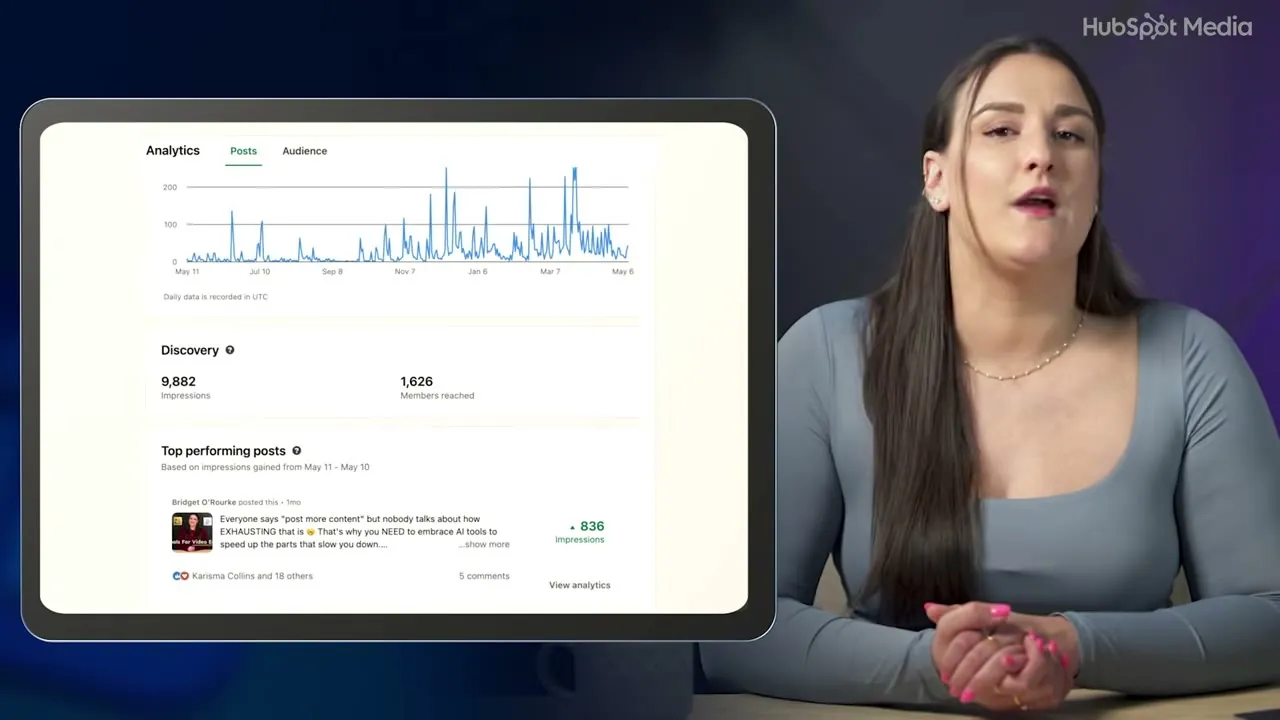
If you are not getting much traction yet, focus on how fast you are learning. That is what leads to growth.
What can you do this week?
- Rewrite your headline to say who you help and how.
- Pin one strong post or free guide to your Featured section.
- Leave five thoughtful comments a day on posts your ideal readers are reading.
- Write one post with a two line hook, one image and a question tied to the post.
- Reply to every comment on it, and check your analytics at the end of the month.
More guides
- Grow a LinkedIn following that brings you real opportunities
- Start a LinkedIn newsletter that lands in inboxes and grows with every new follower
- Get noticed by lululemon and the fitness brands like it
- Grow your newsletter with a clear promise, steady posting and the right partners
- What it takes to make money on TikTok Shop full time
- Sell supplements on TikTok Shop without getting your videos pulled
- Earn commission from Shein with the outfits you already post
- Get paid on ShopMy for the products you already post