The Influencer Program / Guides
Make one idea do the work of fifteen posts, without your audience noticing
How to turn one post into many formats, cut a long video into short clips, and send your own videos to every platform on a schedule, shown on real editing screens.
- 5 min read
- Updated Nov 24, 2026
- 100% free community
(Put your real links. No follower minimum, but you need to be an active content creator, otherwise you get rejected)
Content repurposing means taking one idea you already made and sharing it again in a new format: a reel becomes a carousel, a long video becomes ten short clips, a caption becomes a talking head video. Keep the idea, change the format, add something new each time, and space the versions out so it never feels like a repeat.
Done well, it is how some creators post several times a day without making something new every time. One creator puts out three Instagram posts a day, an email every day and two YouTube videos a week by repurposing.
What is the difference between repurposing and reposting?
Reposting is copying and pasting the same thing. Repurposing keeps the same idea, sometimes even the same words, but makes it look and feel different. The best version adds something each time:
- A reel becomes a carousel with real photos and screenshots instead of only words.
- A story with three lessons becomes a carousel with nine.
- A kind comment on the first post gets shared in the next version.
Each new version should be a step better than the one before.
Repurposing is for your own content. Taking other people's videos and posting them as yours is not repurposing.
What is the biggest repurposing mistake?
Sending the same piece everywhere at once. If people see your Instagram post and then get the exact same thing in their email an hour later, they learn to skip your emails. One creator stopped opening another creator's emails for exactly this reason.
Space your versions out. A caption written in March can become a talking head video in June. By then it feels fresh, and most people will not notice it is the same idea.
How do you turn one post into many?
Start with one idea. Then make it in different formats. Here is how one tip for a stylist, like never leave the house in wrinkled clothes, can become many posts:
| Format | What it looks like |
|---|---|
| Filler footage, all of it in the reel | You ironing a shirt, with the tip written on screen |
| Filler footage, tease plus caption | A shot of you dressed up, with the full tip in the caption |
| Filler footage, tease plus DM | A short hook that asks people to message you for the details |
| Filler footage, tease plus freebie | A hook that points to a free guide |
| Talking head | You saying the tip to the camera |
| Carousel | The tip as slides, with photos added |
| Story | The tip in a few frames, with a poll or question |
Filler footage, often called B roll, is simple video of you going about your day. Talking head means you speaking to the camera. Mixing these, one creator turns one post into 15 different ones.
How do you turn a long video into short clips?
A long video or podcast is full of short clips. Here is a simple way to pull them out:
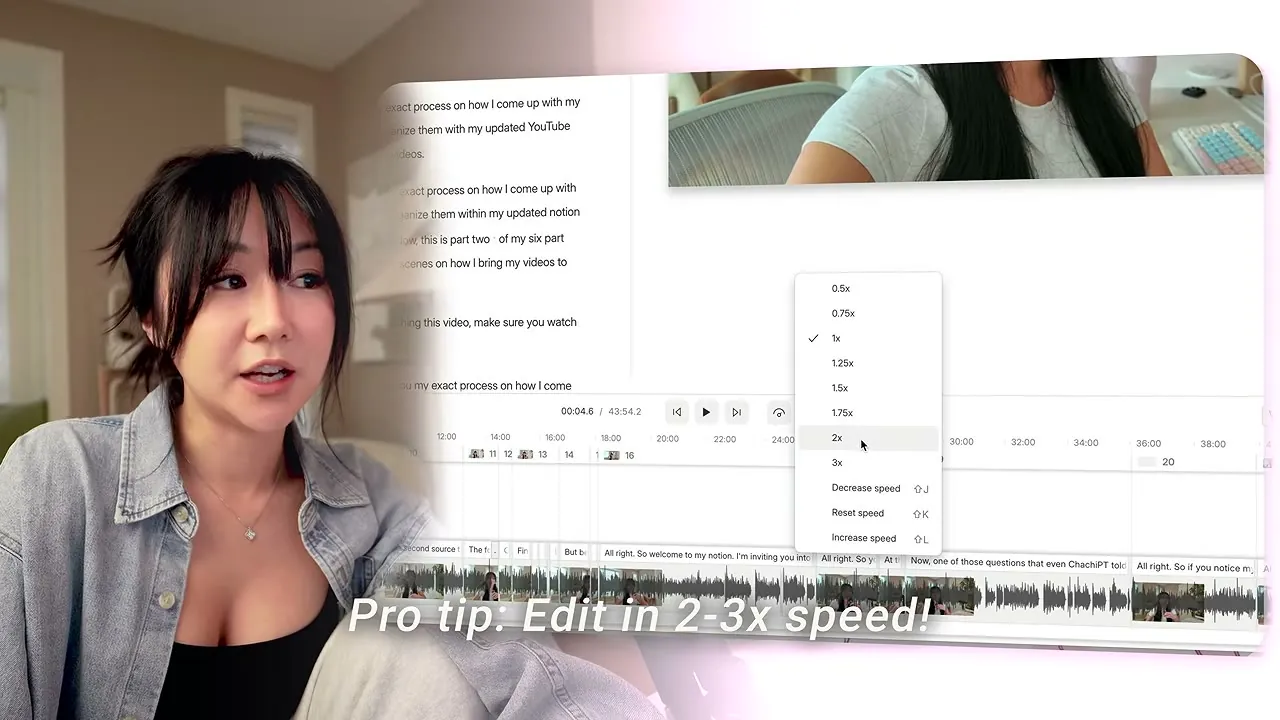
- Watch it fast. Play the long video at 2 times speed.
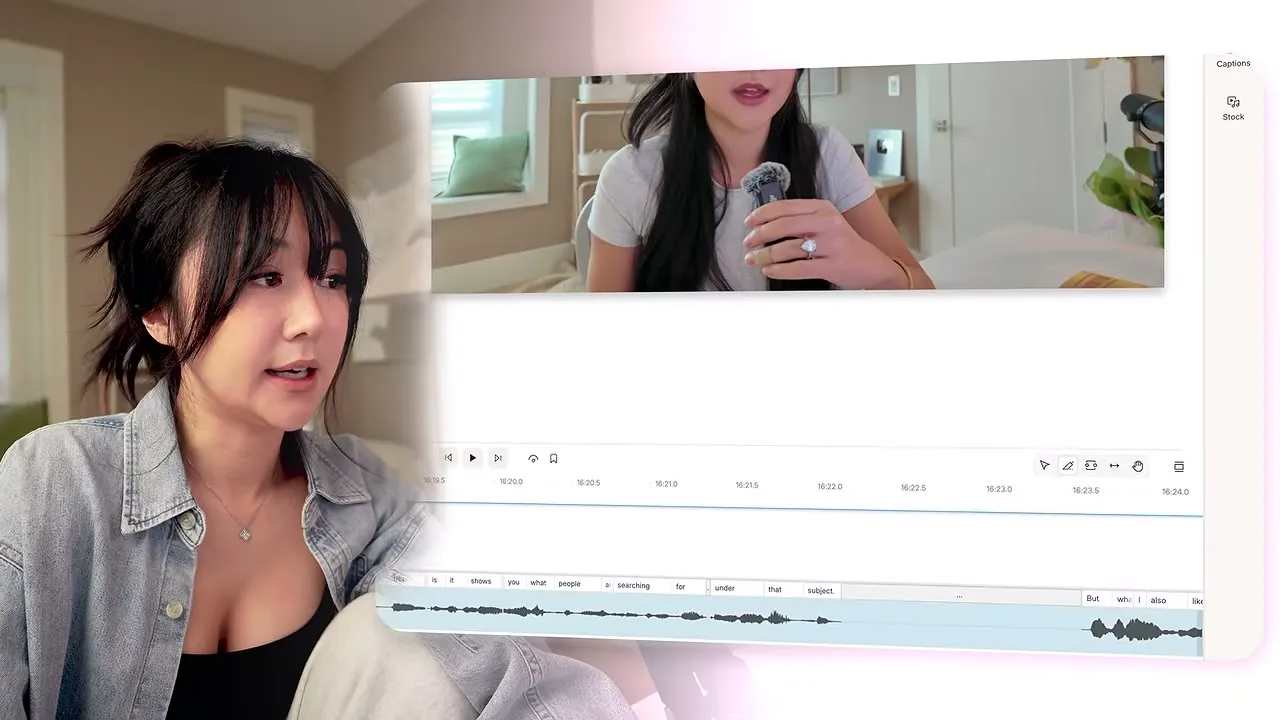
- Mark the moments. Highlight every part that could stand on its own.
- Make each one its own clip. Many editors let you send a highlight to a new project with one click.
- Switch it to portrait and stretch it to fill the phone screen.
- Add captions and remove filler words like um and uh.
- Name each clip so you can find it later.
One creator pulled 38 short clips from a single 2 hour podcast interview this way.
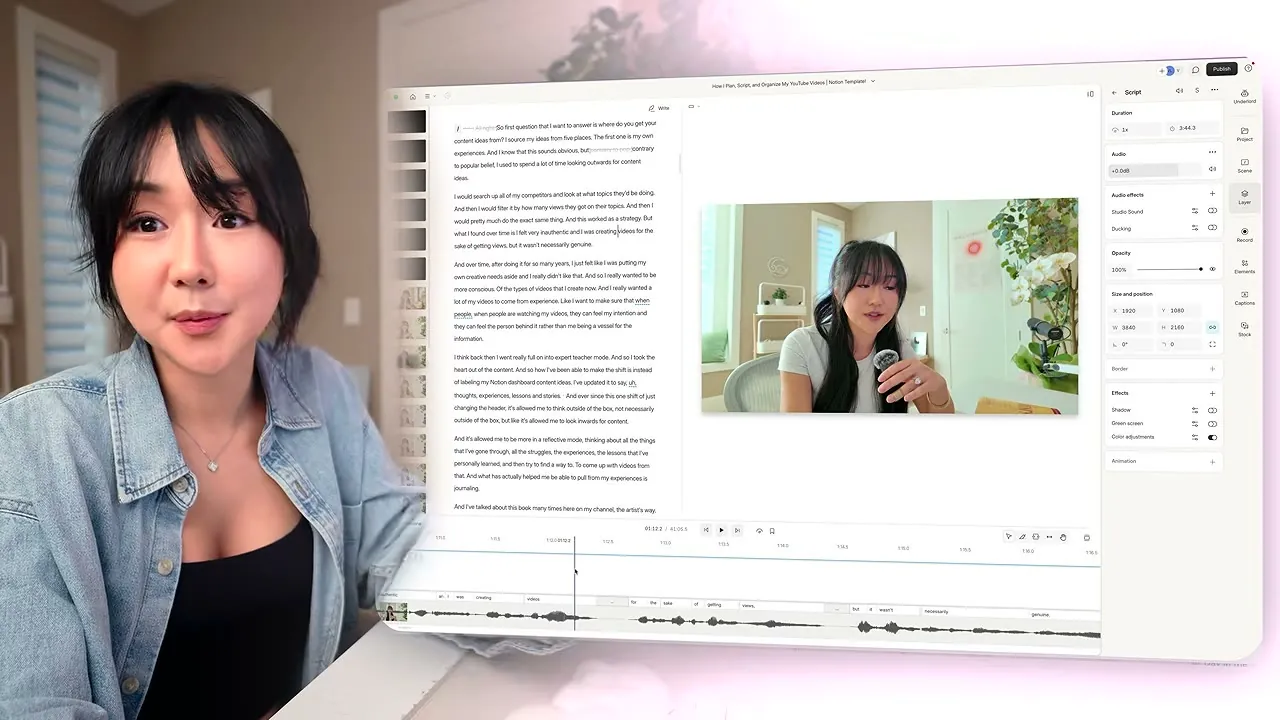
You do not have to do it all after the fact. While you edit the long video, highlight clip moments as you go.
You can also turn a short moment into a GIF to tease a new video on your YouTube community tab. Keep the file small, because the community tab has a size limit.
For more on editing, read video editing software for beginners.
The Influencer Program is a free creator community that teaches you and helps you grow, with free guides and content. We are not talent managers or an agency that signs you, and there is no contract.
Join the free creator program
Free training to grow, a community of creators, and weekly feedback on your videos. No contract.
(Put your real links. No follower minimum, but you need to be an active content creator, otherwise you get rejected)
How do you post your videos on every platform at once?
If you post on one platform, a tool can send the same video to your other accounts on a schedule. The setup is usually the same:
- Connect your accounts. Link the platform you post on and the ones you want to fill.
- Build a workflow. Choose the source, the action (usually upload the full video) and the destination.
- Choose new or old videos. You can send only new videos, or also schedule your back catalog, newest first.
- Set a schedule. Pick the days and times, for example once a day or three times a day.
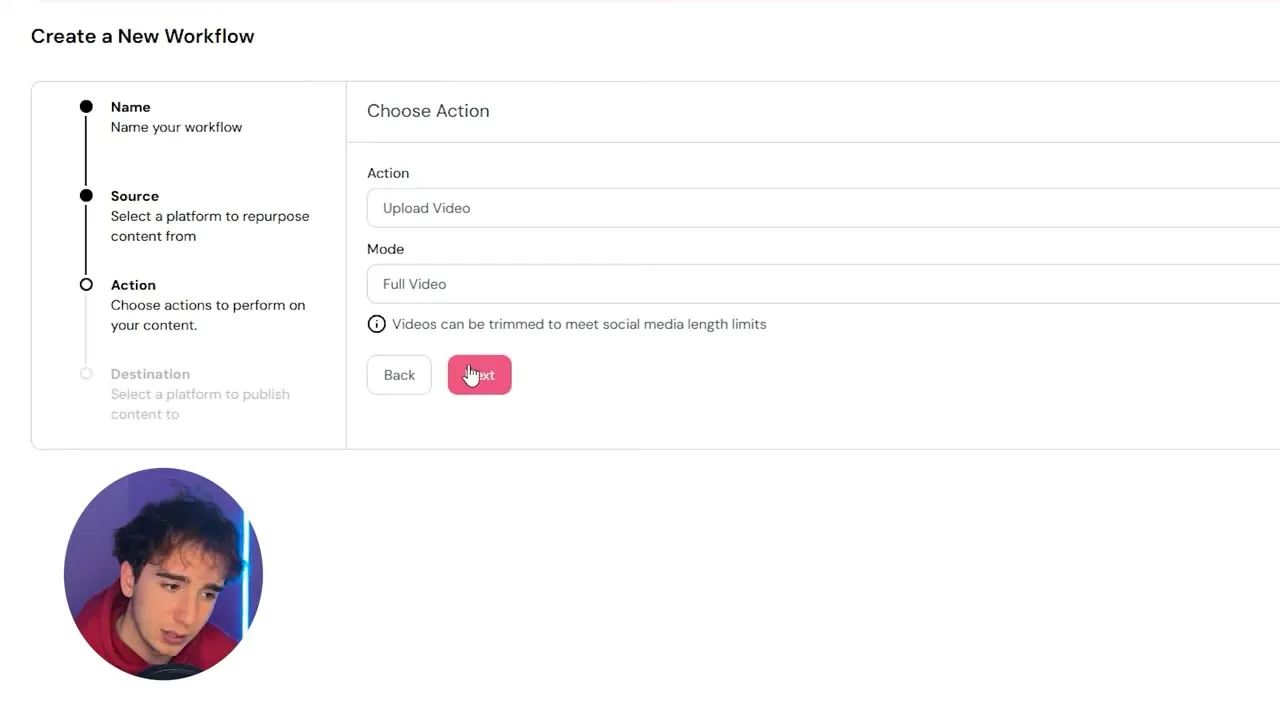
A few settings are worth checking:
- Length. A YouTube Short can be up to 3 minutes. Set longer videos to trim at 3 minutes, or 60 seconds, so they post as Shorts.
- Hashtags. You can change hashtags for each platform, or leave out videos with a certain tag.
One creator who only posts on TikTok says their other accounts grew to over 350,000 followers on Instagram and on Snapchat, and over 85,000 on YouTube, from automatic reposts alone. Results like that depend on your niche. Still, it shows how much reach sits in accounts you might be ignoring.
Change it a little for each platform
Even when the video is the same, the post around it can change. Swap hashtags, rewrite the caption and pick a cover that fits each platform. For Shorts, see how to get views on YouTube Shorts.
How do you plan repurposing into your week?
- Start with one big piece. A long video, a podcast episode or a detailed post.
- List the formats you will turn it into.
- Spread them across weeks, not hours.
- Add one new thing to each version: a photo, a screenshot, an extra tip or a reader's comment.
Put every version on your calendar so you can see the mix. Our guide to making a content calendar shows how.
What can you do this week?
- Pick your best post from the last three months.
- Turn it into one new format, like a carousel or a talking head video, and add one thing the first version did not have.
- Take your longest recent video, watch it at 2 times speed and mark five clip moments.
- Cut those into portrait clips with captions.
- Schedule the new versions at least a few weeks apart from the original.
More guides
- Build a content strategy that grows the right audience and pays you back
- Spot creator burnout early and build a creator life you can keep up for years
- See who the creator economy pays, and how small creators get in
- Make a media kit that gets a brand to reply
- Build a Discord community your audience actually joins and stays in
- Edit Instagram videos that look sharp and keep people watching
- Sell on TikTok Shop without showing your face
- Free coaching, training and a community for creators