The Influencer Program / Guides
Build a Discord community your audience actually joins and stays in
How to set up a server, which channels, roles and bots you need, how to invite people from your content, and how to keep a small server active, shown on real Discord screens.
- 7 min read
- Updated Nov 24, 2026
- 100% free community
(Put your real links. No follower minimum, but you need to be an active content creator, otherwise you get rejected)
To build a Discord community, give your server one clear topic, set up a few simple channels and roles, then invite people from your videos, your bio and your streams. Tell them who the server is for and why to join, and once they are in, welcome every person by name.
A Discord server gives your audience a place to talk to you and to each other. It also means you do not have to rely on a platform's notifications to tell people you posted or went live.
What should your Discord server be about?
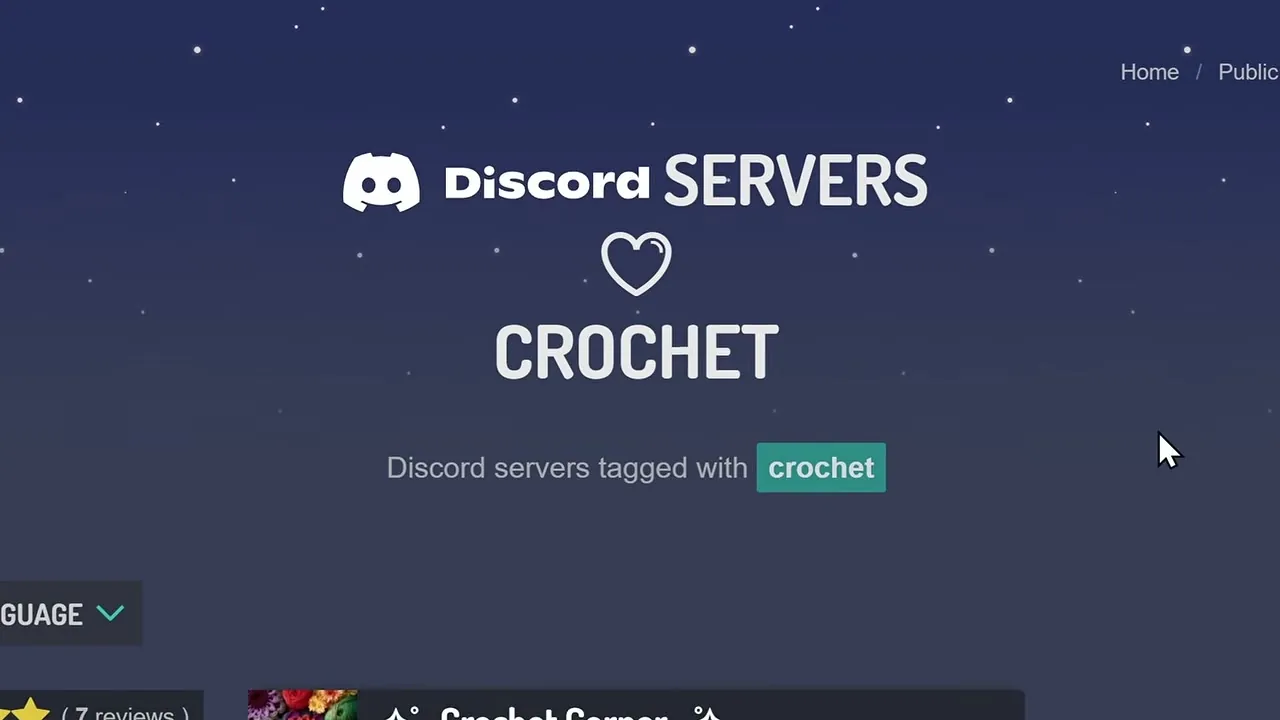
Pick something specific. A general hangout server is the hardest kind to grow, because thousands look the same. One server list showed 184,000 servers tagged community, and only 92 tagged crochet. A server about one hobby or one goal stands out, and it pulls in people who share it.
For a creator, the topic is usually what your content is about. A fitness creator's server can be for people training together. A streaming creator's server can be for people who want to grow their own channels.
Also decide why you want the server. To have fun with your viewers? To help them reach a goal? Your answer shapes everything below.
How do you set up a Discord server?
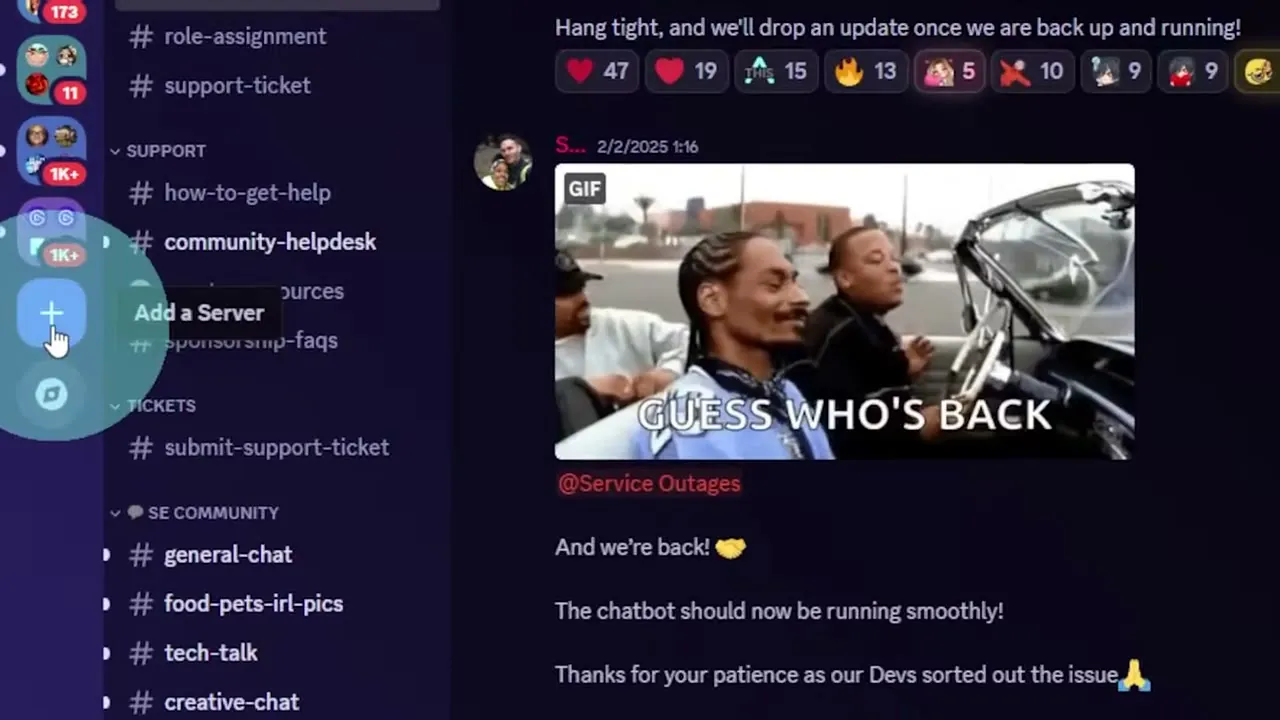
- Click the plus button to add a server. Start from a template or create your own, and choose the club or community option.
- Give it a name and a picture. Pick a theme if you like, since it helps you name your roles and channels.
- Start small. You can switch to a community server later as it grows.
Set up your channels
Channels sit inside categories, like files in folders. Most creator servers need these:
| Category | Channels | Who can post |
|---|---|---|
| Welcome | welcome, rules, announcements | Only you and your mods |
| Your content | links, new videos, live streams | Only you, so it stays clean |
| Community | general chat, introductions, food, pets, memes | Everyone |
| Voice | a hangout room, a room for idle members | Everyone |
| Mods only | a private room for your team | You and your mods |
Set who can post at the category level, not channel by channel. For example, block everyone from sending messages in your welcome category except your mods. It saves hours later.
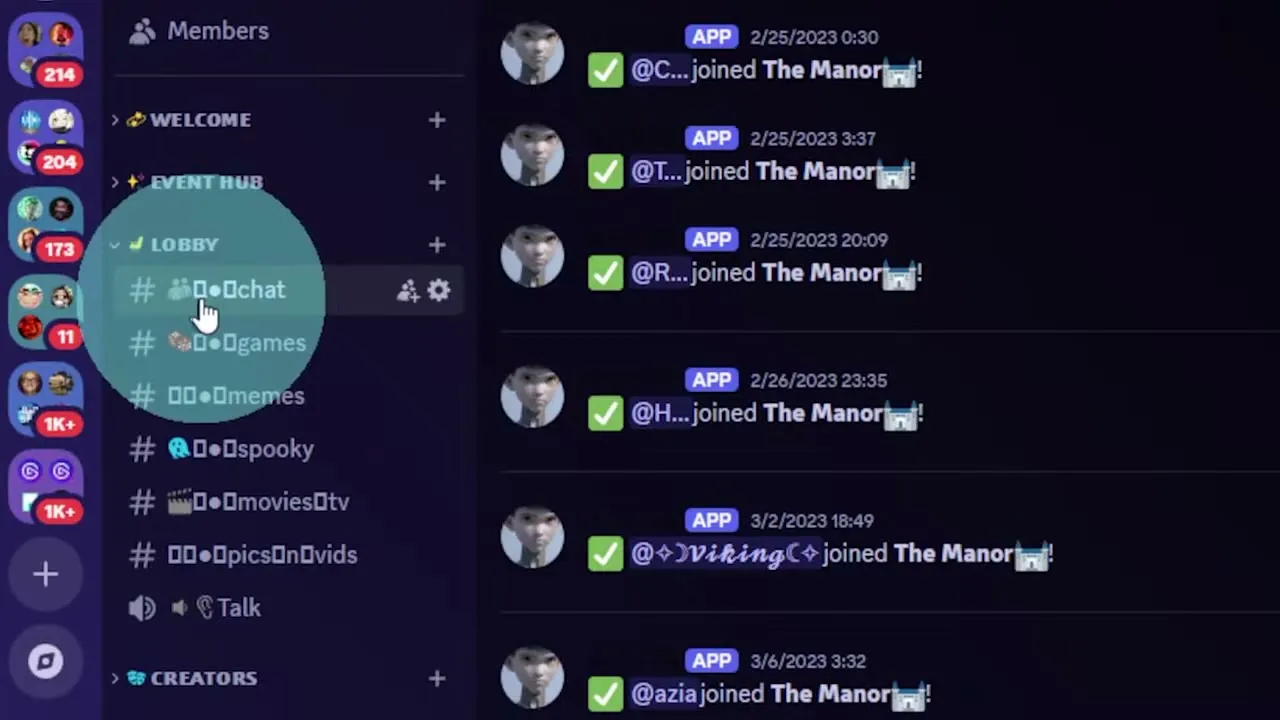
Putting an emoji at the start of each category and channel name makes them easy to spot. Test them on a phone too, because some do not show up everywhere.
Set up roles
Roles decide what each person can see and do. Create your roles first, but hold off on giving them permissions until you know what each one is for.
- Order matters. Roles with the fewest powers go at the bottom. You, your admins and your bots go at the top.
- Give bots their own role. It makes them easy to manage.
- Make people accept the rules first. New members see the rules, accept them, and then get the member role that opens the rest of the server. A little friction keeps spammers out.
- Reward your supporters. You can make a role for your YouTube members or Twitch subscribers and give it its own channels.
- Hide the join messages. Send them to a channel only you and your mods see, so the main chat stays readable.
Add a few bots
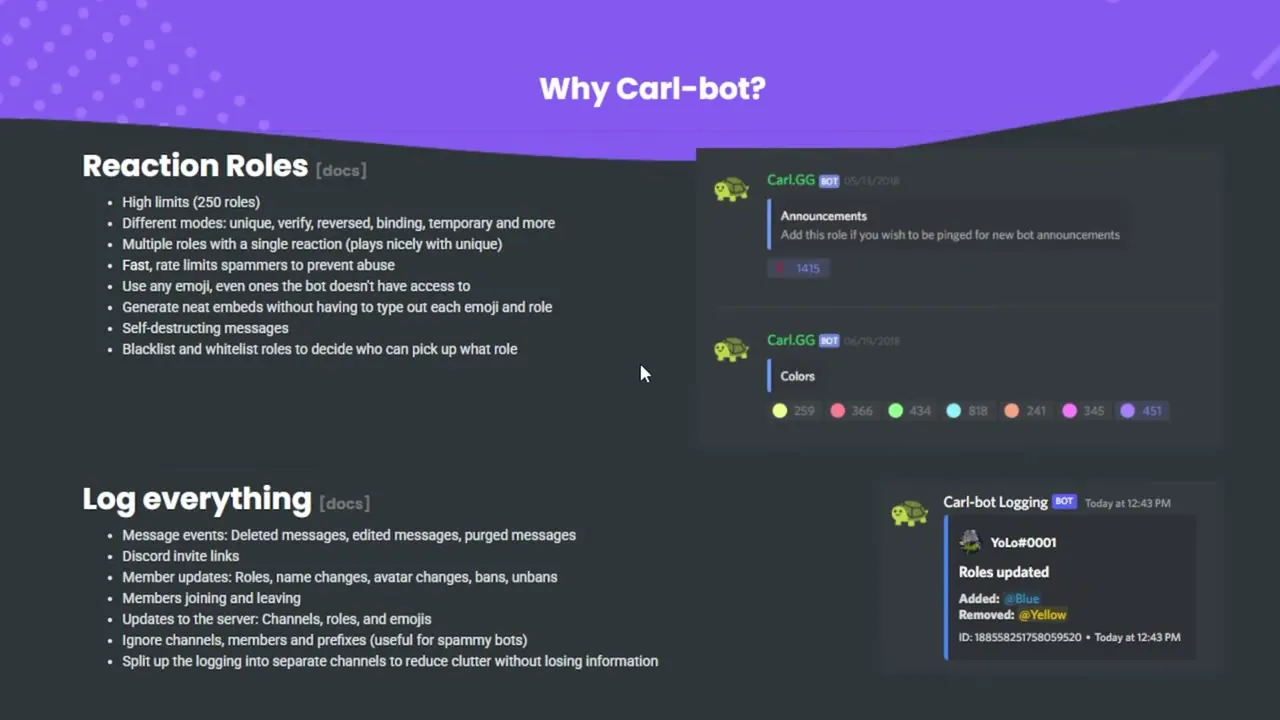
You need three kinds of bots, not dozens:
- Moderation. Removes spam and warns or mutes people who break rules.
- Anti raid. Stops floods of fake accounts joining at once. Treat this one as a must.
- Tickets. Lets members ask your team for help without filling your channels.
Many bots also add reaction roles, where members click an emoji to pick a role, and level boards that give points for chatting. Check every command a bot comes with. A role command left on can let someone give themselves a mod role.
Discord's own AutoMod is worth learning too. You can block your own list of words, and a star before or after a word blocks every word that starts or ends with it.
The Influencer Program is a free creator community that teaches you and helps you grow, with free guides and content. We are not talent managers or an agency that signs you, and there is no contract.
Join the free creator program
Free training to grow, a community of creators, and weekly feedback on your videos. No contract.
(Put your real links. No follower minimum, but you need to be an active content creator, otherwise you get rejected)
How do you get people to join your Discord?
Tell people about it, everywhere you already show up:
- In your content. Mention it in the middle of a video and put the link in the description.
- On your profiles. Add the invite to your bios.
- On your streams. Say it during the stream and again at the end, and set a chat bot to post the link every 15, 30 or 45 minutes.
Telling people is not enough. Every invite should answer three things: who the server is for, what happens there, and why it matters to them. For example: if you are a creator who wants to grow, join to get feedback on your videos and find people to collab with.
Skip servers made only for advertising. The only people there are trying to promote their own servers.
How do you keep a Discord community active?
People stay when they feel heard, seen and valued.
- Heard. Ask for their ideas: what to play, what to make next, what to talk about.
- Seen. Have new members introduce themselves, then welcome each one, yourself or with your regulars.
- Valued. Learn what each person is good at and give them room to share it.
A few more ways to bring people back:
- Run giveaways. Many people mute a server right after joining. A giveaway gives them a reason to check in.
- Run events. A game night, a watch party, or reminders for a new release.
- Make space for daily life. Channels for food, pets or what people are working on keep chat going.
- Be there yourself. The best way to make a server active is for you to be active in it.
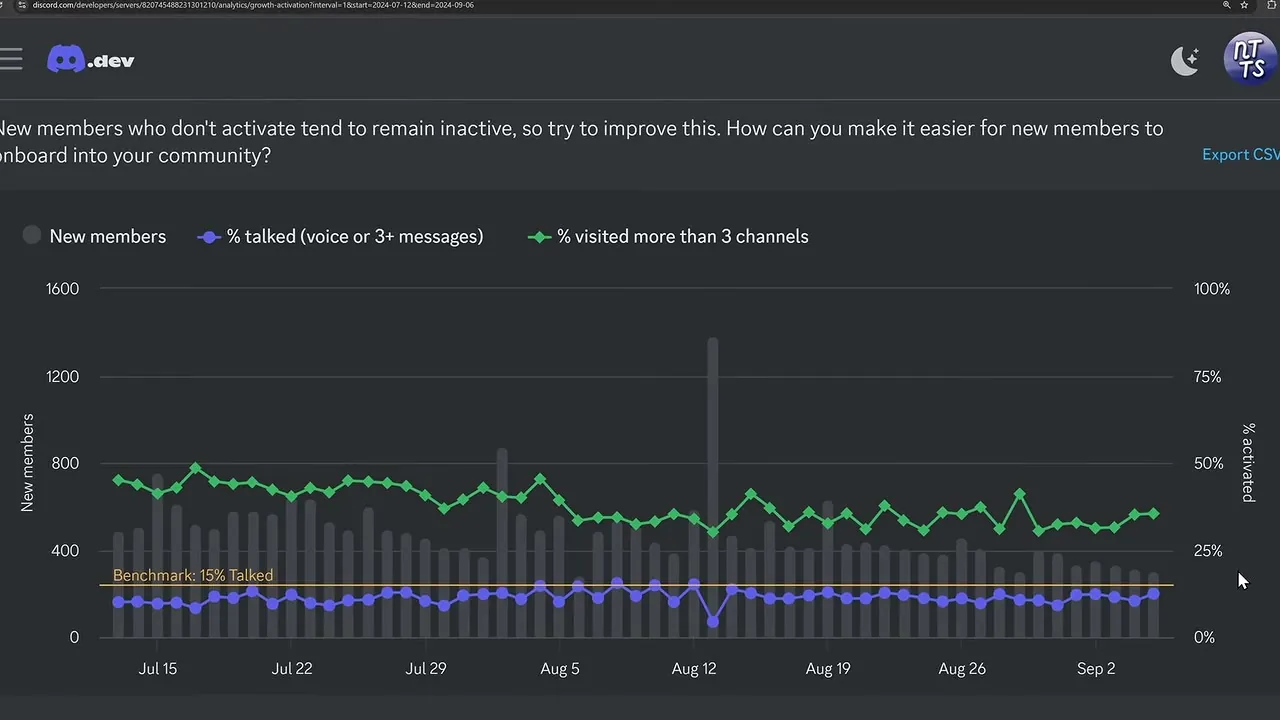
Do not wait until it is big
The biggest mistake is thinking 1 to 10 people is too few to bother with. Those first people shape the culture, and if you look after them, they bring the next 20 and the next 50. Each one is a real person who chose to show up.
How do you moderate a growing server?
When the server grows, you need help. Keep three staff roles:
- Admin. Someone you trust with everything, because this role can change or wreck the server.
- Moderator. Can kick, ban and time people out. Give only the permissions the job needs.
- Trial mod. A new helper gets two weeks to show they fit before becoming a moderator.
Pick people who have been in the server a while, stay calm, and judge fairly. Treat them well. They give their own time, so let them take breaks.
Bigger servers add more tools. Slow mode limits how often each person can post, and some servers make members reach a level before they can post photos. A custom bot is rarely worth it until a server has around 20,000 members.
Can you make money from a Discord server?
Be careful here. One owner of a server with 100,000 members made $0 after more than 200 hours of work, and you might spend 100 hours before you see your first $5. Turning a hobby into a money task can also take the fun out of it.
What works better for creators is using the server to support what you already do: give your channel members or subscribers their own roles and rooms, and keep your audience close for your next video or stream. Avoid tricks like charging people to get unbanned or having bots message everyone who joins. Both push people away.
Is a bigger server always better?
No. One owner said the most fun they ever had was when their server had about 3,000 members. Past that, it needed long rules, more staff and more time for drama. A smaller server where people act like friends is often the better goal.
For more on growing the audience that fills your server, read how to become an influencer and how to get more viewers on TikTok LIVE.
What can you do this week?
- Write one line on who your server is for and what happens there.
- Set up the five categories in the table above, with posting rights set per category.
- Make a member role that people get after they accept the rules.
- Add one moderation bot and one anti raid bot, and check their commands.
- Mention the server in your next video or stream, with the who, what and why.
- Welcome every new member by name for the first month.
More guides
- Edit Instagram videos that look sharp and keep people watching
- Sell on TikTok Shop without showing your face
- Free coaching, training and a community for creators
- Learn TikTok Shop affiliate for free, one step at a time
- Go a bit longer than usual on YouTube. Go shorter on Shorts
- How many videos until one goes viral? We counted 252,849
- Know what affiliate marketing really pays, and how to earn more from it
- Know what TikTok Shop affiliate income looks like before you start