The Influencer Program / Guides
Get more people into your TikTok LIVE and give them a reason to stay
The settings that decide whether people tap in, the setup that keeps them watching, and the growth habits that work on any live platform, shown on real TikTok LIVE screens.
- 7 min read
- Updated Nov 23, 2026
- 100% free community
(Put your real links. No follower minimum, but you need to be an active content creator, otherwise you get rejected)
To get more viewers on TikTok LIVE, give people a reason to tap in and a reason to stay. That means a title and cover that make your stream stand out as people swipe, clear sound, and a stream that entertains, teaches or lifts people up. Then bring new people in with short videos cut from your streams.
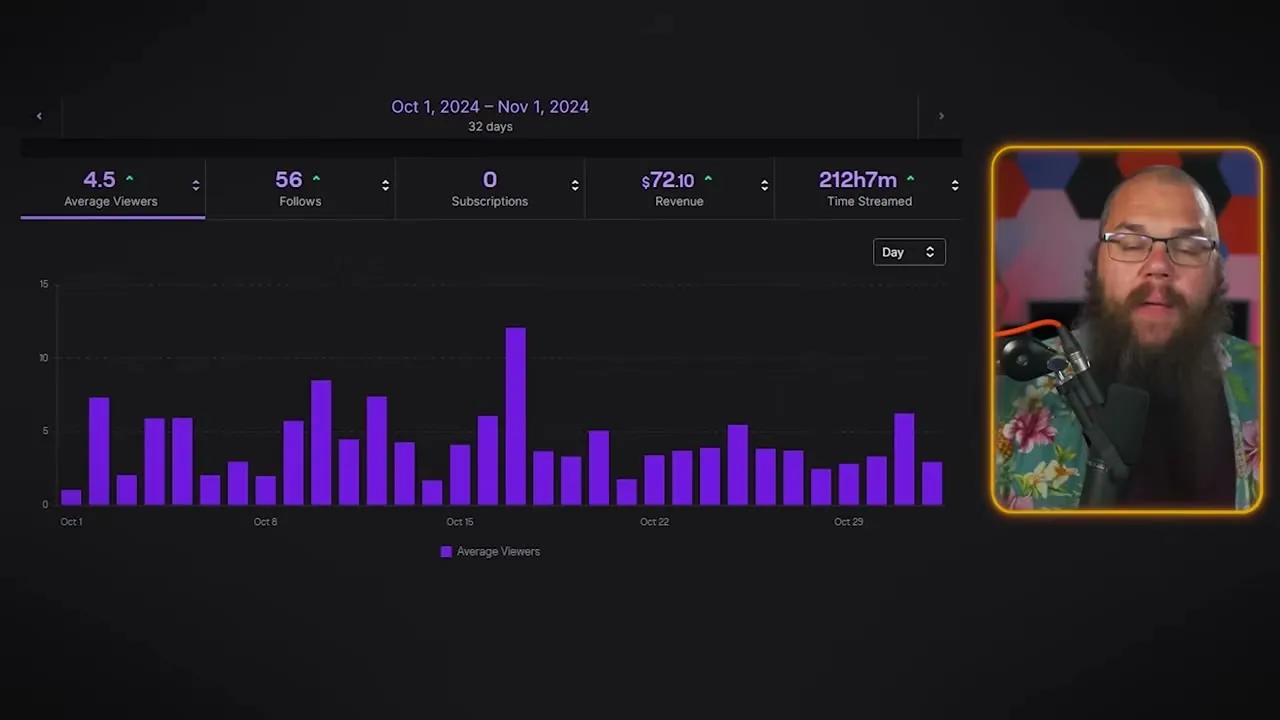
Expect it to start slowly. Early streams often have one, three or ten viewers, and that is normal.
| What | The number |
|---|---|
| Followers you need to go live from the app | 1,000 |
| Practice mode before going live | 30 seconds or more |
| Upload speed for a 1080p stream | About 10 megabits per second |
| Upload speed for a 720p stream | About 4 megabits per second |
| Part of the screen the chat covers | The bottom third |
| Short videos to cut from your streams each week | 3 to 7, plus one longer video |
| How far back to judge your growth | 30 or 90 days |
| Time streaming takes | Often 12 to 16 hours a week |
What do you need to go live on TikTok?
You need 1,000 followers to go live from the TikTok app. Once you have them:
- Tap the plus button, as if you were making a new post.
- At the bottom, switch from create to LIVE.
- Set up your title, cover and settings, then tap go LIVE.
You can also stream from a computer with TikTok LIVE Studio, which you apply for access to. It is built for Windows. On a Mac, or if you prefer other streaming software, you can use OBS with a stream key.
Which settings help people find your stream?
Title and cover
Your cover is what people see as they swipe past your LIVE. Think of it as a thumbnail. Take a photo or pick one from your library that shows what is happening on the stream.
Your title should give people a hook. A title that says what is at stake works well, like stream will not end until we beat this game. A small challenge you set yourself also stands out next to streams with plain titles.
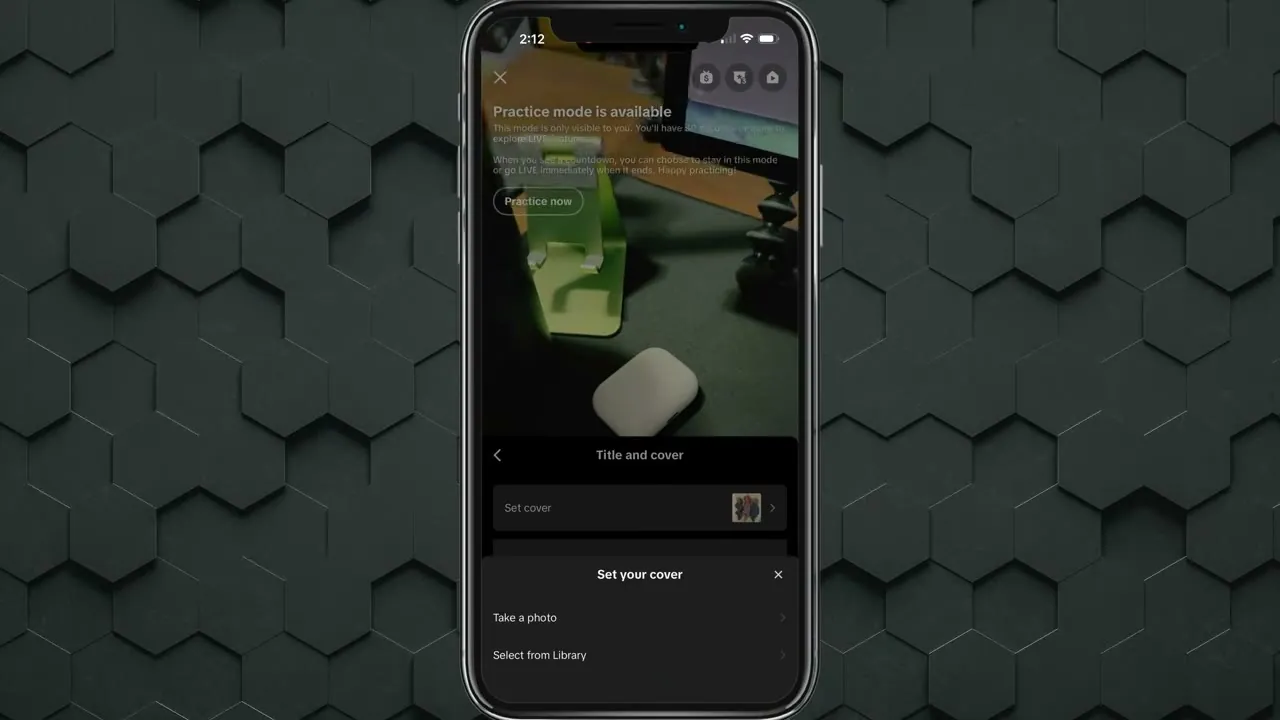
Who can watch
Under settings, set who can watch this LIVE to everyone. Friends only or specific people limits your stream to those groups.
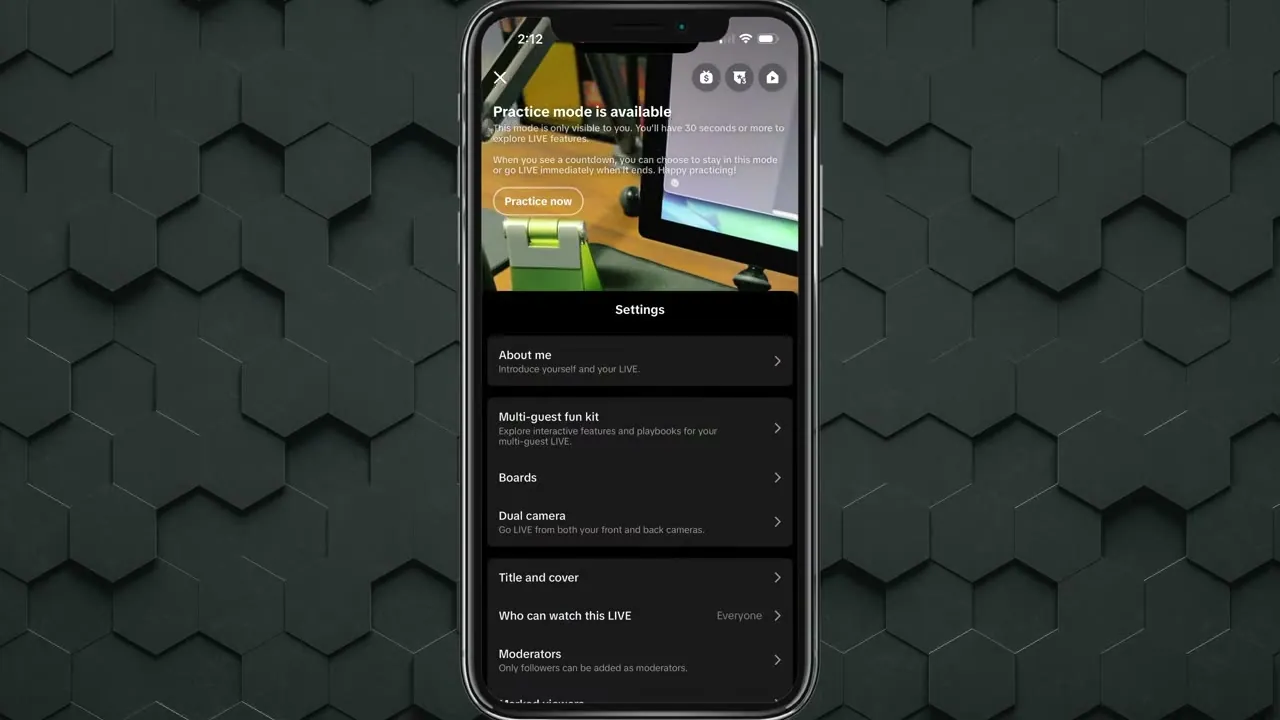
The other settings worth knowing:
- About me. Introduce yourself and what your LIVE is about.
- Effects and enhance. Filters and effects you can turn on or off.
- Dual camera. Go live from your front and back cameras at once.
- Fan club. Invite regular viewers to join, which builds a small community around you.
- Moderators. Add people you trust to help run your chat.
How do you set up a stream people stay for?
Test it in practice mode first
Practice mode lets you go through your setup for 30 seconds or more before anyone sees it. Watch your test on a second phone or device and check that your sound and picture look right. It saves you from going live with a broken setup.
Fix your sound
Audio is very important. On a computer, turn on noise suppression in your audio settings. Medium or high removes the hum from fans or air conditioning. Then ask your viewers how you sound.
If you are starting out, your headset mic is enough. In streaming software like OBS, set it so your voice sits between minus 15 and minus 10 on the meter.
Check your internet
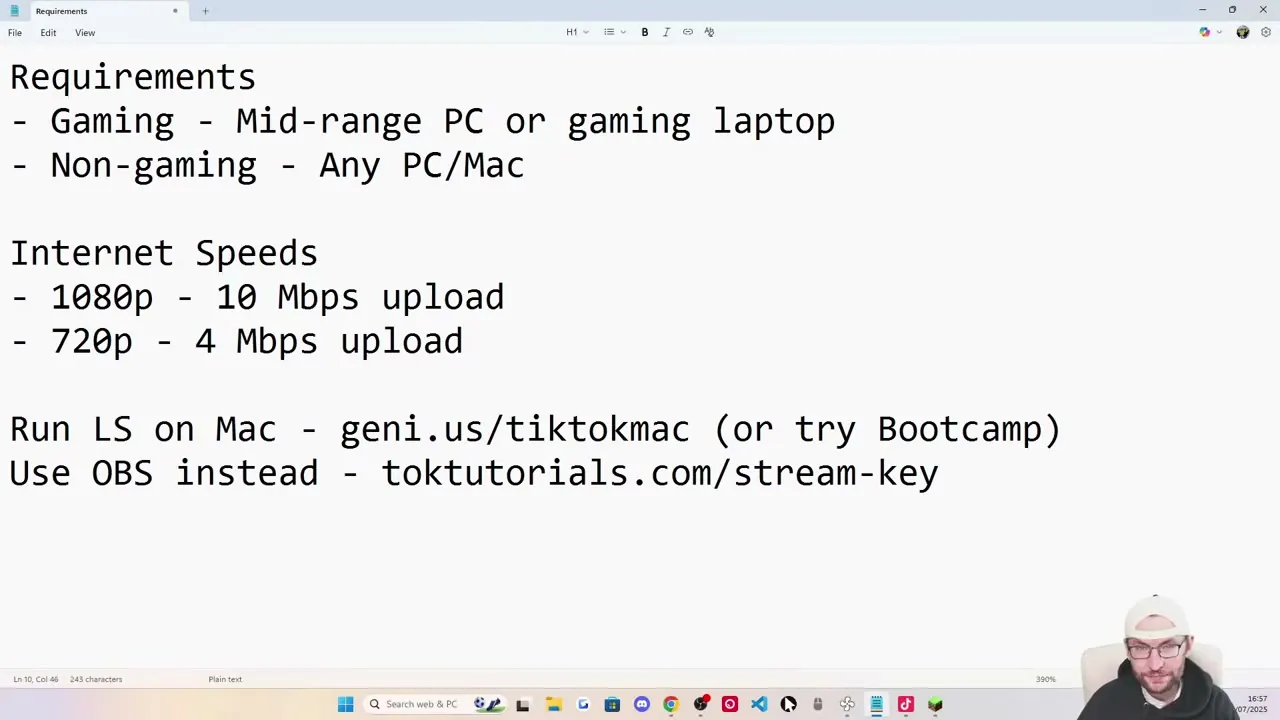
On LIVE Studio, a 1080p stream needs about 10 megabits per second of upload speed. A 720p stream needs about 4. If your upload is under 10, choose the performance option instead of quality. A gaming stream needs at least a mid-range PC or a gaming laptop, because your computer has to run the game and the stream at the same time.
Lay out the screen for a phone
Stream in portrait, the tall shape of a phone screen. If you see a dual layout option, choose it so viewers can pick portrait or landscape. Keep the bottom third of the screen clear, because the chat covers it.
Use your camera and light well
You do not need expensive gear to start. A phone works as a camera, and a big window gives you good light for free during the day. A cheap ring light works after dark.
How do you get viewers to engage?
On stream, chat is everything. A few tools help:
- Alerts. Put an alert on screen when someone follows, sends a gift or subscribes. It encourages people to do those things. LIVE Studio has built in alerts, and tools like Tikfinity add more.
- Goals. Show a goal on screen, like a number of new subscribers, so viewers know what you are working toward together.
- Viewer wishes. Let viewers request something, like a shout out, for a set number of coins.
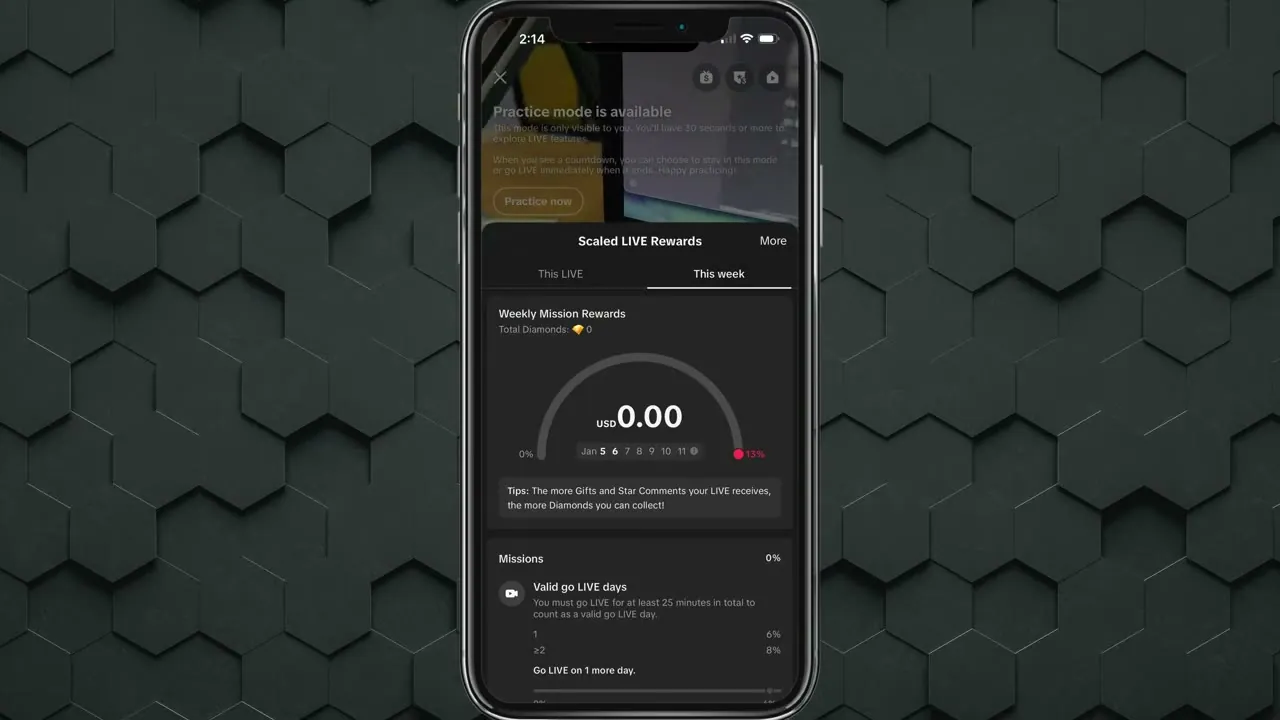
- Gifts. Gifts and star comments earn you diamonds. You turn these on under your monetization settings, and the money icon shows what you have earned this LIVE and this week.
Set your chat up too. Turn on auto translate, filter words you do not want, and add a moderator. If you only have one screen, pop the chat out into a floating window so you can read it while you play.
The Influencer Program is a free creator community that teaches you and helps you grow, with free guides and content. We are not talent managers or an agency that signs you, and there is no contract.
Join the free creator program
Free training to grow, a community of creators, and weekly feedback on your videos. No contract.
(Put your real links. No follower minimum, but you need to be an active content creator, otherwise you get rejected)
How do you bring new people to your LIVE?
Do not count on people finding your stream on their own. Send them there from somewhere else.
Turn each stream into short videos
Plan a hook for each stream: something interesting, fun or unusual you want to do. Then cut the best moments into short videos.
- Aim for one longer video a week and 3 to 7 short ones, all cut from your streams.
- Make the short videos match what you do on stream. If people like a clip and then find something different on your LIVE, they leave.
- Short videos give you more chances. Several short ideas take the same time as one long video, and any one of them can take off.
Make it easy to find you
- Use one name everywhere. If your TikTok, YouTube and other accounts all have the same name, people can find you. Check the name is free on every platform before you commit.
- Keep your other bios simple. On your other accounts, say what you stream and when, then point people to your TikTok. Fewer links mean fewer people lost along the way.
Pick a lane
If you stream one game or topic today and something unrelated tomorrow, viewers do not know what to expect and stop coming back. Choose a group of topics or games that fit together.
What makes people come back?
Give people one of three things:
- Entertainment. You are funny, skilled or great at talking.
- Education. You teach something people want to learn.
- Energy. You inspire people, show your life or make them happy.
Know your why too. Why should someone watch you instead of the thousands of other people who are live right now? Write it down. It shapes every stream.
Review your own streams
After each stream, or once a week, watch it back with nothing else going on. The moment you get bored, stop and ask why. Did you stop talking? Did you check your phone? Fix that one thing next time. Keep going until you can watch an hour of your own stream without getting bored.
Look at the numbers over months, not days
Viewer counts jump around from stream to stream for no clear reason. Look at your numbers over 30 or 90 days to see if you are growing. Checking every stream only wears you down.
Plan the time
Streaming takes real hours, often 12 to 16 a week. Make sure the people you live with are fine with that, and pick a schedule you can keep. A short LIVE of about 30 minutes where you talk to your audience is a fine way to start.
For more on growing on TikTok itself, read how to get views on TikTok and how to monetize TikTok.
What can you do this week?
- Write your why in one sentence.
- Make a cover photo and a title with a clear hook for your next LIVE.
- Run a practice stream and watch it on a second device.
- Go live for about 30 minutes and talk to whoever shows up.
- Cut three short clips from that stream and post them with your LIVE schedule in your bio.
More guides
- Get out of the one viewer club and grow a Twitch stream people come back to
- Get more people watching your Snapchat stories and Spotlight videos
- Get more views on every YouTube video you upload
- Get on brands' PR lists, even with a small following
- Get your TikTok videos past 200 views and in front of people who want them
- Get your YouTube Shorts watched to the end, so YouTube keeps showing them
- Go live on YouTube for the first time, with a setup that works
- Get your Reels in front of thousands of people who do not follow you yet