The Influencer Program / Guides
Plan your posts once, then keep posting without the weekly scramble
A content calendar shows what you will post, where and when. Here is how to build one step by step, with the idea boards, status steps and planning screens creators use.
- 7 min read
- Updated Nov 24, 2026
- 100% free community
(Put your real links. No follower minimum, but you need to be an active content creator, otherwise you get rejected)
A content calendar is a plan that shows what you will post, on which platform and on which day. To make one, decide what your content is for, keep a bank of ideas, move each idea through the same steps from script to posted, and then place finished pieces on dates with a good mix of types.
If your way of making content is messy, staying consistent will feel hard. A calendar fixes that by turning posting into a routine you can follow even on busy weeks.
What should a content calendar include?
A content calendar is one part of a content strategy: what you make, how often you post, and how it fits your goals. A useful calendar holds:
- Every idea, saved the moment you have it.
- A status for each idea, so you know what is scripted, filmed, edited or ready.
- A platform and format, such as a reel, a carousel, a story or a YouTube video.
- A content type, such as teaching, behind the scenes, promotion or entertainment.
- An upload date, once the piece is ready.
Step 1: Decide what your content is for
Most people skip this step. Ask yourself why you are making content at all. Your answer changes which part of your routine needs the most time.
- To be seen as an expert. Leave plenty of time to research and prepare each video.
- To grow and reach brands. Spend more time on ideas, because ideas are what get views.
- To build a close community. Put your time into what happens after you post, like replying in the comments.
- To get leads for a business. Plan posts that walk people toward buying.
Your goal also tells you what to ignore. A creator telling a long story about her art cannot do it in a 5 to 7 second video, even if short clips get more views. If a trend does not serve your goal, you can skip it.
Step 2: Pick your pillars and formats
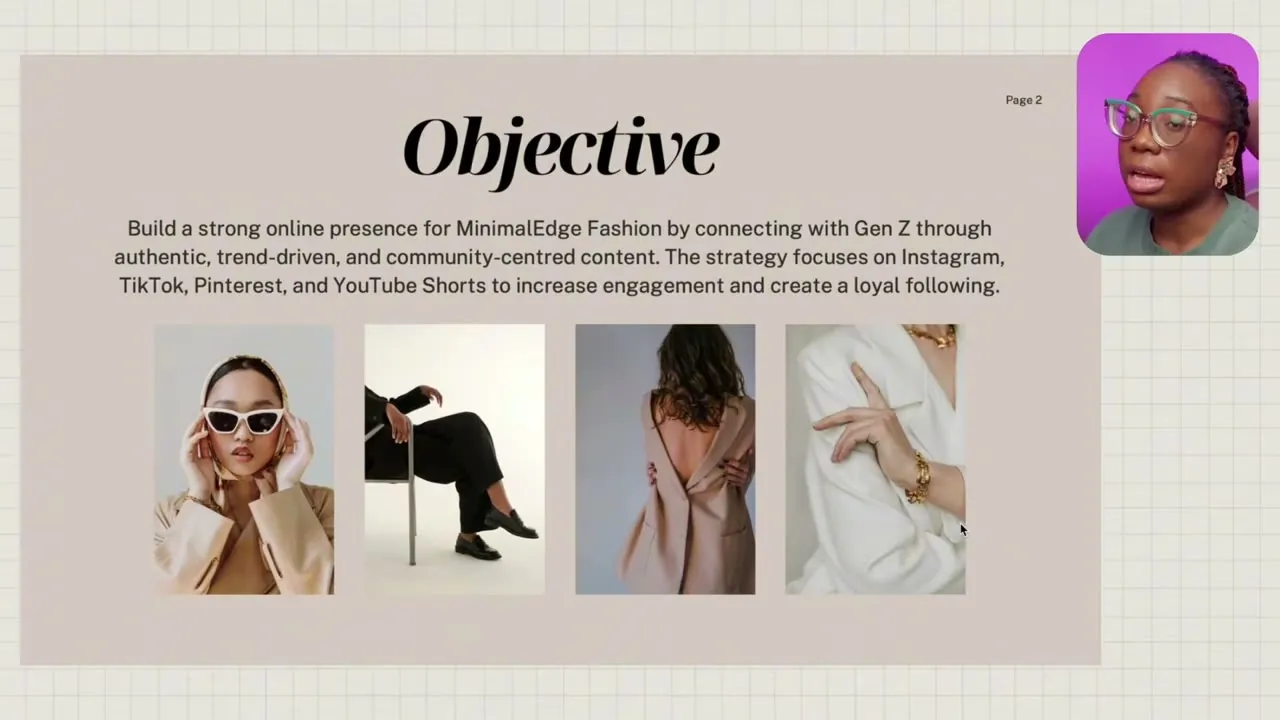
Write one sentence about who you are and what you post about. Then choose your pillars, the few themes that back up that sentence. A fashion brand might use style tips, sustainability, community and pop culture trends. Not every post needs every pillar.
Next, pick formats for each platform: reels, carousels, stories, YouTube videos. Keep your look steady too. Choose a font or two and a color that suits you, and stick with them.
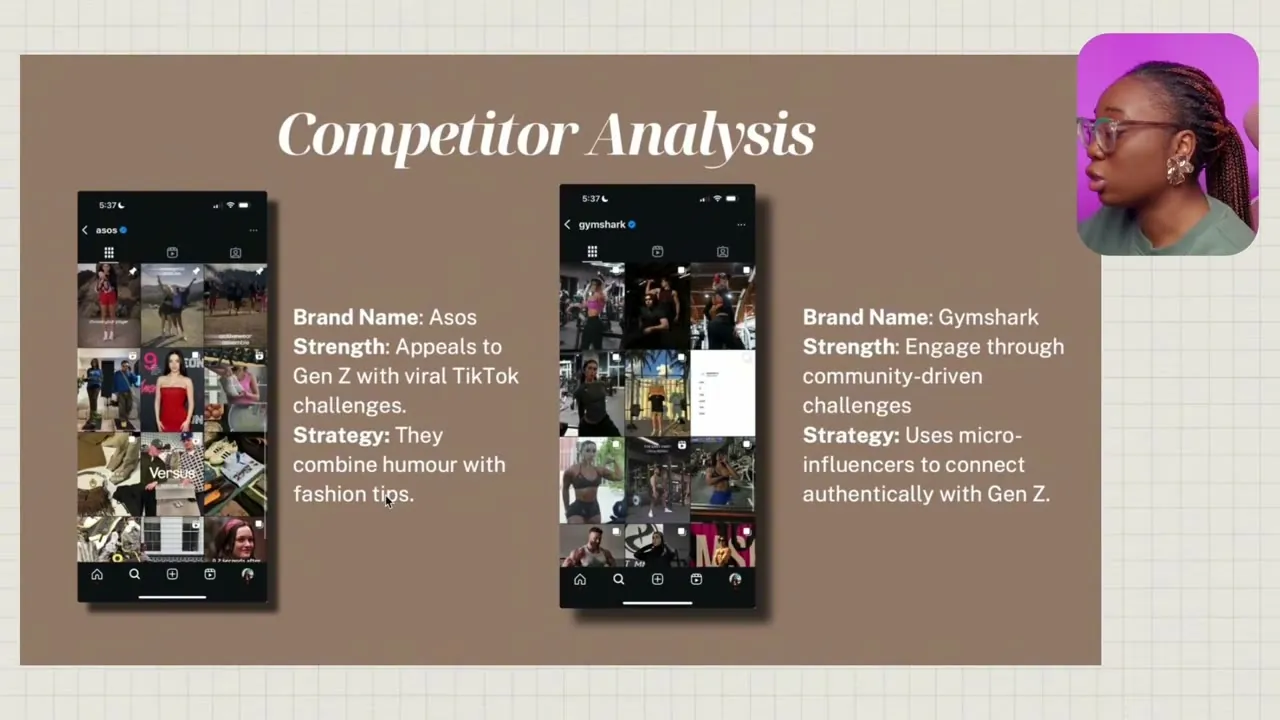
It also helps to look at others in your space. Note what each one does well and how they do it.
Step 3: Fill an idea bank
Nobody can be creative on the spot. That is why you need ideas saved before you sit down to plan. Keep three kinds:
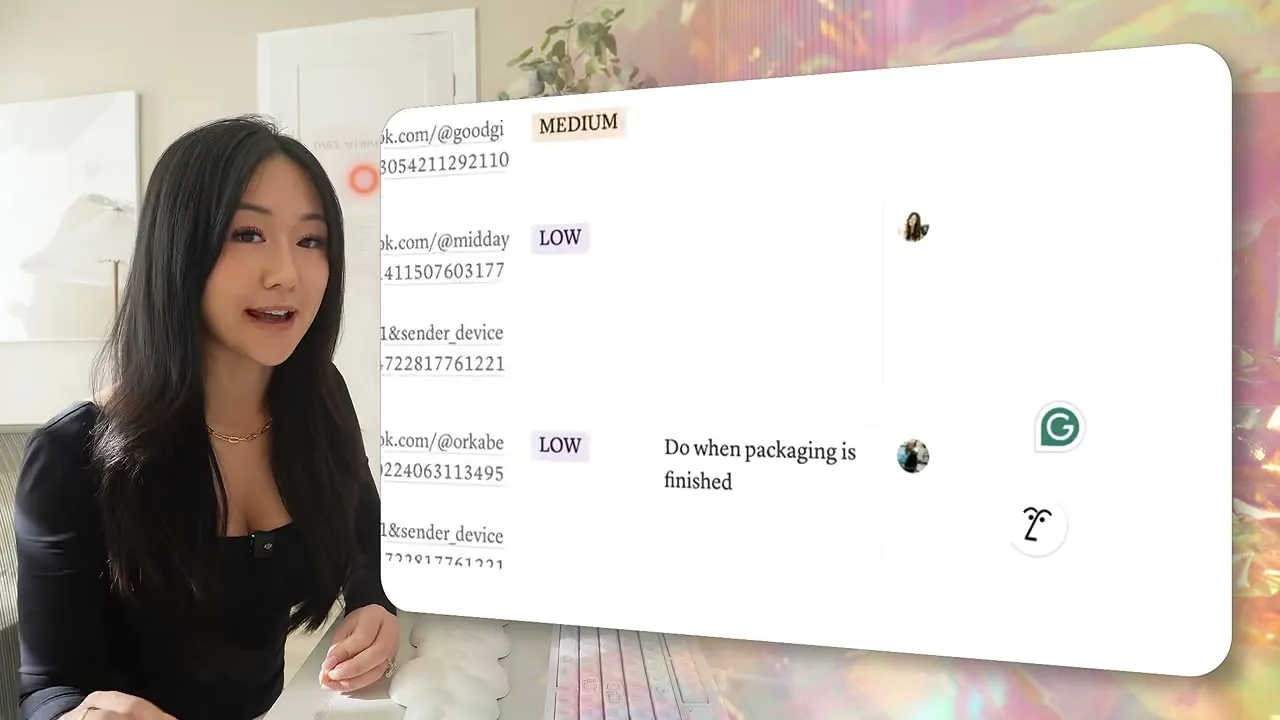
- A headline dump. A note on your phone where you write every idea the moment it comes, on a walk or on the train.
- A swipe file. Saved posts and screenshots you like. Use them for inspiration, never to copy.
- Thought starters. Write down what sparked an idea, not only the idea, so you can go back to that moment.
Two habits help. Set 15 to 30 minutes in your calendar to scroll creators with an audience like yours, for research only. And think about using a separate account for research, where you only watch content in your niche. Then your explore page fills up with ideas you can use.
Plan ideas for every stage
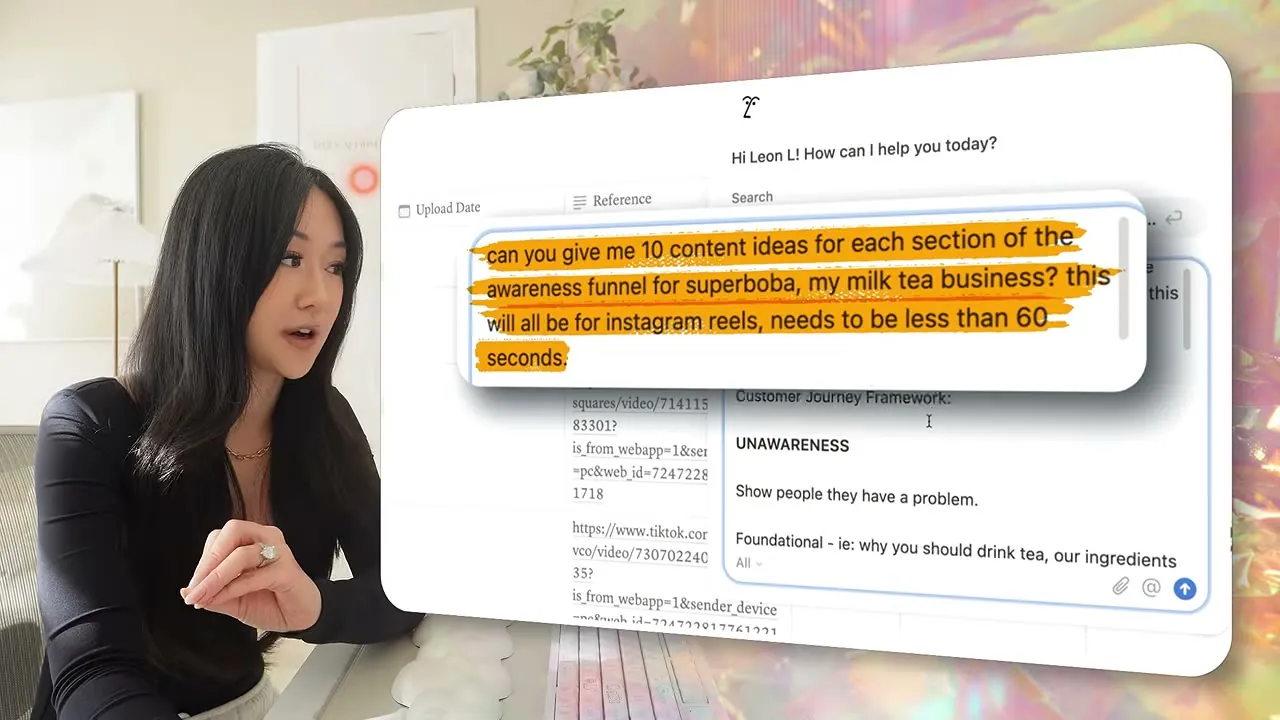
A good mix walks a new viewer all the way to trusting you. One way to plan it is by stage:
- Unaware. Show people a problem they did not know they had. Myths and common mistakes work well here.
- Aware. Offer a possible fix: your own routine, a how to, or the signs they need a change.
- Thinking it over. Show why you are the right choice: what makes you different and what happens behind the scenes.
- Ready to decide. Answer the last doubts with reviews, results and common questions.
You can ask an AI tool for 10 ideas for each stage, then pick the best and fix any that do not fit what you sell.
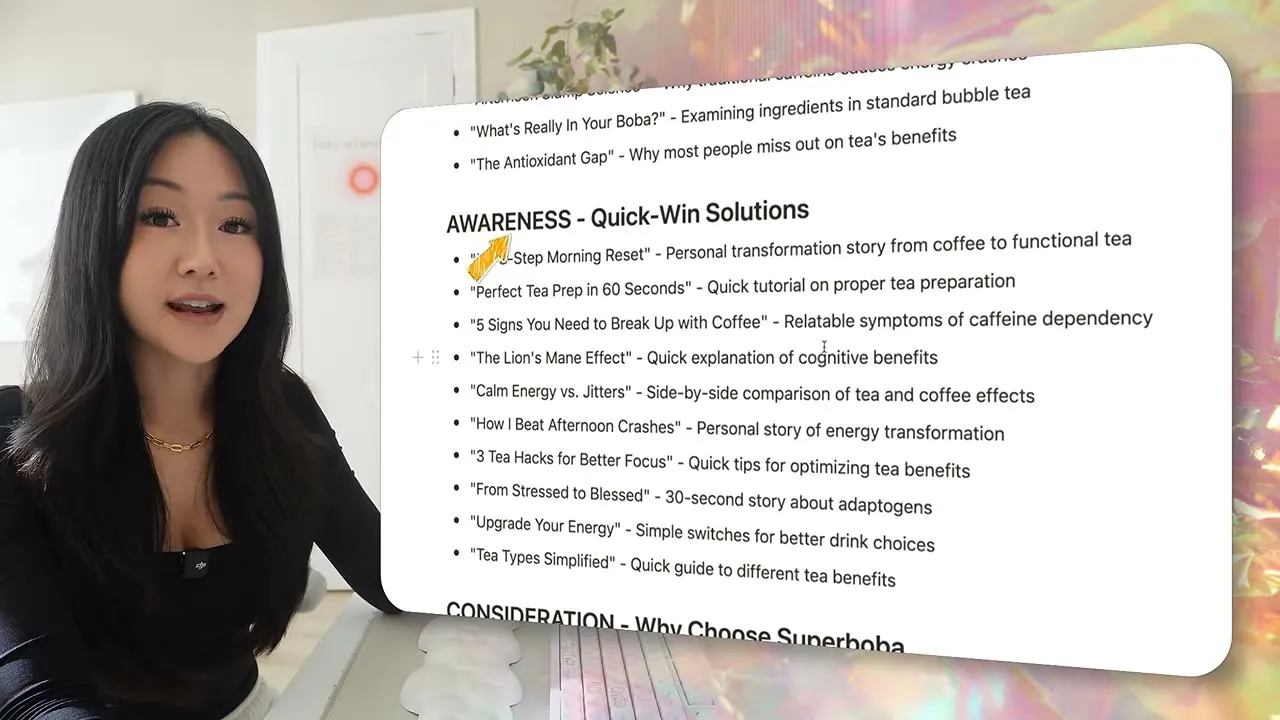
Step 4: Give every idea a status
Put every idea into one project board. Notion, Trello, Airtable and Asana all work. Asana suits you if you run a whole business in it. For a content calendar alone, a simpler tool may be enough.
Each idea moves through the same steps. Set your board to show each step as its own list, so when you sit down to film you open the filming list and see exactly what to shoot.
| Status | What happens | Moves on when |
|---|---|---|
| Idea | Saved from your phone or your scroll time | You decide to make it |
| Scripting | You write what you will say or show | The script is done |
| Ready to film | Waiting for your filming day | It is filmed |
| Briefing | Notes for your editor, if you have one | The brief is sent |
| Editing | Being cut, by you or an editor | You have checked it |
| Ready to post | Title, caption and thumbnail done | It has a date on the calendar |
Time each step once. Filming one video might take 30 to 45 minutes. Knowing this helps you plan a real week.
Step 5: Put finished pieces on the calendar
Make a view that shows only pieces that are scripted and have no upload date yet. Next to it, open the month on your calendar. Drag each piece onto a day. The date saves to the piece, and you can move it later.
As you drag, look at the mix. In a single week, you might want one teaching post, one behind the scenes, one promotion and one that is simply fun or relatable. Tag each idea with its type so the balance is easy to see.
To pick the right topic mix in the first place, read how to find your influencer niche.
The Influencer Program is a free creator community that teaches you and helps you grow, with free guides and content. We are not talent managers or an agency that signs you, and there is no contract.
Join the free creator program
Free training to grow, a community of creators, and weekly feedback on your videos. No contract.
(Put your real links. No follower minimum, but you need to be an active content creator, otherwise you get rejected)
How often should you post?
Less often than you might think, as long as each post is good. Algorithms do not count how many times you post. They measure how many people care when you do. One account posting on Instagram 16 times a day had terrible engagement, and the platform started showing all of its posts less.
| Plan | Example |
|---|---|
| A brand plan on Instagram | 5 times a week, reels and carousels |
| The same plan on TikTok | 3 to 5 times a week |
| A YouTube channel | 1 well researched video a week with strong engagement can beat a daily channel with no comments |
| One post a day | 365 pieces a year, a steady pace for many businesses |
| One post a week | Enough for a creator with longer story videos |
Whatever pace you choose, block the first 60 minutes after you post to reply to every comment. Early comments and shares tell the platform your post is worth showing to more people. For more on pace, see how often you should post.
How do you stay consistent?
Work at your best time of day
Many creators struggle because they force themselves to film when they have no energy. Find your best hours. If you are not sure, film at different times for a few weeks and keep a short log of how you felt. A pattern will show up, and you can put your filming days there.
Remove friction
List every task it takes to get one post live, from idea to caption. Then ask which ones you put off and why. If setting up lights and a tripod every time makes you delay filming, find a way to leave your kit set up.
Keep a backup plan for bad weeks
Some weeks you will not want to create. Plan for them with content that needs no new ideas or filming day:
- Q and A videos. Ask your audience for questions in a story, then answer them.
- Evergreen videos. Record a few that will stay true for years and save them for a slow week.
- Updated old ideas. Film an old topic again with a new angle. Reposting the same video still works on TikTok, but Instagram favors original content.
What can you do this week?
- Write one sentence on why you make content and who it is for.
- Choose your pillars and the formats you will use on each platform.
- Start a phone note for ideas and save 10 posts you like to a swipe file.
- Set up a board with the six statuses in the table above.
- Plan next week on the calendar with a mix of content types, and block an hour after each post for comments.
More guides
- Make one idea do the work of fifteen posts, without your audience noticing
- Build a content strategy that grows the right audience and pays you back
- Spot creator burnout early and build a creator life you can keep up for years
- See who the creator economy pays, and how small creators get in
- Make a media kit that gets a brand to reply
- Build a Discord community your audience actually joins and stays in
- Edit Instagram videos that look sharp and keep people watching
- Sell on TikTok Shop without showing your face