The Influencer Program / Guides
Understand the YouTube algorithm and give it a reason to show your videos
What YouTube is trying to do, the numbers it reads, how to find out why a video stalled, and what small channels can fix, shown on real YouTube Studio screens.
- 8 min read
- Updated Nov 22, 2026
- 100% free community
(Put your real links. No follower minimum, but you need to be an active content creator, otherwise you get rejected)
The YouTube algorithm is a matchmaker. It shows each video to the viewers most likely to enjoy it, so they keep watching and stay on YouTube longer.
It does not judge your video directly. It reads data: who clicks, how long they watch, and what they do next. If people respond well, it shows the video to more people. If they do not, it stops.
How does the YouTube algorithm work?
YouTube has one goal: keep people on the platform as long as possible, because more time watching means more ads seen. To do that, it tries to show every viewer the video they will like most.
It learns from two sides.
- From you, the creator. The language of the video, the country, the category, whether it is made for kids, the title, the description and more.
- From viewers. Which videos they watch to the end, which they like or dislike, which they comment on and share, what they search for, and which categories they watch most.
Then it compares your video with the other videos people could watch on the same topic. The ones viewers respond to best get recommended more.
That is why it helps to think of the algorithm as your audience. When a video does badly, the algorithm did not decide it disliked you. The viewers it was shown to did not click or did not stay.
How does YouTube test a new video?
YouTube does not show a new video to everyone at once. It runs small tests.
- First, a small group. It picks a sample of people it thinks will like the video, and many of them may not follow you. Feeds test strangers on purpose, because if strangers like a video, it is a good video.
- Good results, a bigger group. If that sample watches and engages, YouTube shows the video to a larger group, then larger again, until the results start to weaken.
- Mixed results, another test. It tries a different small group before deciding.
- Poor results, it slows down. It stops pushing the video so it does not lose viewers to a poor match.
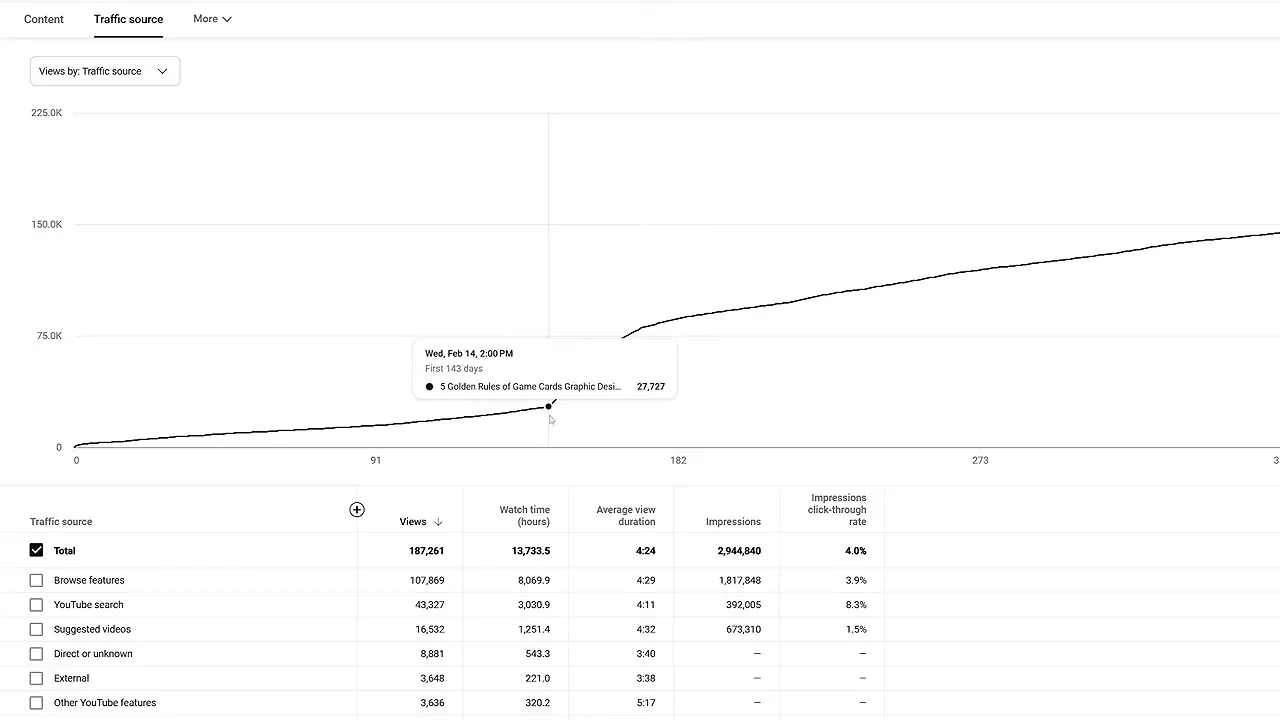
On YouTube this can take weeks to months, not hours. Every so often it shows a video to more people than normal in a short burst to collect more data. That is why an old video can suddenly take off. A video can take 100 days to reach 999 views and then find its audience, or do fine for months and then blow up after 6 months and get a channel monetized.
Does the algorithm hate small channels?
No. It does not care if you have 5 subscribers or 5 million. It cares whether the people who watch your videos stay to the end, like or comment, and watch another of your videos afterward. It is slow for a new channel because YouTube has little data on who your videos are for yet.
What numbers does the algorithm read?
Good signs
- 7%click through rate
- 40%retention, 5 to 6 minute video
- 30%retention, 15 to 20 minute video
Two numbers matter on every video, and they do not change when YouTube updates its systems.
Click through rate
Click through rate, or CTR, is how many people clicked your video out of everyone YouTube showed it to. The formula is views divided by impressions, times 100. If YouTube shows your video to 100 people and 10 click, your CTR is 10%.
YouTube has never said what CTR makes a video take off. As a rough guide, a CTR above 7% tends to get a video a good number of views. Your thumbnail and title are what move this number. See how to make thumbnails people click.
Audience retention
Audience retention is how much of your video people watch. What counts as good depends on length.
The numbers to check, in one place
| What to check | Where in YouTube Studio | A good sign |
|---|---|---|
| Impressions | Reach tab | Many impressions but few views means YouTube showed it and people did not click |
| Click through rate | Reach tab | Above 7% tends to get a video a good number of views |
| Retention, 5 to 6 minute video | Overview tab | Over 40% |
| Retention, 15 to 20 minute video | Overview tab | Over 30% can still bring a lot of views |
YouTube also looks at likes, comments and shares, and at whether a viewer watches more of your videos after one ends. Engagement rate is likes plus comments plus shares divided by views.
The idea comes first
CTR and retention are not enough on their own. A boring idea will not get views however good the editing or voiceover is. Some videos with a weak thumbnail and no search work still get millions of views, because the idea is that strong.
How do you find out why a video is not getting views?
Before you blame the algorithm, check the data in YouTube Studio.
- Open the video's analytics. Go to Content, pick the video, and open Analytics.
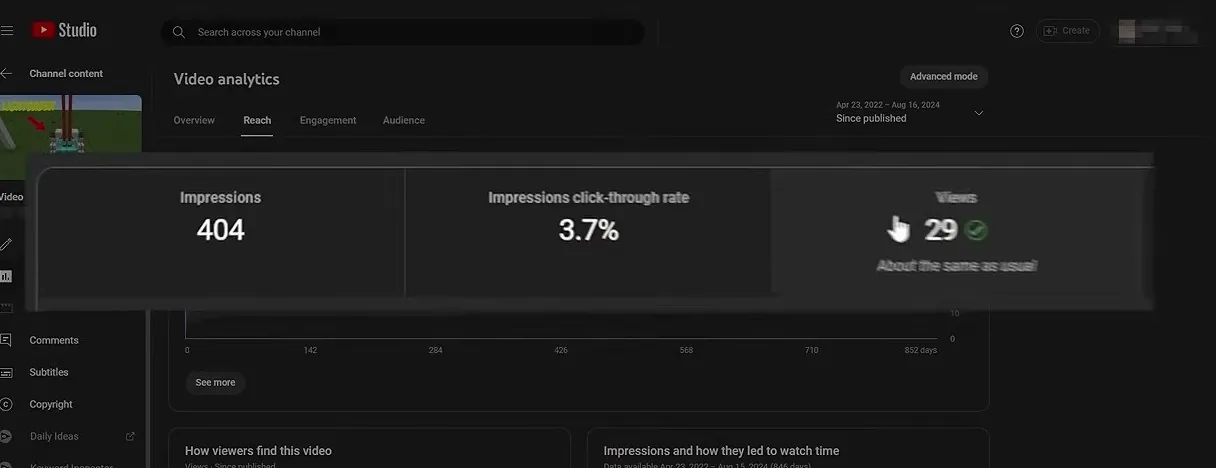
- Look at impressions on the Reach tab. Impressions show how many times YouTube showed your video to people. A video with 29 views may have been shown 400 times. That means YouTube did push it, and people chose something else.
- Check retention on the Overview tab. If over half your viewers are gone by the 10 second mark, the start of the video is losing them.
- Search your own topic. Type your video's topic into YouTube and look at the titles and thumbnails that come up. Your video does not have to be bad to lose. It only has to be less tempting than the other choices next to it.
For a full walk through of every screen, read how to use YouTube Analytics.
How do you get the algorithm to push your videos?
Make videos on one topic for one kind of viewer
Keep making videos about the same topic for the same kind of person. After a few similar videos, YouTube learns who your channel is for and picks better test groups for each new upload.
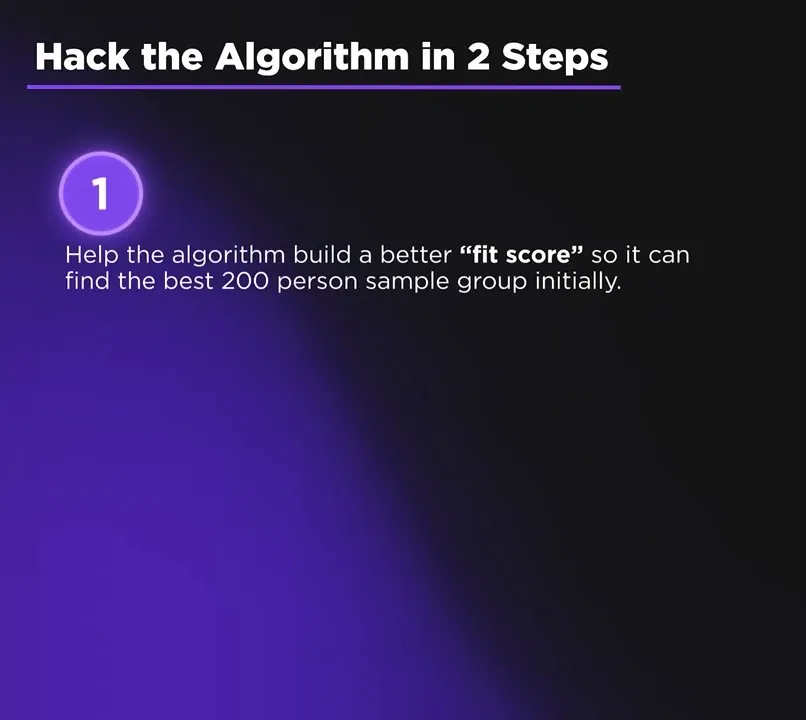
If you post about tech, then health, then politics, the test group for your next video becomes a mix of all three. Most of them will not care about it, the results come back weak, and the video stalls. That means saying no to ideas that might go viral with the wrong audience.
Study what already works in your niche
- Search the broad words in your niche and list the channels that come up, plus the channels in the recommended videos beside them.
- Open each channel's Videos tab, sort by Popular, and note the top videos from a recent window: the last 180 days to a year in a fast moving niche, up to 3 years in one that changes slowly.
- Look for topics that show up again and again across those top videos. Those are proven topics.
- Look for formats too: title patterns where one part can be swapped, like five years of something and everything I learned. Formats that worked on small channels, where a video got 5 times more views than the channel has subscribers, are the best to borrow.
- Put a proven topic together with a proven format, then make the video in your own way.
It is slow and boring work, and not every video will hit. But one video that takes off can change a channel. When it does, check where the views come from under Reach. On a video that takes off, most views can come from YouTube's own recommendations.
Make the video worth watching to the end
Viewers engage more when the video:
- Solves a real problem your viewer has.
- Tells them something they have not heard, that they can use.
- Says it simply enough that they understand it.
- Gives them a quick win they can get on their own.
Taking a clear side, instead of sitting in the middle, also gets more comments.
The algorithm sends views. Brand deals are another way to earn from the audience you build. The Influencer Program is a free creator community that teaches you and helps you grow, with free guides and content. We are not talent managers or an agency that signs you, and there is no contract. Start with how to get more views on YouTube.
Join the free creator program
Free training to grow, a community of creators, and weekly feedback on your videos. No contract.
(Put your real links. No follower minimum, but you need to be an active content creator, otherwise you get rejected)
How long does it take to grow?
Longer than most people expect. Most creators quit before video 20. The breakthrough often comes at video 20, 30 or even 50. That is not always because that video was much better, but because the videos before it gave YouTube the data it needed.
While you wait:
- Track the right things early. Skills you are building, how far people watch, comments, and how steadily you post, more than views and subscribers.
- Find other small creators in your niche. Comment on their videos and join their Discord servers. It keeps you going and leads to collabs.
- Make what only you can make. Do not only chase trends. Your own view on a topic is what sets you apart, even in a crowded niche.
What can you do this week?
- Open your last five videos in YouTube Studio and write down each one's impressions, CTR and retention at the 10 second mark.
- For the weakest one, search its topic on YouTube and compare your title and thumbnail with the top results.
- List 10 channels in your niche and note the topics that show up most in their popular videos.
- Plan your next three videos on the same topic for the same viewer.
- Pick one format that worked for a small channel and use it with one proven topic.
More guides
- Read your YouTube analytics and know what to fix next
- Get into the YouTube Partner Program and get your first payment
- Make thumbnails that win the click
- Write YouTube titles that make the right people stop scrolling and click
- Go from zero to your first paid UGC deal in 30 days
- Finish a 7 day UGC challenge with a portfolio brands can say yes to
- Start an affiliate blog that earns from the products you recommend
- Earn from the products you already recommend with affiliate links