The Influencer Program / Guides
Get YouTube to show your videos to more of the right people
What impressions really measure, how to read them in YouTube Studio, and the changes that help YouTube put your thumbnail in front of more viewers.
- 6 min read
- Updated Nov 26, 2026
- 100% free community
(Put your real links. No follower minimum, but you need to be an active content creator, otherwise you get rejected)
An impression is one time YouTube shows your video's thumbnail to someone. To get more impressions, make it easy for YouTube to know who your videos are for, make videos on topics those people already look for, and keep the people who click watching more of your videos.
Low numbers at the start are normal. About 87% of all videos on YouTube get fewer than 1,000 views. What matters is whether your numbers move once you change something.
What are impressions on YouTube?
Every time your thumbnail appears on someone's home page, in suggested videos beside another video, or in search, that is an impression. It is YouTube telling you how many people it showed your video to.
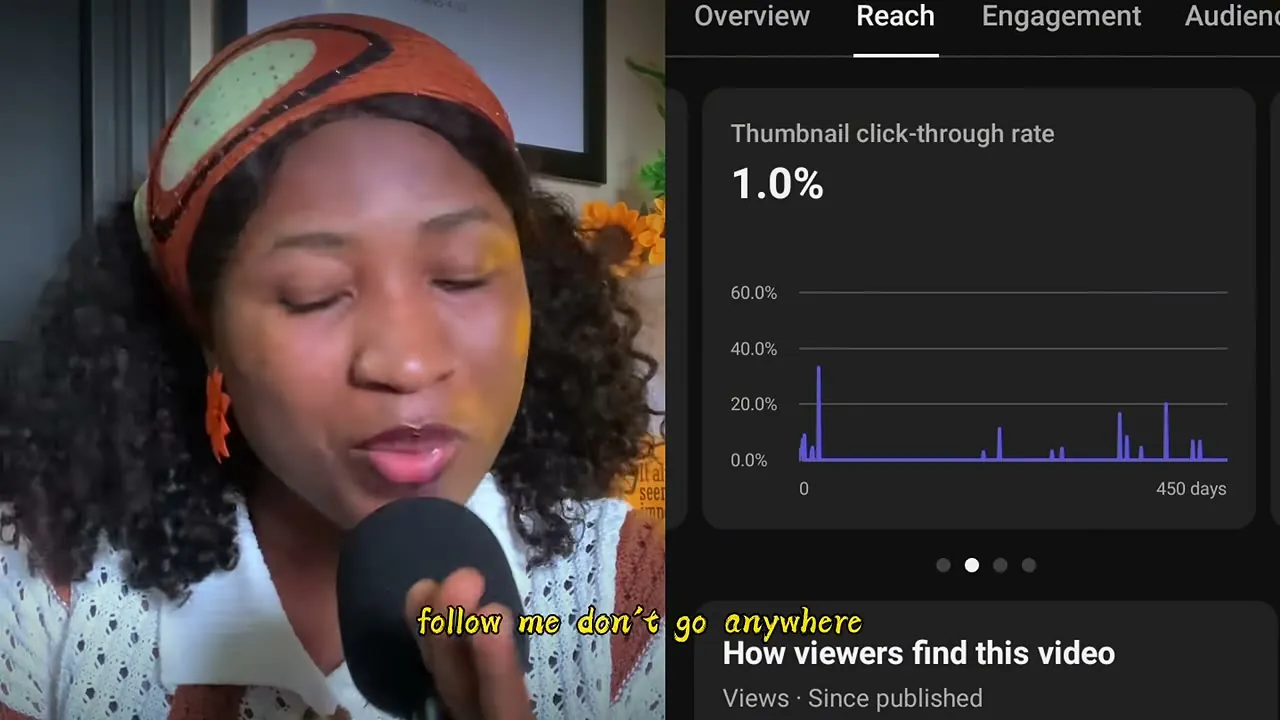
You find them in YouTube Studio. Open a video's analytics and go to the Reach tab. You will see thumbnail impressions, the click through rate, and how viewers found the video, such as browse features, which means the home page.
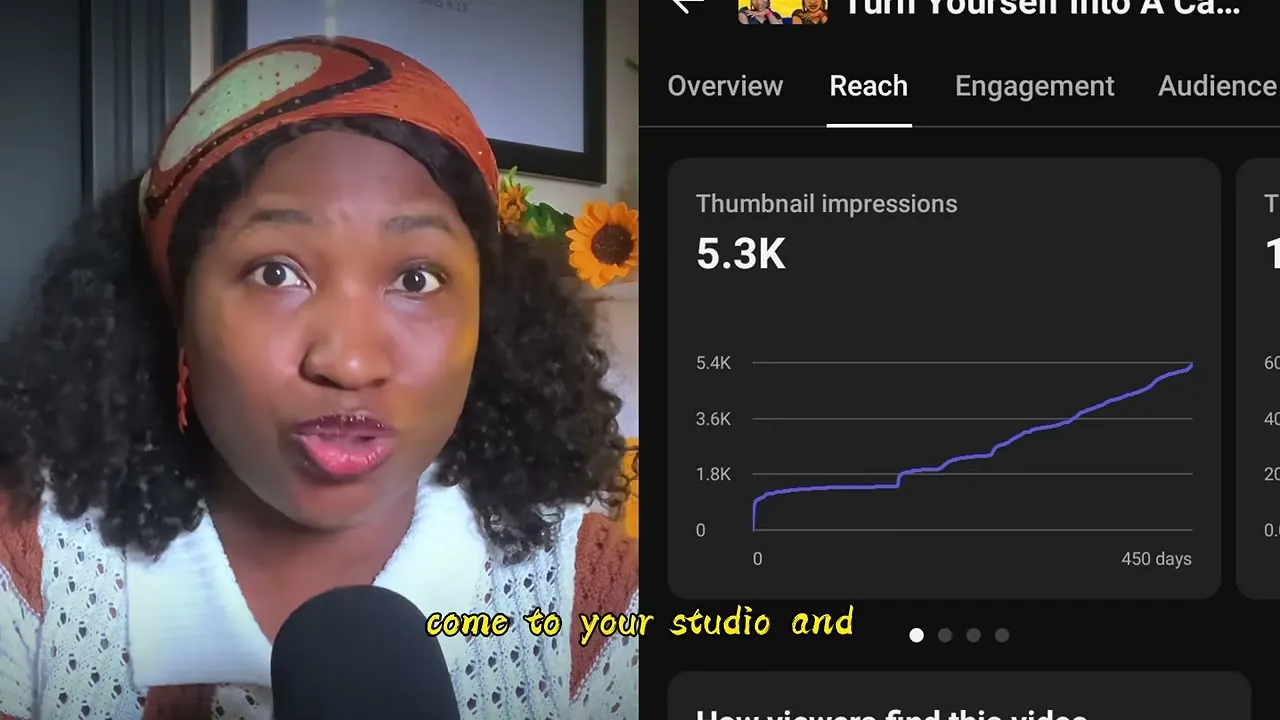
Read impressions next to views and clicks
| What to check | Where in YouTube Studio | What it tells you |
|---|---|---|
| Thumbnail impressions | A video's Reach tab | How many times YouTube showed it |
| Impressions compared with views | Reach tab | Impressions should be higher than views |
| Click through rate | Reach tab | 1% is weak. One creator treats 5% and up as strong |
| How viewers found it | Reach tab | Browse features means the home page picked it up |
| Search terms | Analytics, Content, YouTube search, See more | The words people typed to find you |
If impressions are tiny, YouTube is not showing the video much yet. If impressions are high but views are low, YouTube did show it and people chose something else.
How does YouTube decide who sees your video?
YouTube's main job is to serve the viewer in front of it. A long time member of YouTube's own algorithm team puts it this way: recommendations are mostly pulled by what each viewer watches, not pushed out by creators.
That is why a channel with hundreds of millions of subscribers may never show up in your feed, while a tiny channel on a topic you love does. YouTube matches videos to people, not to channel size.
You can see this for yourself in about a minute:
- Open a private browser window and go to YouTube. The home page is nearly empty, because YouTube has no data on you.
- Search a topic and watch 5 to 10 videos on it.
- Go back to the home page. It is now full of that topic.
Build a research account that acts like your viewer
Create a separate YouTube account on the same Google login as your channel. Use it only to watch videos on your channel's topic, at least 10 of them, nothing else. Leave it for 24 hours, then open its home page.
What you see is what YouTube serves your ideal viewer: the channels they watch, the topics they like, and the thumbnails and titles that work in your niche. You can refresh it anytime.
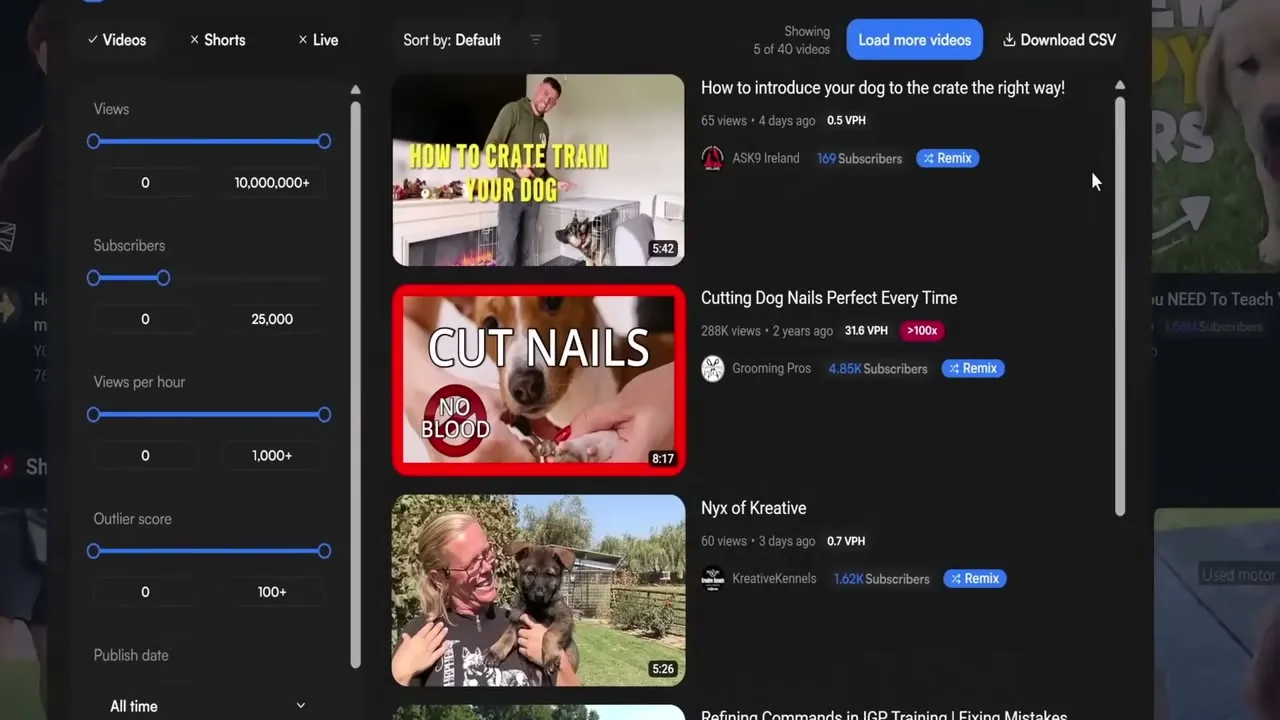
Some browser tools add filters on YouTube, for example to show only channels under 25,000 subscribers. That helps you find videos that did far better than their channel size.
Which topics get more impressions?
Topics people already search for. Some topics will never bring many views however often you post about them. Others will.
Find your best search terms
- In YouTube Studio, go to Analytics, then Content.
- Scroll down to YouTube search and click See more.
- Change the time range from the last 28 days to the last 365 days.
- Note the top five search terms and how many views each one brought.
The terms that bring the most views show you what people want from you. Some Studio views also list top searches related to your channel, which shows what your audience is looking for right now.
Turn them into content pillars
Group your top terms into two or three content pillars, then keep making videos inside them. One creator found most top terms were about video editing, then AI tools, then making high quality content, and built a pillar around each.
This stops the common trap of making one hit by accident, then going back to topics nobody searches.
Why does staying in one niche help?
YouTube learns from every upload: your topic, the viewers you attract, how many click, how long they watch, and what else they watch. When those signals point in many directions, YouTube is less sure who to show your next video to.
Mixed signals come from switching niches, mixing very different kinds of videos, chasing trends outside your topic, or copying several different creators at once.
To give YouTube a clear picture:
- Study your best videos. Not only the most viewed. Find the ones that brought the right audience, held attention longest, and led people to watch another of your videos.
- Commit to one audience for 90 days. Every title, description and keyword should point at the same kind of viewer.
- Line up your channel. Your channel description, tags and playlists should match that niche.
- Clip your best long videos into shorts. Each one is another signal about who your channel is for.
How do thumbnails and titles affect impressions?
Your click through rate decides what happens to the impressions you get. A video shown to 5,300 people at a 1% click through rate tells you YouTube tried, and the packaging lost.
- Before you film, decide the title and thumbnail.
- Someone should understand at a glance what the video is about, who it is for, and why it is worth a click.
- Make sure the title and thumbnail match each other and match what people are looking for.
For more, read how to make YouTube thumbnails people click and how to write YouTube titles.
Impressions are one part of growing a channel. The Influencer Program is a free creator community that teaches you and helps you grow, with free guides and content. We are not talent managers or an agency that signs you, and there is no contract.
Join the free creator program
Free training to grow, a community of creators, and weekly feedback on your videos. No contract.
(Put your real links. No follower minimum, but you need to be an active content creator, otherwise you get rejected)
How do you keep viewers watching your other videos?
When someone watches several of your videos in a row, YouTube sees content that holds people.
Make a playlist of your best related videos
In YouTube Studio, use Create, then New playlist. Give it a title people want to click, add your best videos on one theme, and set it to public.
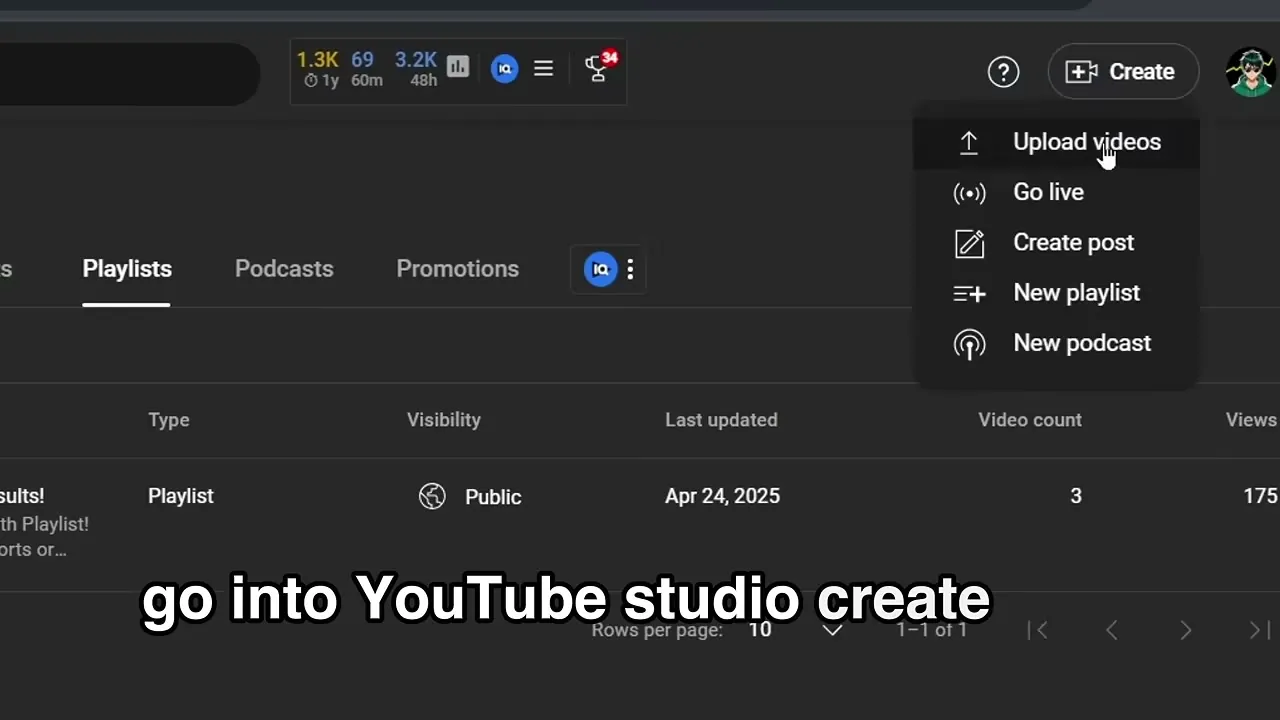
Put the playlist link in each video's description and as a pinned comment. A link to one video inside the playlist works well, because the next one plays on its own.
Use end screens and cards
- End screens. Instead of only a subscribe button, add your playlist. End screens show only in the last 20 seconds, so they help the viewers who stay.
- Cards. Add a playlist card early, around the 10 second mark, before people start to leave. Add another card in the middle of the video. Use a line that makes people curious, not a plain check this out.
Set made for kids correctly
In YouTube Studio settings, your channel and each video say whether they are made for kids. Unless your videos really are for children, such as nursery rhymes or toy unboxings, the answer is no. A video marked for kids can lose recommendations and home page traffic.
What can you do this week?
- Open the Reach tab on your last five videos and write down impressions, click through rate and views for each.
- Find your top five search terms for the last 365 days and group them into pillars.
- Make a research account, watch 10 videos in your niche, and check its home page tomorrow.
- Plan your next three videos inside one pillar, with the title and thumbnail decided first.
- Build one playlist of related videos and add it to your end screens and descriptions.
See also the YouTube algorithm explained and how to use YouTube Analytics.
More guides
- Give your song the best chance to go viral, and turn the views into real fans
- Make your YouTube channel today and set it up to grow
- Make money on TikTok Shop, starting with your first sale
- Make UGC videos that look real, sell the product and get you hired again
- Make YouTube videos that look and sound good with the phone you already have
- Sell your first online course to people who already want it
- Start a faceless YouTube channel that YouTube will still pay you for
- Start a gaming channel people come back to, even in a crowded space