The Influencer Program / Guides
Set up as a digital creator on Facebook and get ready for your first payout
Professional mode or a public page, how Facebook decides who gets paid, what to post and how often, and the mistakes that cut your pay, shown on real Facebook screens.
- 7 min read
- Updated Nov 23, 2026
- 100% free community
(Put your real links. No follower minimum, but you need to be an active content creator, otherwise you get rejected)
To become a digital creator on Facebook, turn on professional mode on your profile or create a public page, and set its category to digital creator. Then post often, because Facebook only pays creators it invites into its content monetization program.
Once you are in, Facebook pays you a share of ad revenue on the views your posts get. That covers reels, photos, text posts and stories, not only videos.
What does a digital creator on Facebook get?
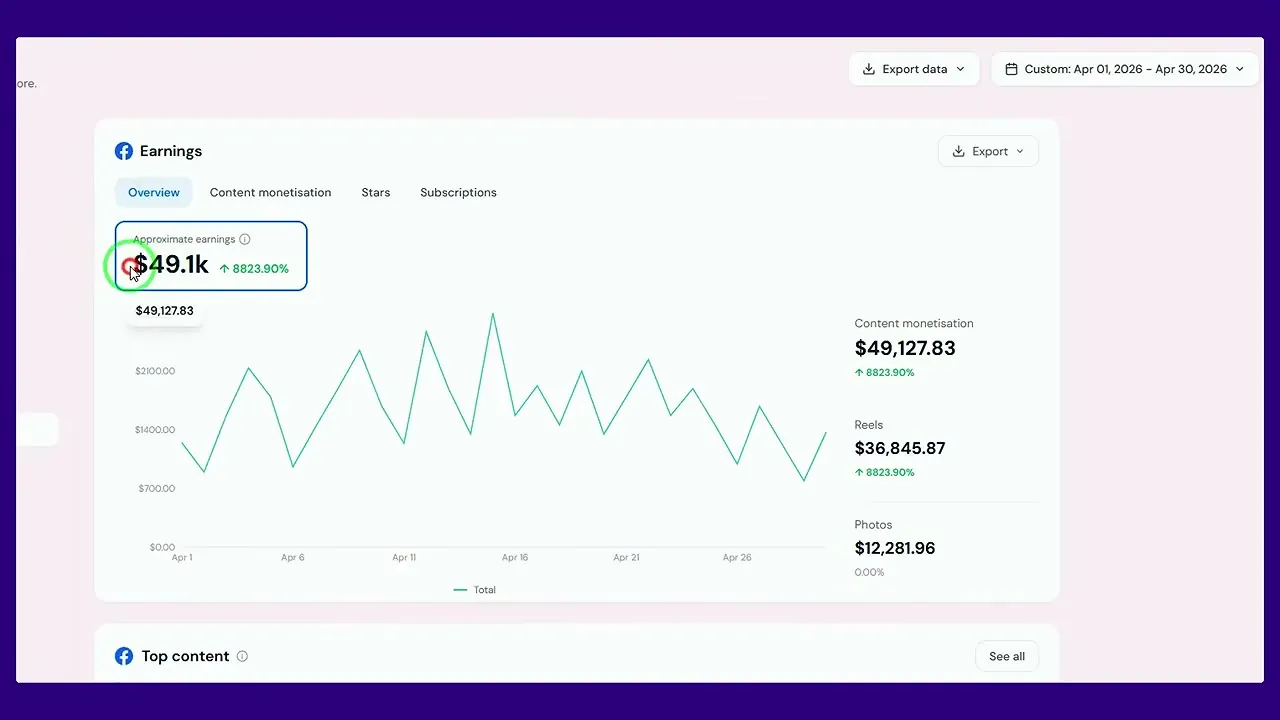
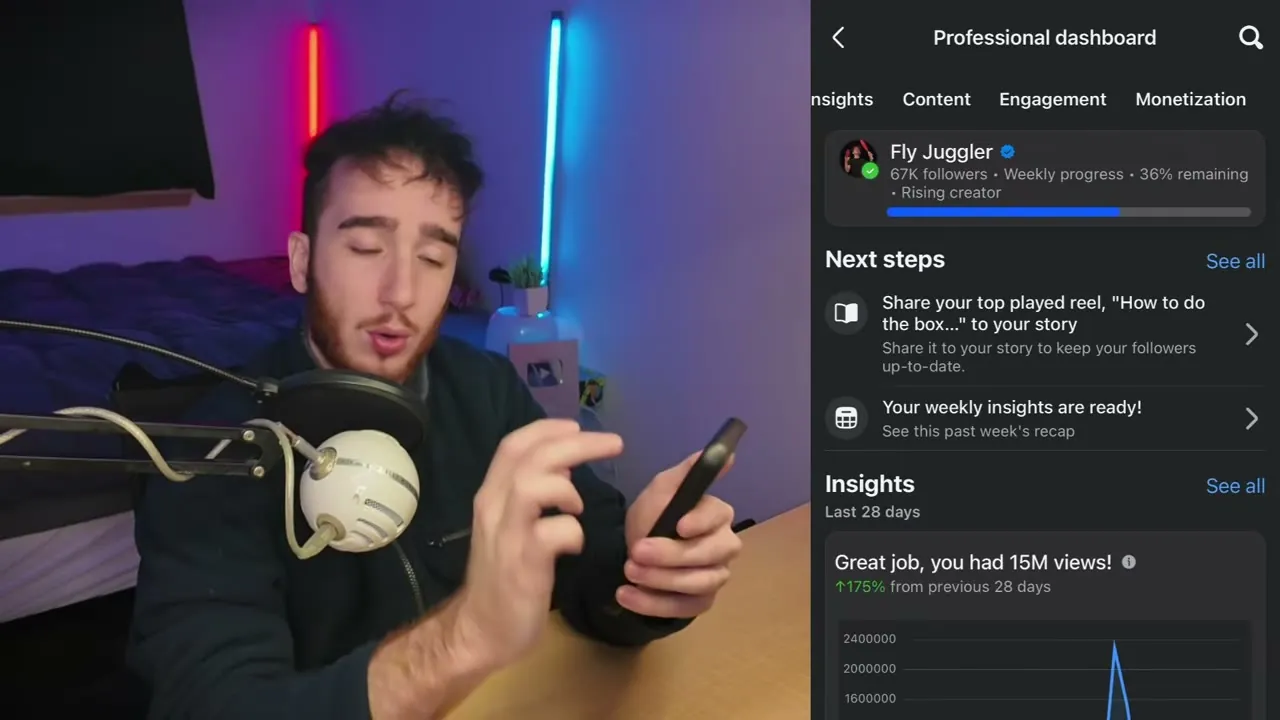
A personal profile is for keeping up with friends. A creator profile or page is for growing an audience. It gives you a professional dashboard with your insights, your content, your engagement and a monetization tab.
Inside monetization there are a few ways to earn:
- Content monetization. Facebook pays you for the views your posts get, as a share of ad revenue. This is the one to focus on first.
- Stars. Viewers send you money directly.
- Subscriptions. Fans pay you every month to support you.
Should you use professional mode or a page?
Both work. Pick one.
Turn on professional mode
If you already post from your personal profile, this is the fastest way in.
- Go to your profile and tap the three dots to open the menu.
- Scroll down and tap turn on professional mode.
- Your professional dashboard now appears, with a monetization section.
Create a public page
A public page keeps your creator work apart from your personal life, and one profile can run several pages.
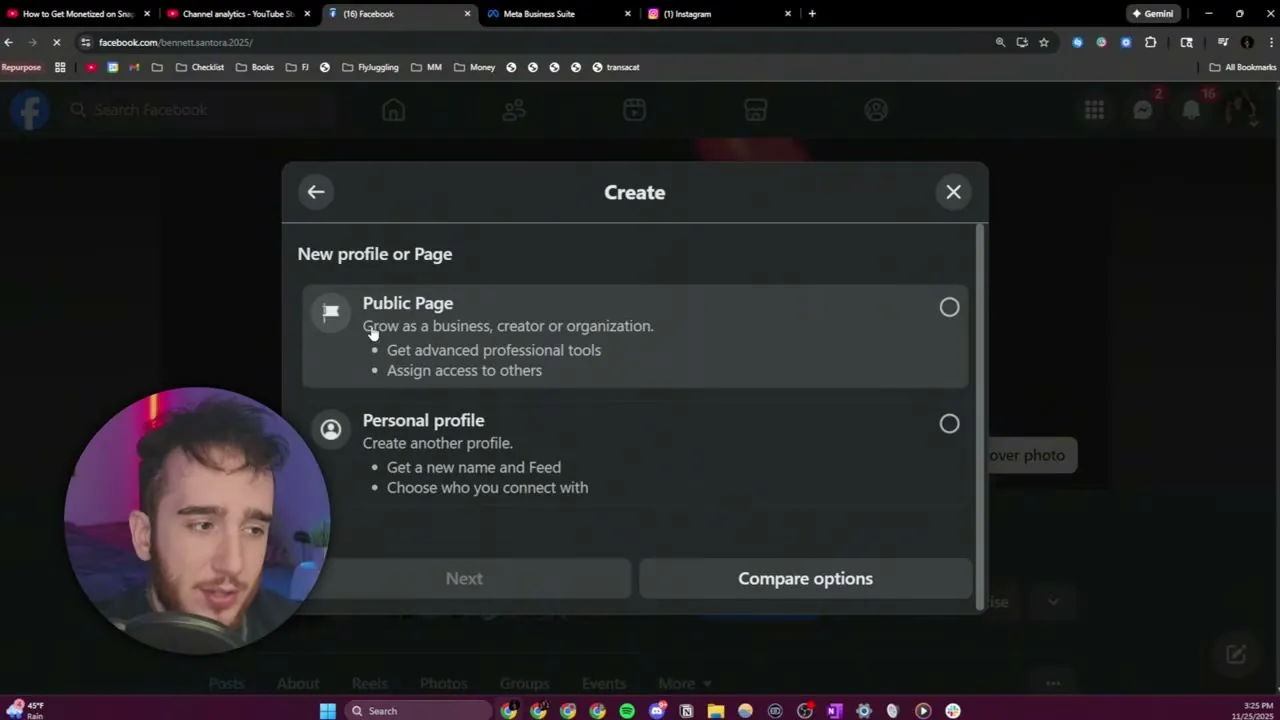
- Click your account at the top right and choose see all profiles.
- Click create, then choose public page.
- Set the category to digital creator.
- In the page settings, set the page type to creator.
If you also post on Instagram, link your page and your Instagram account in Meta Business Suite under one business portfolio. Then Facebook knows both accounts are yours.
How do you set up your page so people find it?
Facebook search now works more like a discovery tool, so the words on your page matter.
- Name. Unless you already have a big following somewhere else, put a searched phrase about your topic next to your name, like your name plus self improvement. Make it your own so you do not blend in with everyone using the same phrase.
- Bio. Do not leave it empty. Use the same topic words and say what people get from following you.
- Pictures. Use a real photo and cover image that fit your topic.
- Friends. Grow it with real followers rather than inviting your whole friends list.
How does Facebook monetization work?
Facebook is not like YouTube or TikTok, where you hit a set number and get in. Content monetization is invite only. You check your eligibility, and in some cases submit an application, and then you wait until Facebook lets you in.
- Open your professional dashboard and tap monetization.
- Check your eligibility. Each feature lists its own rules, and Facebook shows which ones you qualify for.
- Where it is offered, submit your application for content monetization.
- Keep posting while you wait. More reach and engagement can bring the invite sooner.
There is no published follower number. Here is what monetized pages suggest:
| What | A rough guide |
|---|---|
| Followers before you can expect an invite | Around 5,000, with about 60,000 minutes viewed |
| Followers to reach before you apply, to be safe | At least 10,000 |
| Video reels that tend to perform best | 8 to 15 seconds long |
| The hook | The first 3 seconds |
| Posting at the very least | 3 to 5 times a week |
| A good daily target once you have a system | 5 to 8 posts a day |
| First payouts | Small, examples were $62 and $137 |
Nobody can tell you exactly when the invite will come. Treat these numbers as a rough guide.
What should you post?
You do not need dance videos or a fancy camera. Tutorials, stories, motivation and faceless content can all work. What matters is content people react to.
Give people a reason to like, comment, save and share
Facebook tests each reel with a small group first. If that group reacts, it shows the reel to more people, and then more. The reactions that count are likes, comments, saves and shares. The best posts are ones people share or screenshot because they say something people want to pass on.
A simple shape for a reel:
- Hook. Stop the scroll in the first 3 seconds.
- Message. Deliver the value right away so they stay.
- A picture to remember. Make the idea visual so people replay it or save it.
- Ending. Close in a way that loops back to the start.
Try every format
Reels are not the only thing that pays. Photos and text posts can earn too, and some pages make more from photos than they expect. What works for one creator may not work for you, so test reels, photos, text and stories. When one kind of post gets the most views, make more of it.
Use what you already have
If you already post on Instagram, TikTok or YouTube, bring your own videos to Facebook. Instagram lets you share each new reel to your Facebook page when you post. For older videos, a tool like Repurpose can copy your past posts to your page a few a day.
The Influencer Program is a free creator community that teaches you and helps you grow, with free guides and content. We are not talent managers or an agency that signs you, and there is no contract.
Join the free creator program
Free training to grow, a community of creators, and weekly feedback on your videos. No contract.
(Put your real links. No follower minimum, but you need to be an active content creator, otherwise you get rejected)
How often should you post?
More than you would on other apps. At the very least, post 3 to 5 times a week. Pages that earn well post several times a day.
Build up slowly. Raising posts step by step, from 8 a day to 12, then 16, then 20, has lifted views, impressions and followers each time. Going from 24 to 30 a day did not help and seemed to hurt reach. A new page with no followers does not need 20 posts a day. Somewhere around 5 to 8 a day is a good target once you have a system.
Keep watching your insights and adjust. Every page has its own sweet spot.
What gets your pay cut?
Facebook is strict, and these mistakes cost creators money:
- Filming sideways. Film vertically. A horizontal video gets black bars, and Facebook can treat it as low quality.
- Music you do not own. Do not post videos with music already playing in the background, like a car radio. Copyrighted sound gets flagged, and those reels do not get paid.
- Posting other people's content. Facebook now tells creators when someone else is posting and earning from their video, and they can have it removed. Post your own work.
- Breaking the rules, even as a joke. A satire post that gets fact checked can hurt your reach for every post after it. A single flagged post has cut a page's monthly earnings from around $10,000 to a small part of that.
- Asking for engagement because Facebook pays you. Posts like that turn people off.
How do you set up payouts?
You can only add payout details once your account is monetized. Until then, you will only see the option to add a payment method.
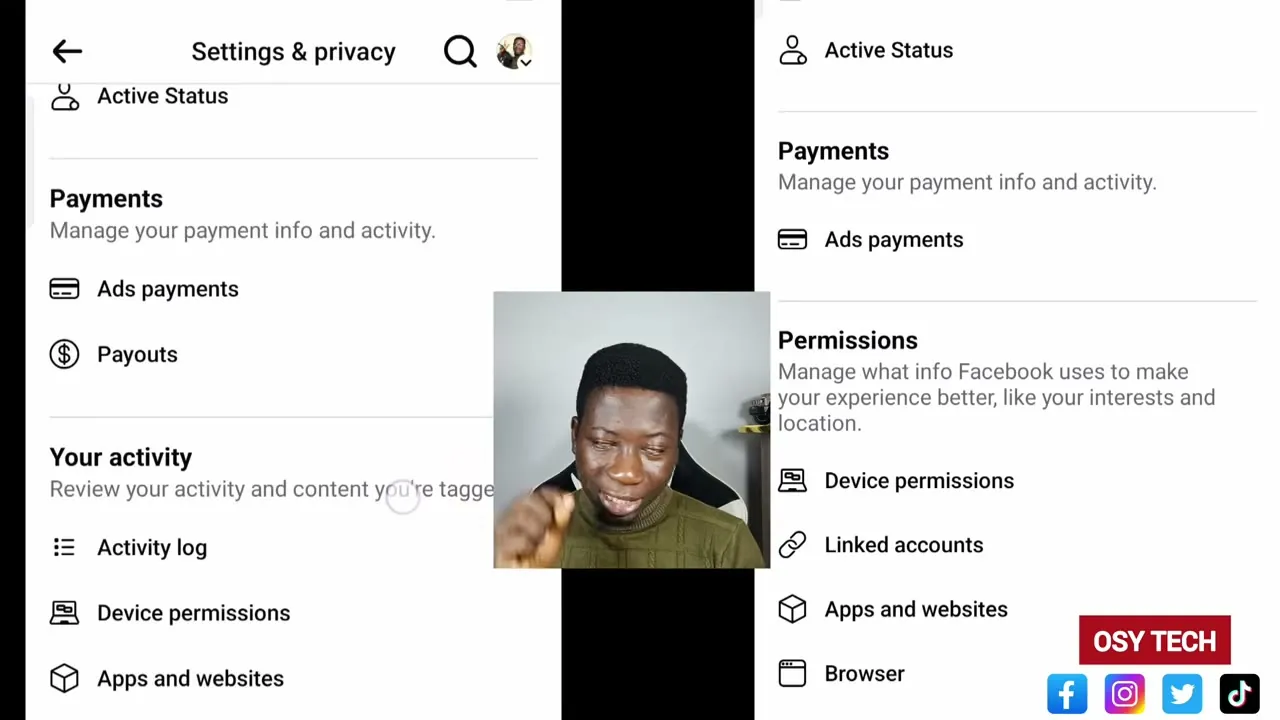
- Open the menu and tap settings and privacy, then settings.
- Scroll to payments and tap payouts.
- Add your payout method and your bank details.
- Add your tax information, as a business or a person.
Give your real details. Facebook asks for tax details as part of this, which is normal. Never give that information to anyone outside Facebook.
How much can you make?
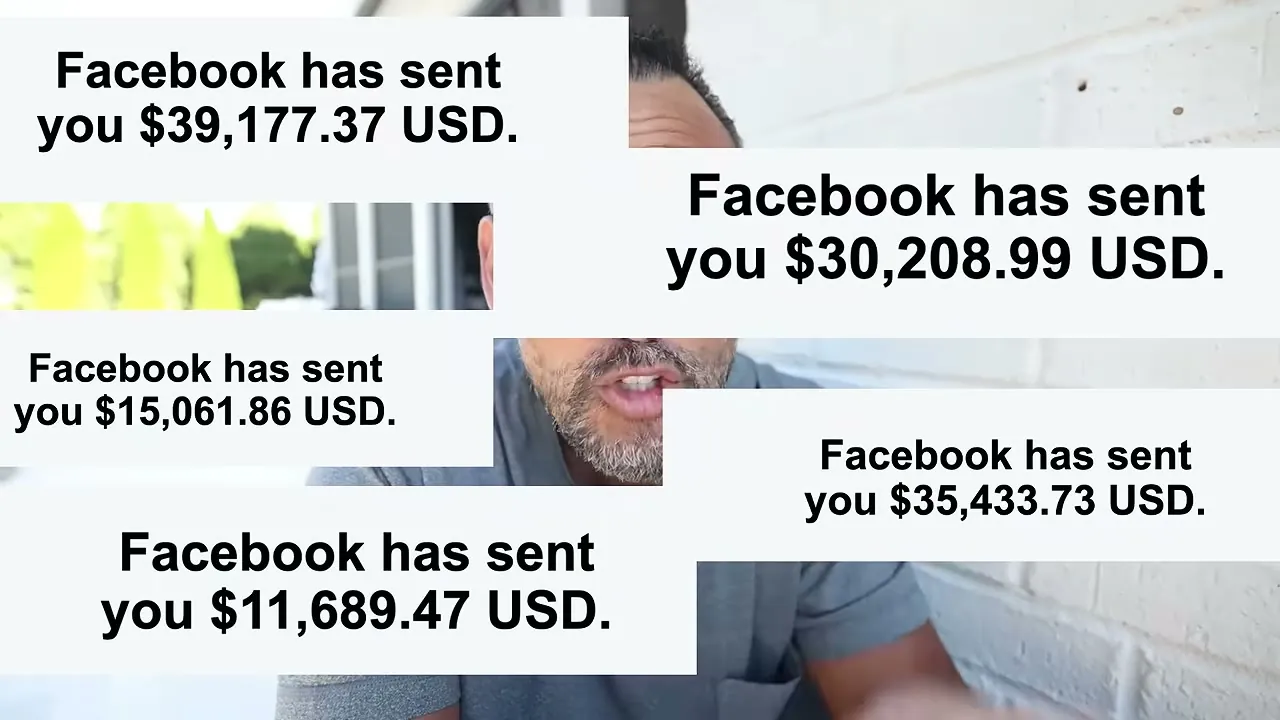
It depends on your views, your topic and where your audience lives, and it changes from month to month. First payouts are usually small. Examples include $62 and $137. Months after that can be much bigger or smaller.
For other ways to earn from the same videos, see how to monetize Instagram and how to make money on YouTube.
What can you do this week?
- Turn on professional mode, or create a public page with the category digital creator.
- Put your topic in your name and write a bio that says what people get.
- Check your eligibility in the monetization tab of your professional dashboard.
- Post at least 3 times this week: try a reel, a photo and a text post.
- Film vertically and use only sound you have the right to use.
- If you post on Instagram, turn on sharing to your Facebook page.
More guides
- Become a Pinterest creator people find through search and buy from
- Become a UGC creator and land your first paid video
- Become a YouTuber and earn your first money from your channel
- Build a personal brand people remember, and that pays you back
- Film yourself alone and make videos that look and sound professional
- Get Instagram followers who watch, so brands want to work with you
- Get more likes on TikTok by showing the right people a video worth liking
- Get more subscribers on YouTube, starting from zero