The Influencer Program / Guides
Get more likes on TikTok by showing the right people a video worth liking
How TikTok decides who sees each video, the settings that hold small accounts back, and the habits that turn views into likes, comments and follows.
- 7 min read
- Updated Nov 25, 2026
- 100% free community
(Put your real links. No follower minimum, but you need to be an active content creator, otherwise you get rejected)
To get more likes on TikTok, help TikTok show your video to people who care about your topic, then give them a reason to stop, watch and react. Likes follow the right viewers and a useful or interesting video. Tricks with captions and posting times matter far less.
How does TikTok decide who sees your video?
TikTok wants people to stay on the app as long as possible, so it acts like a matchmaker. It tries to show each person the videos they will enjoy most.
When you post, it first works out what your video is about. It watches the picture, listens to what you say, and reads your caption and text. Then it guesses who will like it.
Next it runs a test.
- A small test group first. TikTok shows the video to roughly 200 people. Most of them do not follow you. If strangers like it, it is a good video.
- Good results, a bigger push. It might go to 2,000 people next, then 20,000, then 200,000, until the results get weaker.
- Mixed results, another test. It tries a different group of about 200.
- Bad results, it stops. That is the 200 view jail people talk about. The test group did not watch or react.

So you have two jobs. Help TikTok pick the right test group. Then make sure that group watches and reacts.
How do you help TikTok find the right viewers?
Post about one topic for one kind of viewer
Make videos on the same few topics for the same kind of person, again and again. After a few similar videos, TikTok learns who your account is for and builds better test groups.
If you post about tech, then health, then politics, the next test group becomes a mix of all three. Most of them will not care, the results come back weak, and the video stalls. That means saying no to ideas that might go viral with the wrong crowd.
Fix these settings today
| Setting | Where to find it | What to set | Why it helps |
|---|---|---|---|
| Name | Edit profile, then Name | Your name, a bar, then a keyword | Shows you in search when people look for your topic |
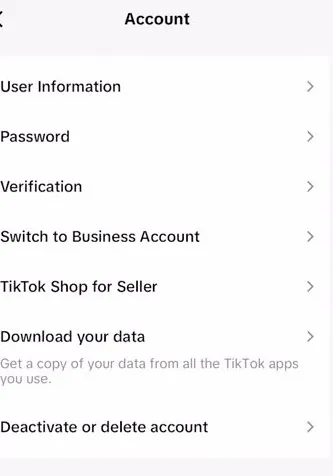
| Account type | Settings and privacy, then Account | Stay on a creator account | Business accounts cannot join the Creator Rewards Program |
| Suggest your account to others | Settings and privacy, then Privacy | Contacts, Facebook friends and people who open or send links all off, and contact syncing off | Your first viewers become people who like your topic, not family |
| Reuse of content | Settings and privacy, then Privacy | Everyone | A duet or stitch of your video shows it to another audience |
| Captions | The posting screen | Auto captions on | Many people watch with the sound off |
A creator account cannot add a link in bio until 1,000 followers. Use that time to learn what makes a good video.
Write captions that help
Make your description longer and useful, as helpful as the video. People who read it stay on the video while it loops. At the end, mention your next video so a viewer can tap straight to it. When someone watches one of your videos and then another, that is a strong signal.
If you add hashtags, keep to a few that describe the video. The newest advice is that posting time and hashtags barely matter next to the video itself.
What makes people like a video?
Four things raise likes, comments and shares.
- The topic solves a real problem your viewer has.
- It says something new they can use.
- It is easy to understand. If they cannot follow it, they cannot use it.
- It gives a quick win. A small action leads to a result they can see.
Engagement rate counts likes, comments and shares together, divided by views. A video with all four tends to score higher on all three.
Study what already works
Type a topic into TikTok search and look at the suggested searches. Those are popular. Pick one, then filter the results to the last 30 days, or the last 3 months if nothing stands out.
Look for videos with more views than the creator has followers. A video with 36,000 views on an account with 12,000 followers is worth studying. A video with 100,000 views on an account with 500,000 followers is not.
For each one, write down what the first seconds show, what you hear, and what text is on screen. That is the hook. Save the best ideas in one note.
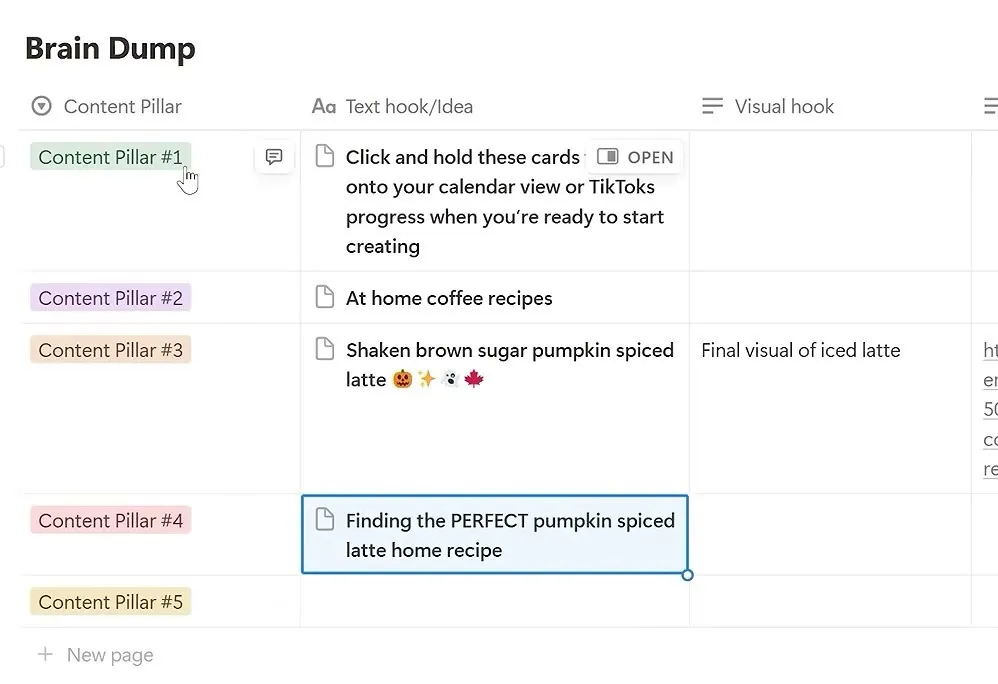
You can also train your For You feed. Tap not interested on videos outside your niche, and watch the ones inside it all the way through. After 5 to 10 minutes, your feed turns into a list of proven ideas in your niche.
Pick a side
People comment when they agree or disagree strongly. A video that sits in the middle gets fewer comments. Take a clear position on your topic, and talk about brands and ideas people already have opinions on. Be ready for both kinds of comments.
Use a series
Start a signature series, like day one of trying a new recipe each day. End each one with follow along for the next part. A viewer who saw one part wants to see the rest. Put the series in a playlist on your profile so new visitors find it.
Brand deals and affiliate sales come later, once people know your page. The Influencer Program is a free creator community that teaches you and helps you grow, with free guides and content. We are not talent managers or an agency that signs you, and there is no contract. For the bigger picture, read the TikTok algorithm explained.
Join the free creator program
Free training to grow, a community of creators, and weekly feedback on your videos. No contract.
(Put your real links. No follower minimum, but you need to be an active content creator, otherwise you get rejected)
How do you get more comments and shares?
Reply to your audience
Set aside 10 to 15 minutes a day to reply to comments and messages. For one week, try 30 minutes a day on six of the seven days and watch what changes. Match the tone of each one. A long, kind message gets a longer reply. A one emoji comment can get one emoji back.
Reply to some comments with a video. It makes your community feel closer, and it counts as a new post.
Talk about what your audience is talking about
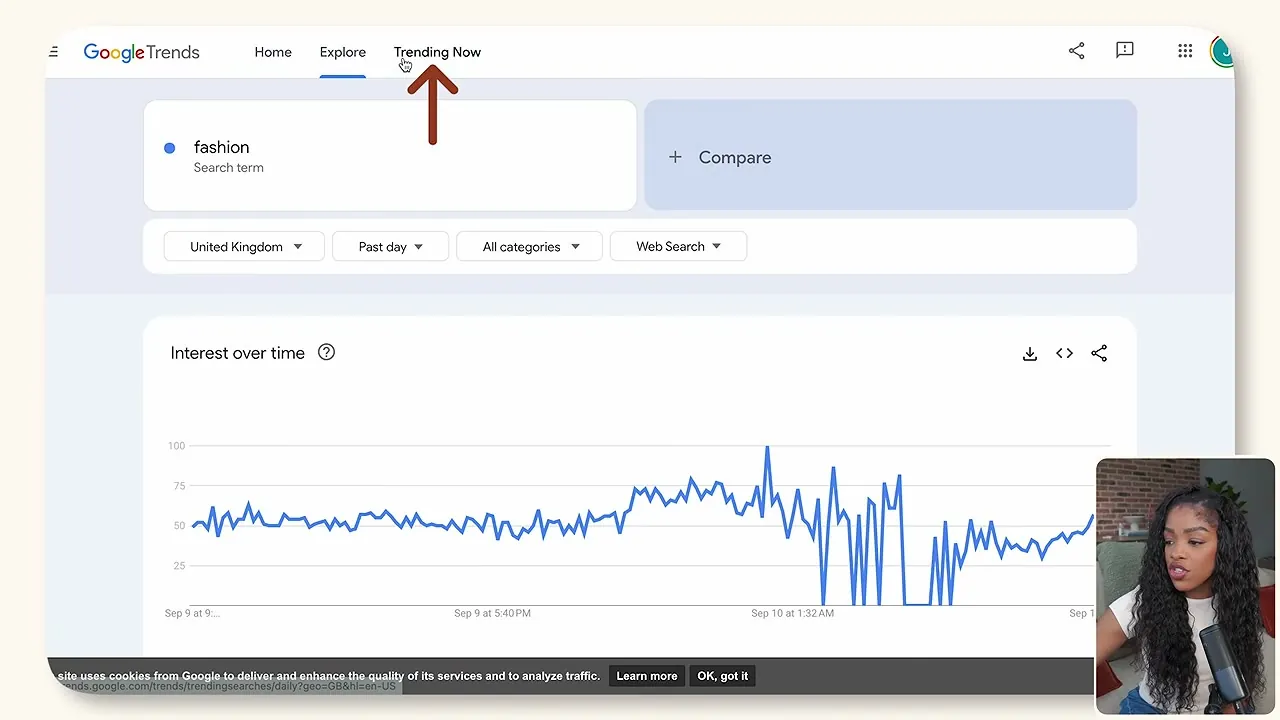
A trending topic is something your audience is discussing right now, not a dance or a sound. Find one in your niche, share it, and ask what people think. Google Trends shows what people are searching for, filtered by place, time and category.
Reuse what already earned engagement
Open your analytics and find your best posts from the last 6 months by likes, comments and shares. Find the part that worked, the hook, the story or the format, and carry it into your next posts.
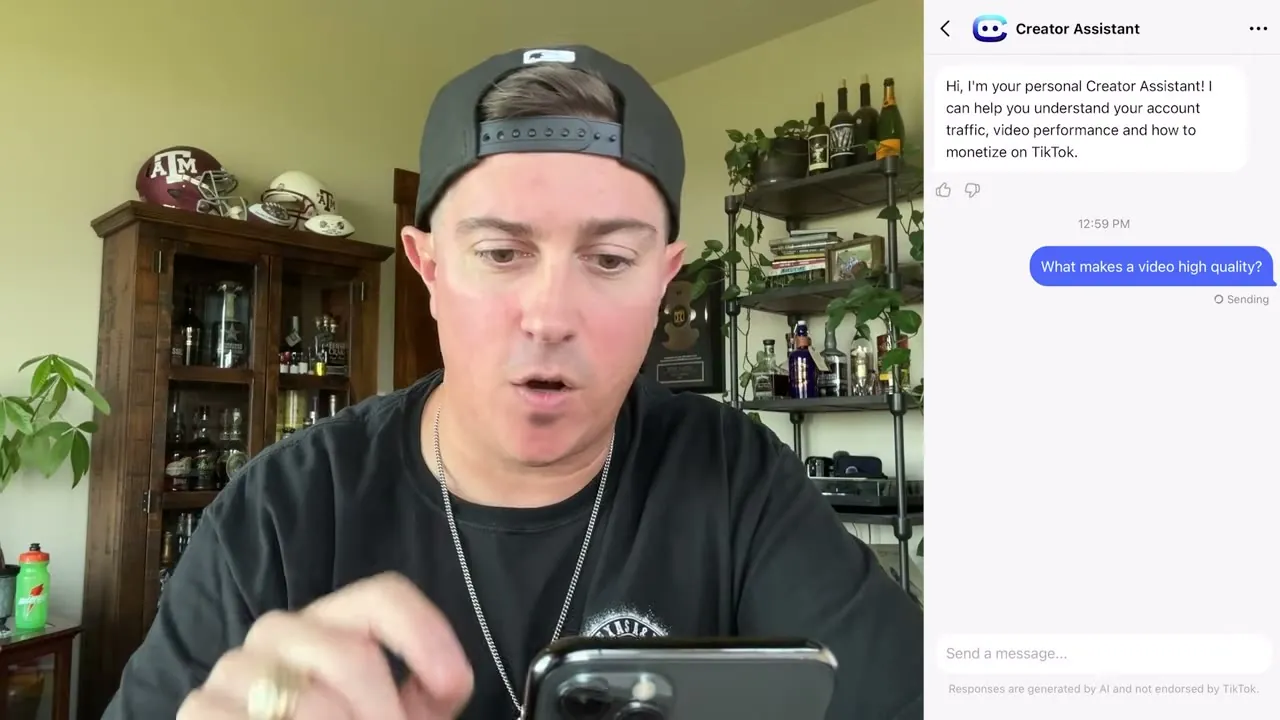
Inside each video's analytics, TikTok's Creator Assistant answers questions about your content using your own account's data.
Go live
A live is the only place you can talk with viewers in real time. Viewers feel more connected when you answer their questions as they ask them.
How many times a day should you post?
If you want to grow fast and you have the time, run a 30 day sprint.
| When | How often | What to focus on |
|---|---|---|
| Days 1 and 2 | Set up only | Profile, bio and content research |
| Week 1 | 3 to 5 posts a day | Try many formats and start a series |
| Week 2 | 3 to 5 posts a day | Half improve last week's best videos, half test new ones, reply every day |
| Week 3 | 3 to 5 posts a day | Pick one or two formats that work, repackage videos that flopped |
| Week 4 | 3 to 5 posts a day | Track which videos bring follows, not only views |
| Week 5 on | Twice a day, then once a day | More casual content, at a pace you can keep for a year |
Posting this often gives you a lot of data fast. After one week you have 21 to 35 videos to learn from instead of three. If that pace is too much, post less and keep going.
To repackage a video that flopped, change the hook, the first text on screen, the pace or the sound. One long recording can become five to 10 short videos that each tell a different story.
What can you do this week?
- Change your name field to your name plus one keyword.
- Turn off account suggestions to contacts and Facebook friends.
- Search your topic, filter to the last 30 days, and log ten videos that beat their creator's follower count.
- Plan five videos on one topic for one kind of viewer.
- Start a series and end each part with an invite to follow along.
- Spend 10 minutes a day replying to every comment.
For more ways to reach new viewers, read how to get views on TikTok and how to go viral on TikTok.
More guides
- Get more subscribers on YouTube, starting from zero
- Get steady traffic to your blog from Google, Pinterest and the places your readers already are
- Get more people into your TikTok LIVE and give them a reason to stay
- Get out of the one viewer club and grow a Twitch stream people come back to
- Get more people watching your Snapchat stories and Spotlight videos
- Get more views on every YouTube video you upload
- Get on brands' PR lists, even with a small following
- Get your TikTok videos past 200 views and in front of people who want them