The Influencer Program / Guides
Start earning from your Twitch streams and make each one pay more
The ways Twitch pays you, what it keeps, why so many streamers add YouTube, and the habits that grow the live viewers your money depends on. Shown with real revenue screens.
- 7 min read
- Updated Nov 22, 2026
- 100% free community
(Put your real links. No follower minimum, but you need to be an active content creator, otherwise you get rejected)
Twitch pays you through subscriptions, Prime subs, Bits and donations, and the ads that play during your streams. You turn these on by reaching Twitch affiliate, which opens with as few as 50 followers and 3 average viewers.
The catch is that Twitch money comes while you are live. That is why many streamers also put their streams on YouTube and turn their best moments into short clips.
How does Twitch monetization work?
Once you are an affiliate, Twitch gives you a few ways to earn:
- Subscriptions. Viewers pay you every month to support your channel. On Twitch the lowest sub costs $5. Subs are far more common on Twitch than paid memberships are on YouTube.
- Prime subs. People with Amazon Prime get a free Twitch sub. It costs the viewer nothing extra, and you still get paid for it. For many streamers, a big share of their subs are Prime subs.
- Bits and donations. Viewers send you money during a stream, which makes it easy to start earning.
- Ads. Twitch plays ads during your streams and shares the money with you. Twitch runs more ads during lives than YouTube does, so ad money adds up. Viewers who subscribe usually watch without the ads.
- Brand deals. Once you have a steady audience, companies pay streamers for brand deals too.
What does Twitch keep?
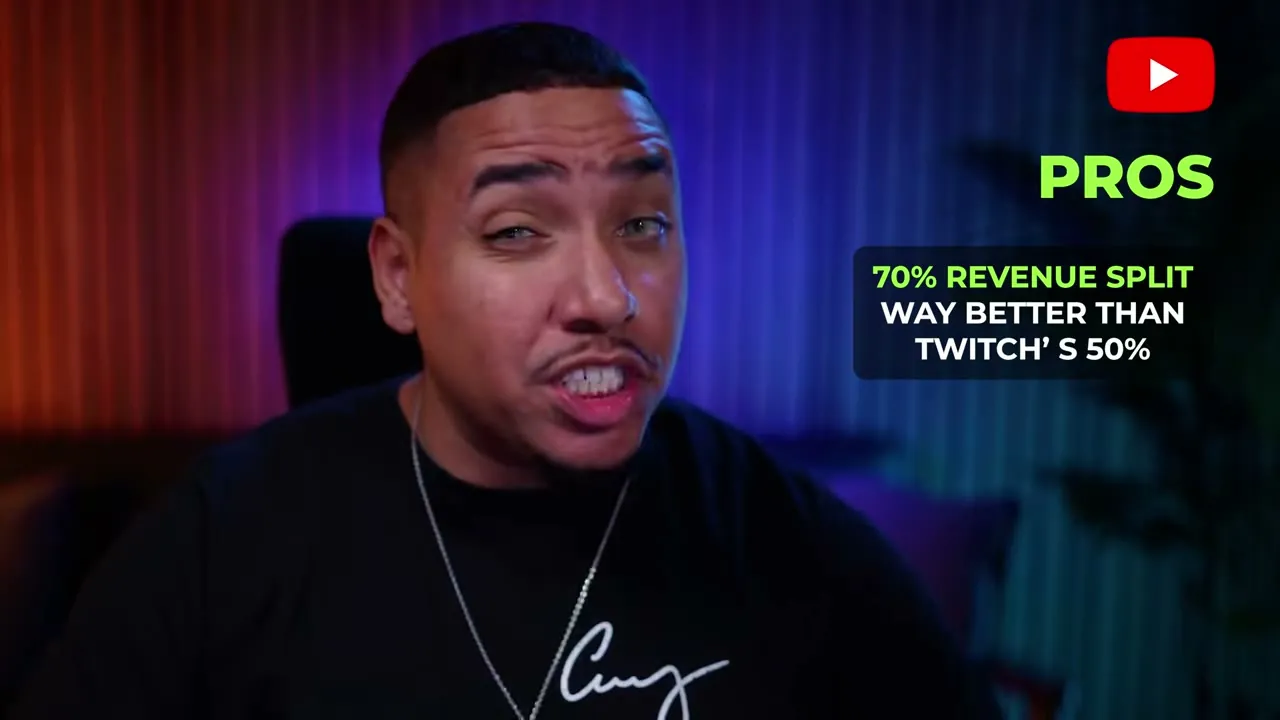
On Twitch, the usual split on subs is 50/50: you get half and Twitch keeps half. YouTube keeps 30% of memberships and Super Chats, so you get 70% there. That gap is one reason many streamers add YouTube instead of picking one.
| What | Twitch | YouTube |
|---|---|---|
| Your share of subs or memberships | Usually 50% | 70% |
| After the stream ends | The money mostly stops | The replay keeps earning from ads |
How do you turn on monetization on Twitch?
You start earning on Twitch by joining the affiliate program. It opens early, with as few as 50 followers and 3 average viewers, so Twitch gets you to your first money faster than YouTube does. YouTube takes longer to reach, but pays more over time.
The full list of affiliate goals, and how the invite works, is in our Twitch affiliate guide.
Once you are in, the goal changes. You are no longer trying to qualify. You are trying to grow the number of people who watch you live, because every way Twitch pays you grows with that number.
Why does Twitch money stop when the stream ends?
On Twitch, nearly all your money comes while you are live. Subs, Bits and live ads all happen during the stream. Once it ends, the replay earns you little, if anything, and few people go back to watch it. There is no real passive income. You have to be live to make money.
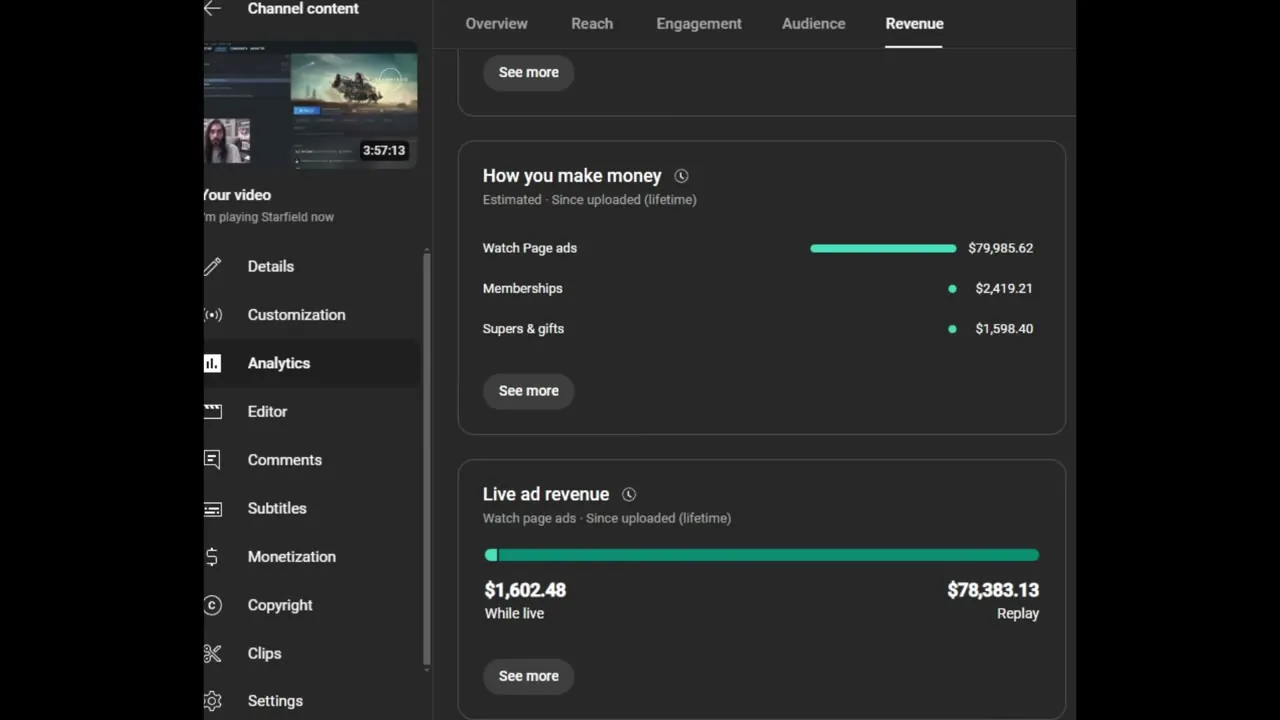
YouTube works the other way. A stream there stays up as a video when it ends. YouTube keeps showing it to new viewers, and the ads on that replay keep paying you. While you are live, YouTube usually pays less than Twitch. After the stream, it can pay far more.
For a very big channel the gap can be huge. One normal stream sent to both platforms at once made about $14,000 on Twitch and over $20,000 on YouTube, where the replay went on to 1.6 million views. Those are big channel numbers. What matters for you is the pattern: live money on Twitch, lasting money on YouTube.
Should you stream on Twitch and YouTube at the same time?
For most streamers, yes. Streaming to more than one platform at once is called multistreaming, and a lot of streamers have switched to it. Unless you signed an exclusive deal with a platform, nothing stops you.
- You can do it from OBS. It can send one stream to Twitch and YouTube at the same time.
- Each platform does a different job. Use Twitch for community and chat. Use YouTube for being found and for money that keeps coming after the stream.
- Viewers pick the place they like. Twitch chat is more lively. YouTube playback is smoother, you can rewind, and it works better on phones.
- You stop guessing. You see for yourself which platform grows faster and pays you more.
Kick and TikTok take live streams too. If you multistream, keep Twitch in the mix. It has had the most time to build its live culture, so lots of people go there looking for a stream to watch. It also has a lot of streamers to compete with.
To see what the YouTube side needs before it pays, read how to join the YouTube Partner Program.
Twitch and YouTube pay you for watch time. Brand deals are another way to earn from the audience you build. The Influencer Program is a free creator community that teaches you and helps you grow, with free guides and content. We are not talent managers or an agency that signs you, and there is no contract. Start with how to get your first brand deals.
Join the free creator program
Free training to grow, a community of creators, and weekly feedback on your videos. No contract.
(Put your real links. No follower minimum, but you need to be an active content creator, otherwise you get rejected)
How do you get more people to watch you live?
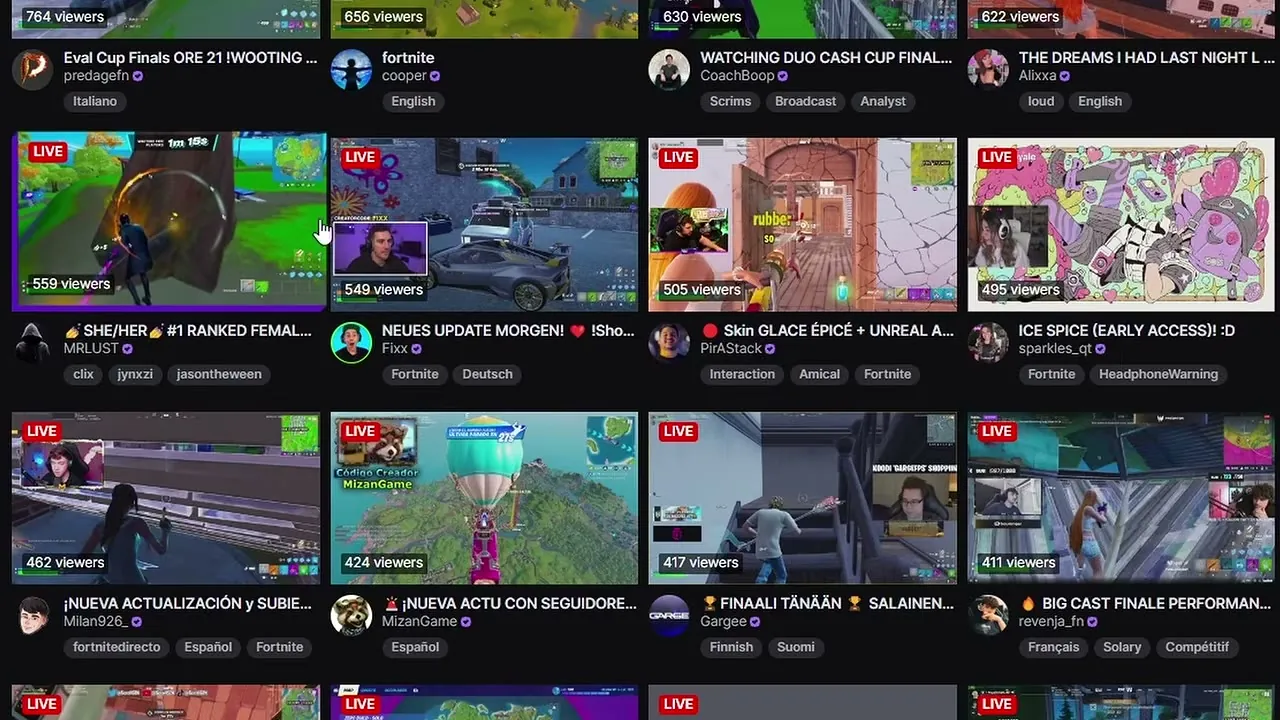
The hard part on Twitch is being found. Categories list streams from the most viewers to the fewest, so a new channel sits at the bottom. And while you are offline, Twitch does not show your stream at all.
Pick a niche, then a game with room
- Write down your favorite games. Group the ones that share a type, and get specific. Battle royale shooters is better than shooters.
- Look for a game with viewers but fewer streamers. In a huge category you land under thousands of other channels. In a smaller one, where many streamers have no camera or mic, you have a real chance to climb to 10 to 15 viewers.
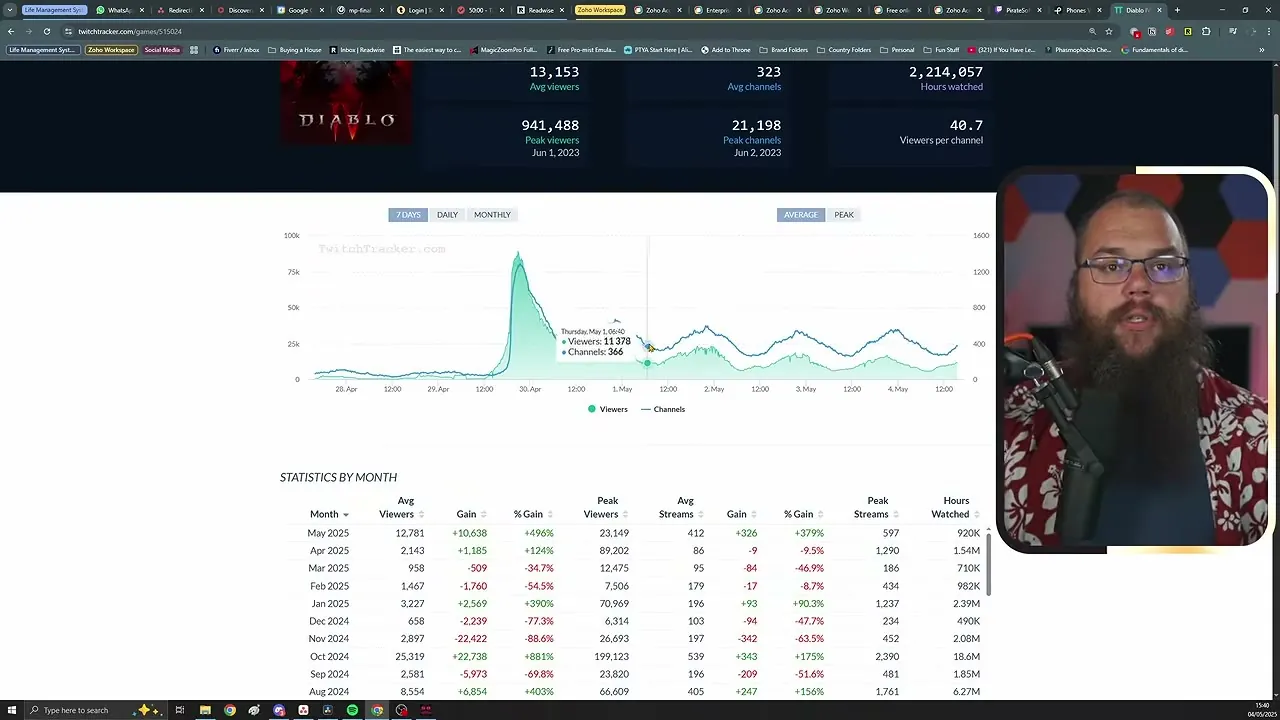
- Stream when the competition is low. Look up your game on TwitchTracker, open the 7 day graph, and find the lowest points in the line. Those hours have the fewest streamers for the number of viewers, so you are easier to find. Move your schedule there if you can.
Give people a reason to click
On Twitch, your title is the only thing a new viewer sees before they click. A title that only names the game, or says it is a chill stream, gives them no reason to pick you. Say what you are doing: a 24 hour stream, the beta of a new game, or a challenge.
Challenges work well. Melee only, no deaths, or the stream cannot end until you win. It is simple, easy to understand and different from the channels around you. Viewer games, where your viewers join in, also make a stream more fun to watch.
Spend less time live and more time on clips
Being live is only part of the job. Cut your stream time in half and use the hours you save to plan your streams and make clips. Post the best moments to TikTok, Reels and YouTube Shorts, and keep streaming every day. Someone who likes a clip may check if you are live, and some of those people become loyal viewers.
- Make vertical clips on Twitch. In your creator dashboard, open Content, then Clips. Choose Share portrait clip, then pick a layout: full screen, or stacked with your webcam and your gameplay.
- Add a hook before you post. A clip posted as it is has no context. Put text on screen in the first 2 seconds that says what is about to happen. CapCut or DaVinci Resolve both work.
- Turn great streams into long videos. If a stream had a strong challenge, edit it into a YouTube video with the dead air cut out.
Raids also help you meet other streamers and their communities. A bigger streamer who raids or hosts you often can help a lot.
Show up on a schedule
You cannot control luck. You can control how often you show up. Stream consistently and keep posting clips and videos, so the people who find you later have a catalog of your work to go back and watch.
What can you do this week?
- Check how close you are to affiliate. 50 followers and 3 average viewers is the start, and our Twitch affiliate guide has every goal.
- Set up OBS to stream to Twitch and YouTube at the same time.
- Write down your favorite games, pick a niche, and find a game in it with fewer streamers.
- Look up that game on TwitchTracker and move one stream to a quieter hour.
- Plan one challenge stream and give it a title that says what happens.
- Turn three of your best moments into vertical clips with a text hook, and post them.
- Read how YouTubers make money to see what the YouTube side of your streams can pay.
More guides
- Find UGC jobs that pay, starting this week
- Build a UGC portfolio that gets brands to say yes, even before your first client
- Get paid more when a brand runs your video as an ad
- Pick the right video editing software and edit your first video this week
- Build a vlogging camera kit that fits your budget and gets you filming this week
- Get into the Walmart affiliate program and earn from the products your followers already buy there
- What the biggest TikTok Shop sellers do, and how to copy it
- Earn a cut of every sale your YouTube videos send to a store