The Influencer Program / Guides
Build a vlogging camera kit that fits your budget and gets you filming this week
Start with the phone you have, then add gear in the order that makes the biggest difference: sound, then light, then a camera and lens. Real prices, shown on the gear itself.
- 7 min read
- Updated Nov 23, 2026
- 100% free community
(Put your real links. No follower minimum, but you need to be an active content creator, otherwise you get rejected)
You do not need a camera to start vlogging. Your phone, a small tripod and a cheap wireless mic make a full beginner kit. Add a light next, and only buy a camera and lens once you know you will keep going.
You can film for years on a phone alone. Start with what you own and upgrade when the gear is truly holding you back.
What do you need in a beginner vlogging kit?
Four things matter, in this order:
- Something to film with. Your phone is enough to start.
- Sound. A clear voice makes the biggest difference for the money.
- Something to hold the camera. A vlog handle or a small tripod.
- Light. Good light helps whether you film on a phone or a camera.
Here is what each level of kit can look like.
| Kit | What is in it | Rough cost |
|---|---|---|
| Phone only | Your phone and a vlog handle that doubles as a tabletop tripod | About $21 |
| Phone plus sound | Add a wireless mic kit with two mics | $99 to $119 |
| Phone plus light | Add a small color light | $99 |
| See yourself on the rear camera | A small monitor that clips to your phone | $65 |
| Budget camera | Sony ZV-E10 or a6100 with a Sigma 30mm lens | About $900 new, around $700 used |
| Budget camera, steadier | The same camera with a Sony 35mm f1.8 OSS lens | About $1,223 new, around $800 used |
| Tripod with a fluid head | For smooth pans and B roll | Under $70 |
| Two light panel kit | Two 60 watt lights with stands and diffusers | $329 |
Prices change often and sales are common, so check before you buy.
How do you vlog with only your phone?
Use the right camera settings
- Film in 4K. Choose 30 frames per second for a normal look, or 60 if you want smoother movement.
- Higher settings take more space. 4K at 60 frames per second fills your phone fast.
- Try the back camera at 0.5x, the wide lens, so viewers can see where you are.
Hold it steady
Two tripods can cover most shots. A small one with a phone clamp works on a desk, and a standing tripod that pulls out to about 6 feet works for wide shots. A vlog handle that turns into a mini tripod, about $21, does both jobs while you walk. Many have a cold shoe on the side, so you can add a light or a mic.
If you want to film yourself with the better back camera, a small monitor that clips onto the back of your phone with MagSafe shows your camera screen so you can see your frame. A full kit costs about $65.
Fix sound without a mic
If you do not have a mic yet, an editor like Descript has a Studio Sound feature that cleans up background noise and makes your voice clearer.
Which mic should you buy first?
A wireless clip on mic is the first upgrade for most vloggers.
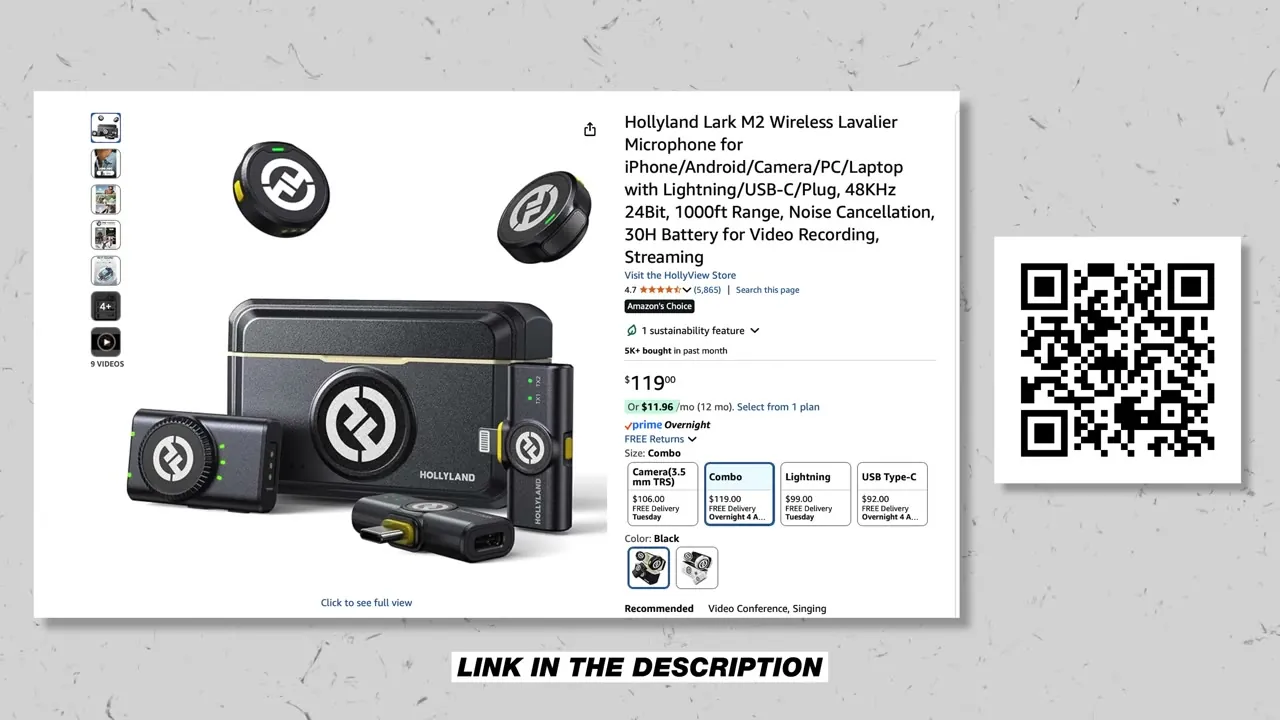
The Hollyland Lark M2 combo kit costs $119 and often drops to $99. You get two wireless mics and three receivers: one for cameras, one for USB C phones and one for older iPhones with a Lightning port. It sounds a little bright, which suits some voices more than others. Add a handle and foam windscreen and you can use it like a handheld interview mic.
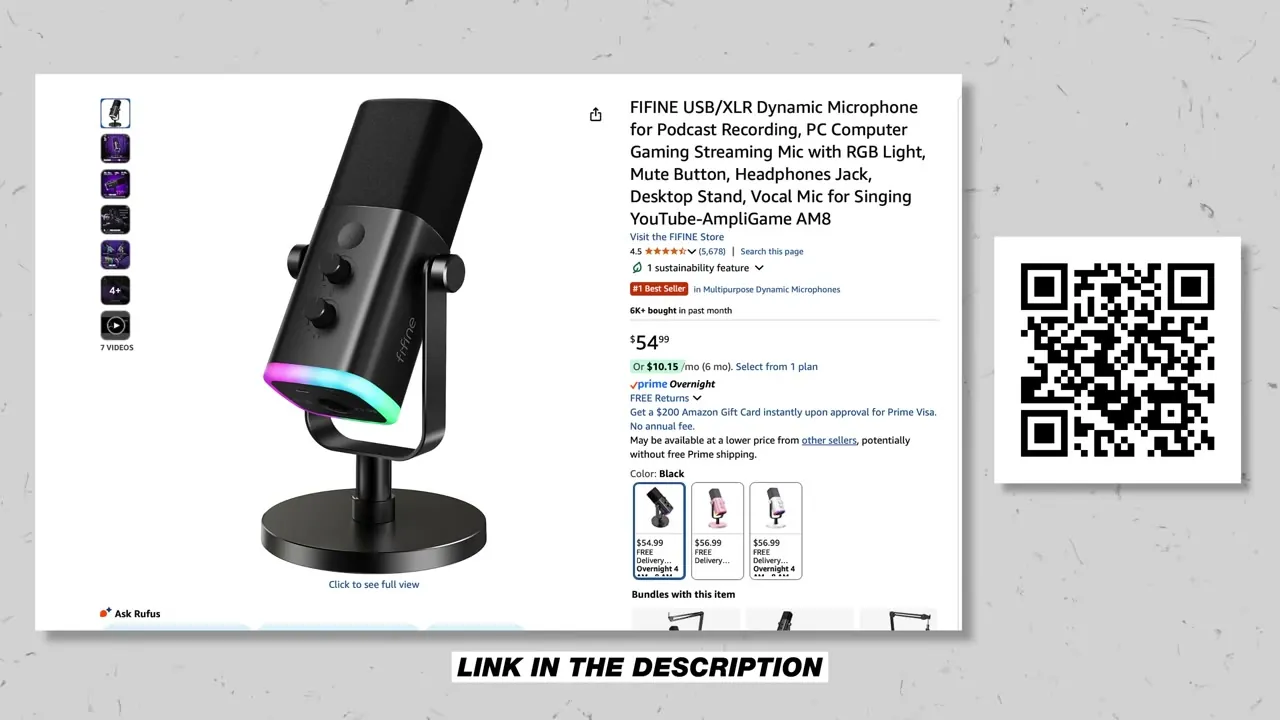
If you film sitting down, a podcast mic is worth a look. The Fifine AM8 costs about $50 and sounds close to a $500 studio mic. It feels a bit plasticky, but it plugs into a computer or phone by USB C, or into an audio interface.
Which camera should you buy when you are ready?
Buy a camera once your phone is holding you back. Look for 4K video, good autofocus, a mic port and a screen that flips so you can see yourself.
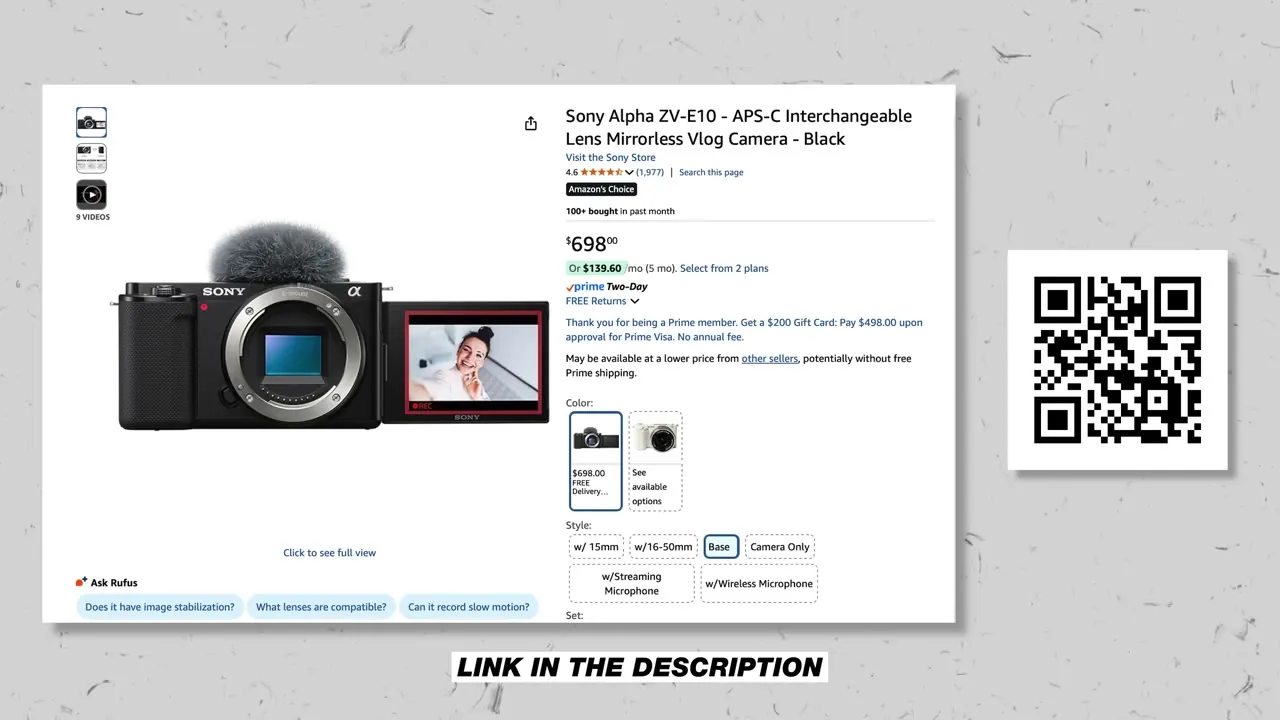
Sony ZV-E10
A popular vlogging camera. It shoots 4K at 30 frames per second and 1080p at up to 120 for slow motion. It has a flip out screen, a better built in mic than the a6100, and electronic stabilization, which steadies video but crops in on your shot. It takes good photos too, which helps when you make thumbnails.
New, it runs under $700. Used, you can often find one for around $500. Get the original model. The newer version dropped the mechanical shutter, which can cause banding lines in photos under some LED lights.
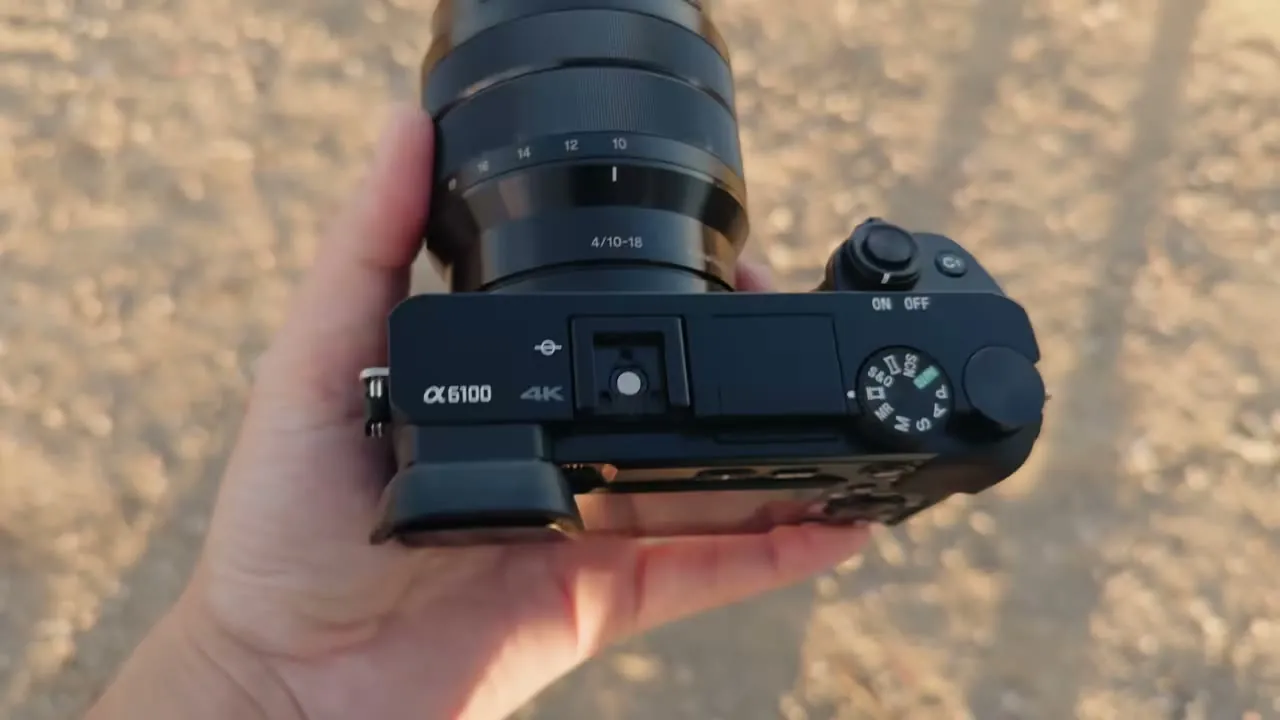
Sony a6100
Almost the same camera, with 24 megapixels, the same 4K and 1080p settings, a mic port and the same batteries. It adds a viewfinder, which helps in bright sun. Its screen flips up instead of out, so a small cold shoe relocator moves your mic to the side so it does not block the screen. It costs $599 new and around $500 used.
Canon R50V
A newer option at about $700. It records 10 bit video, which keeps more color if you like to color grade, and 4K at 60 frames per second for slow motion.
Which lens should you get?
A camera needs a lens, and a good lens changes the look of your video a lot.
- A 35mm prime lens gives that blurry background look and does better in low light, so you get less noise. A fast aperture, like f1.8, helps most.
- The Sigma 30mm f1.4 is a popular, affordable choice, especially used.
- The Sony 35mm f1.8 OSS costs more but steadies the image inside the lens. The ZV-E10 and a6100 do not have stabilization in the body, so handheld video can look shaky without it.
- The Viltrox 20 mm f2.8 is a wider option for $176, for Sony and Nikon mirrorless cameras.
Prime lenses do not zoom. To get a tighter shot, you move the camera closer.
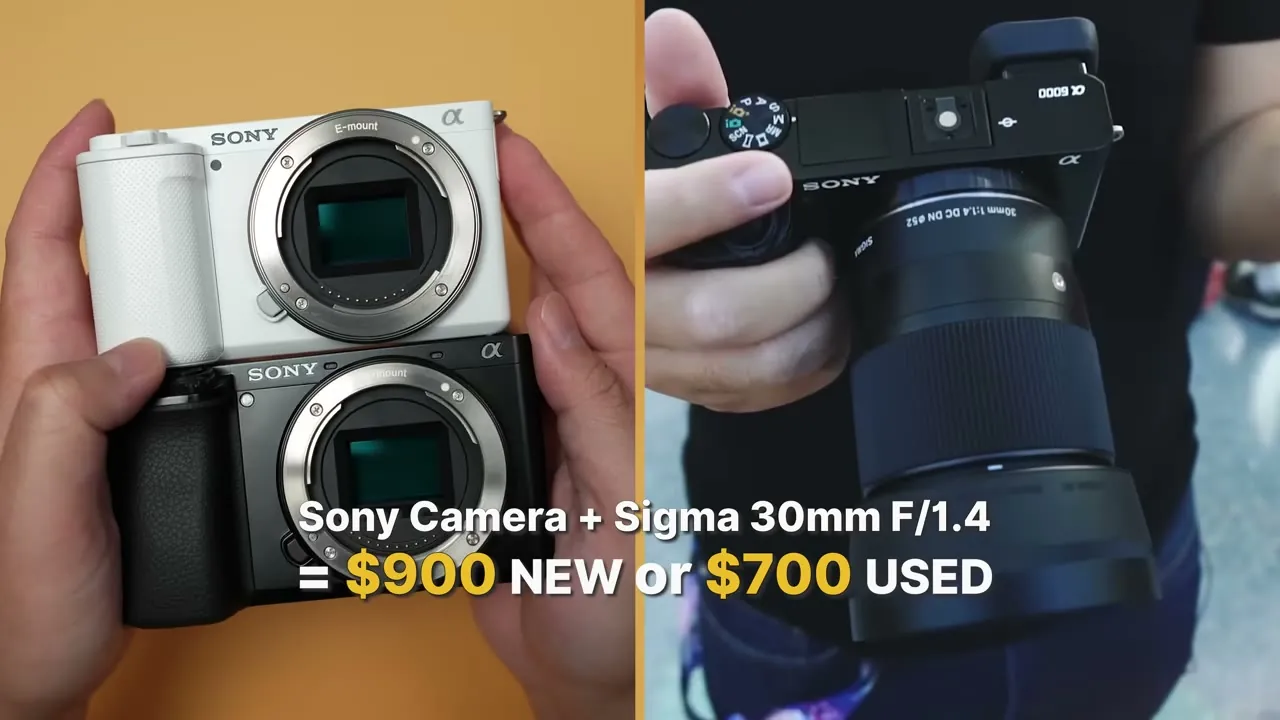
A camera and lens like this can last you 3 to 5 years. When you want a fresh look, buy a new lens instead of a new camera.
Buying used
Buy used gear from a local camera shop or a used gear store that inspects it, or look for open box deals from B&H and Adorama. You can save a couple hundred dollars and know it works.
The Influencer Program is a free creator community that teaches you and helps you grow, with free guides and content. We are not talent managers or an agency that signs you, and there is no contract.
Join the free creator program
Free training to grow, a community of creators, and weekly feedback on your videos. No contract.
(Put your real links. No follower minimum, but you need to be an active content creator, otherwise you get rejected)
What about pocket cameras and other gear?
- A pocket gimbal camera. The DJI Osmo Pocket keeps your phone's storage free and follows your face. The creator combo adds a mini tripod, a battery pack, a wide angle lens and a mic. A cage with a wrist strap makes it much easier to carry and use.
- Camera glasses. Meta Ray-Ban glasses film your point of view for up to 3 minutes at a time, in vertical only. They are handy where a big camera would make people uneasy.
- Lights. A small color light like the Amaran Ace 25C costs $99 and can light your face or color the background. A two panel kit with stands is $329.
- A tripod with a fluid head. The Magnus VT300, under $70, makes smooth pans for B roll.
Storage
Vlogging fills storage fast, because you often record long clips without knowing what you will use. Get a fast, large SD card, like a 1 TB card, and an external SSD to move footage off your camera, computer and phone. Hyperlapse mode on pocket cameras also saves space on scenes you would speed up anyway.
How do you make the vlog worth watching?
Gear is only half of it.
- Get three shots of every scene: a wide shot to show where you are, a medium shot so people feel like they are with you, and a close up for detail.
- Talk about how it felt, not only what you did. Viewers can see what you are doing.
- Do not worry about rambling. You can cut it down when you edit, or record a short voice over later.
- Start small. A vlog can be photos, B roll with a voice over, or a day in your life with no theme at all.
For editing tools, see video editing software for beginners. For the rest of the process, read how to make YouTube videos.
What can you do this week?
- Set your phone to 4K at 30 frames per second.
- Film one short vlog with a wide, medium and close shot of each scene.
- If your audio sounds bad, run it through a noise cleanup tool or price out a wireless mic.
- Watch your footage back and decide if you need a light.
- Write down the one piece of gear that would most improve your next video, and buy only that.
More guides
- Get into the Walmart affiliate program and earn from the products your followers already buy there
- What the biggest TikTok Shop sellers do, and how to copy it
- Earn a cut of every sale your YouTube videos send to a store
- Understand the YouTube algorithm and give it a reason to show your videos
- Read your YouTube analytics and know what to fix next
- Get into the YouTube Partner Program and get your first payment
- Make thumbnails that win the click
- Write YouTube titles that make the right people stop scrolling and click